Using Appliance Discovery
Firebox Vclass User Guide 29
Using Appliance Discovery
After the WatchGuard Vcontroller is installed on the Man-
agement Station, you can use Vcontroller to discover any
new factory default appliance on the network.
This appliance must be connected to the same LAN seg-
ment or subnet as the Management Station through inter-
face 0 (Private).
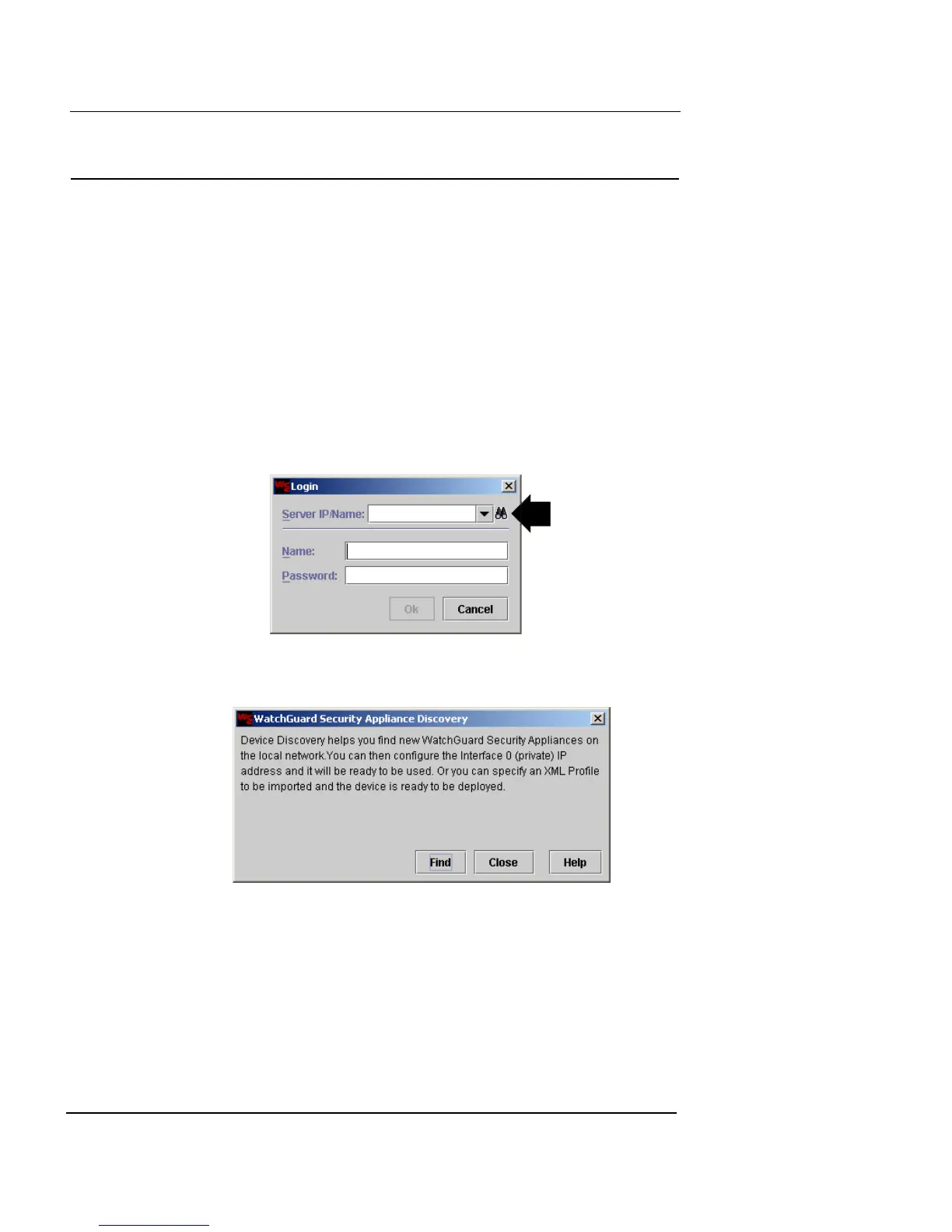
1 Launch Vcontroller.
The Vcontroller Login dialog box appears.
2 Click the binoculars icon to the right of the Server/IP
Name drop-down list.
The WatchGuard Security Appliance Discovery dialog box
appears.
3 Click Find to start the process.
If the Management Station has more than one NIC, you
must select the IP address of the appropriate card from the
drop-down list before proceeding.













 To Next Page