CHAPTER 3: Getting Started
44 Vcontroller
IP addresses for these sites, and remember that they
change frequently, so you might want to check that
these addresses are valid periodically.
6 Type the Polling Interval in seconds to determine
failover. This determines the amount of time between
ping sessions to test the servers listed in the previous
step. The default is 30 seconds.
7 Type the Polling Timeout in seconds to determine
failover. The default is 5 seconds. If none of the listed
servers respond to a ping request within this interval,
the connection is considered failed, and a failover
occurs.
Configure Interface 2 and 3 (DMZ)
1 To configure Interface 2 and 3 (if applicable), enter the
IP address and network mask in the appropriate fields.
2 When you have finished with the Interface window
entries, click Next.
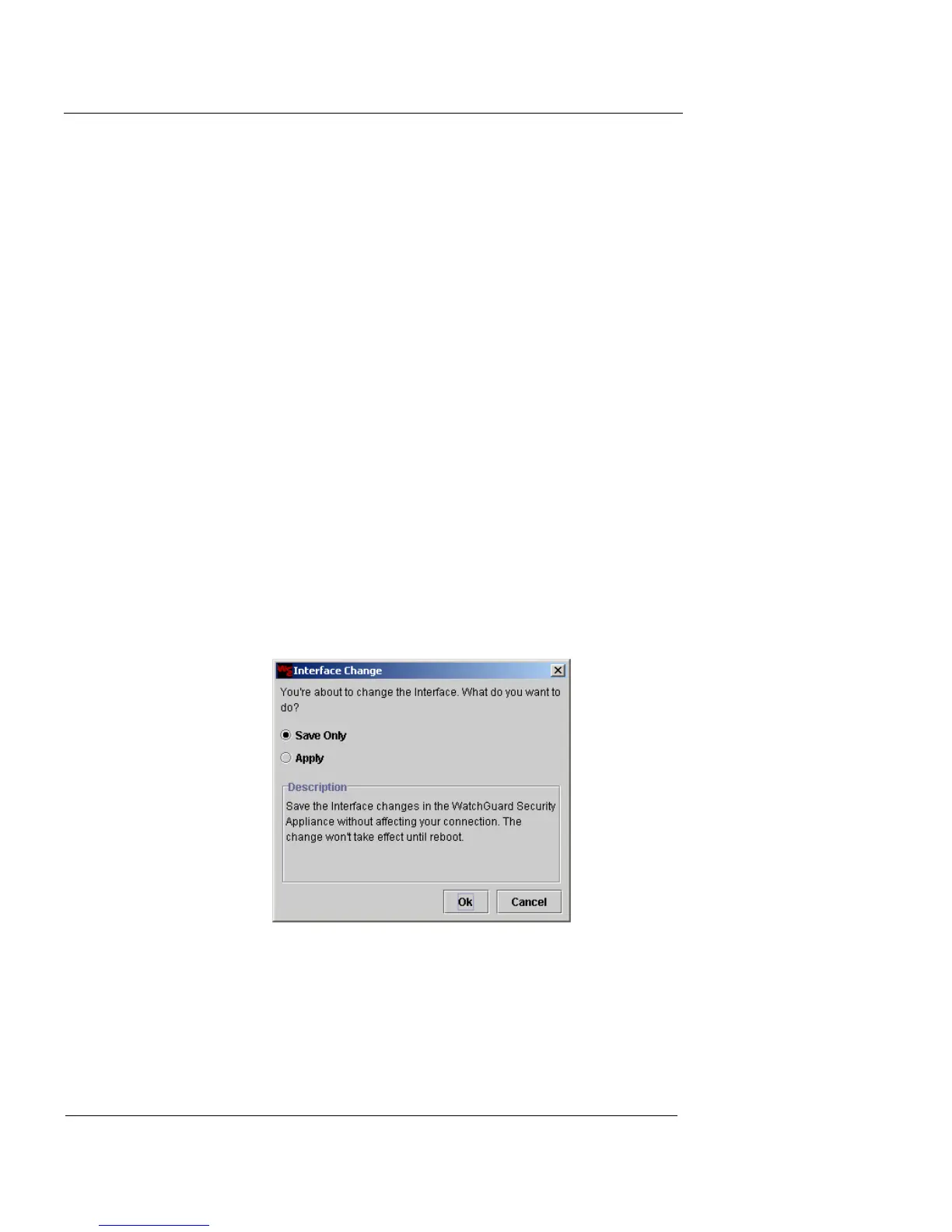
The Interface Change dialog box appears providing two options,
Save Only and Apply.
3 Click Save Only. Click OK to proceed.
WatchGuard recommends selecting Save Only in order to
continue with the Installation Wizard.
If you select Apply, and then click OK, the Wizard
prompts you to stop the installation process and restart
the Firebox Vclass appliance to apply the changes. You













 To Next Page