Running the Vcontroller Installation Wizard
Firebox Vclass User Guide 43
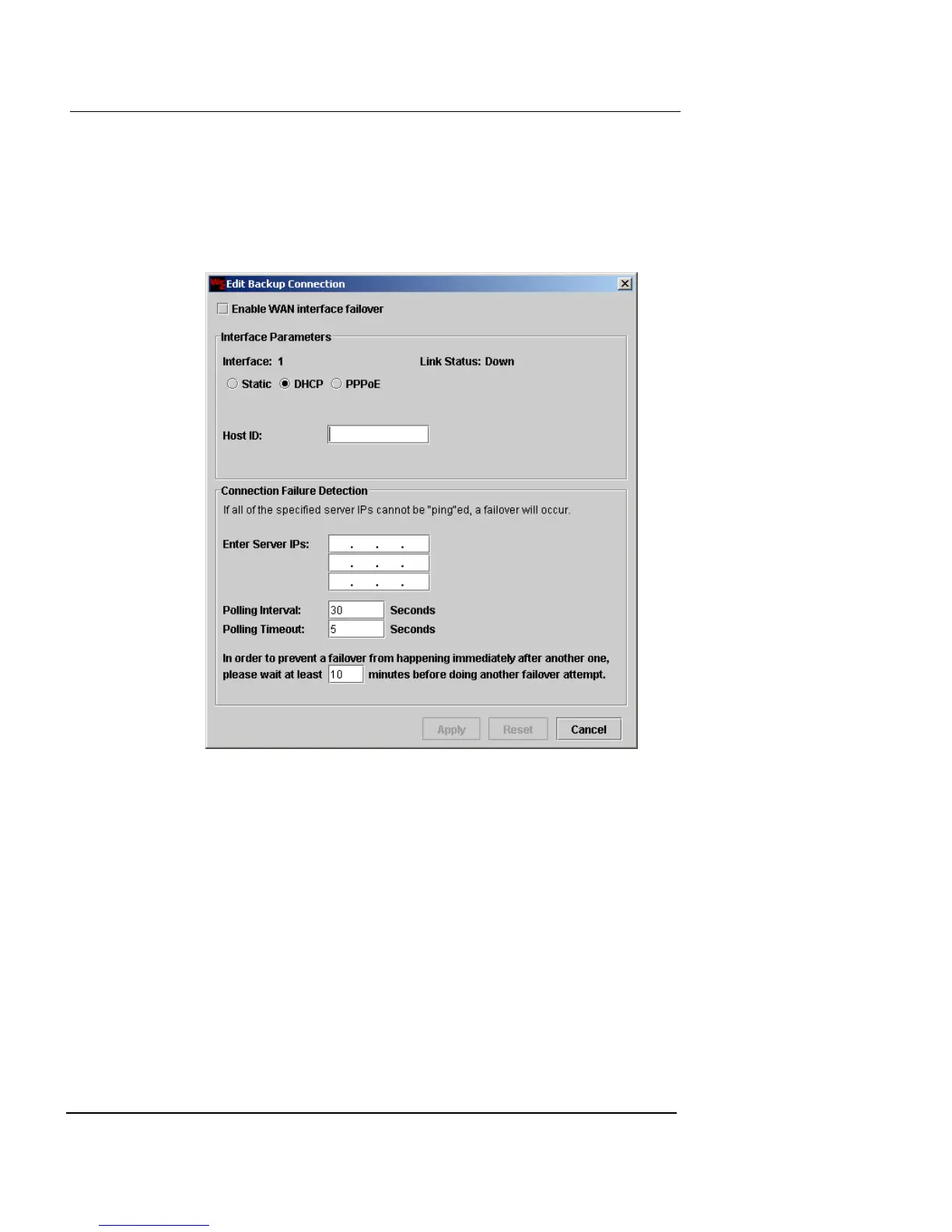
2 Click Backup Connection to configure WAN Interface
Failover, if desired. This allows you to specify a backup
ISP to provide internet service to interface 1, in the
event of a primary ISP failure.
The Edit Backup Connection screen appears.
3 Select the Enable Wan Interface Failover checkbox to
enable failover to another ISP. Configure the interface
as previously described, by clicking Static, DHCP, or
PPPoE and entering the required values.
For the Backup WAN connection, PPPoE is only available in an
Always On state. Dial-on-Demand is not available.
4 Establish Connection Failure Detection criteria.
This section of the screen allows you to enter 3 different IP
addresses that the appliance should be able to ping, to determine
whether the network is up or down, and timing values to
determine when the ISP has failed.
5 Type up to three IP addresses for public, well-known
and robust internet sites that allow ping. Examples
include Yahoo, Google, and eBay. Do a DNS lookup for













 To Next Page