CHAPTER 3: Getting Started
42 Vcontroller
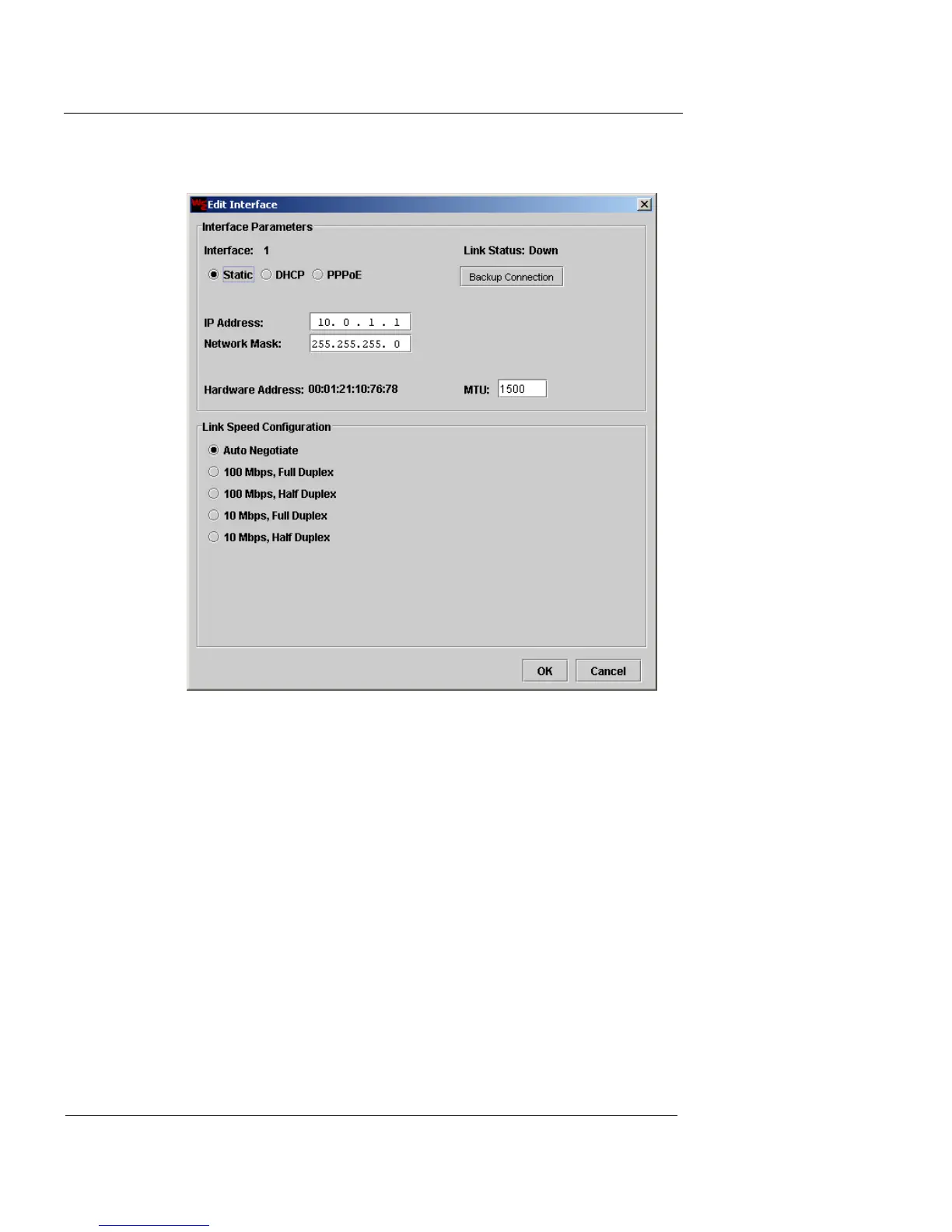
Configure Interface 1 (Public)
1 To configure Interface 1 (Public) for Static, DHCP, or
PPPoE addressing, choose the appropriate interface
option and provide the relevant entries as follows:
Static IP
Enter the IP address and network mask in the
appropriate fields.
DHCP
Enter the IP address or DNS host name of the
DHCP server assigned by your ISP in the Host ID
field. (This entry is optional.)
PPPoE
Enter the user name and password assigned to you
by your ISP in the appropriate fields.













 To Next Page