CHAPTER 6: System Configuration
106 Vcontroller
Configuring the HA Interfaces
For more information on setting up and managing these
HA interfaces, see “Setting Up a High Availability System”
on page 425.
To edit High Availability settings:
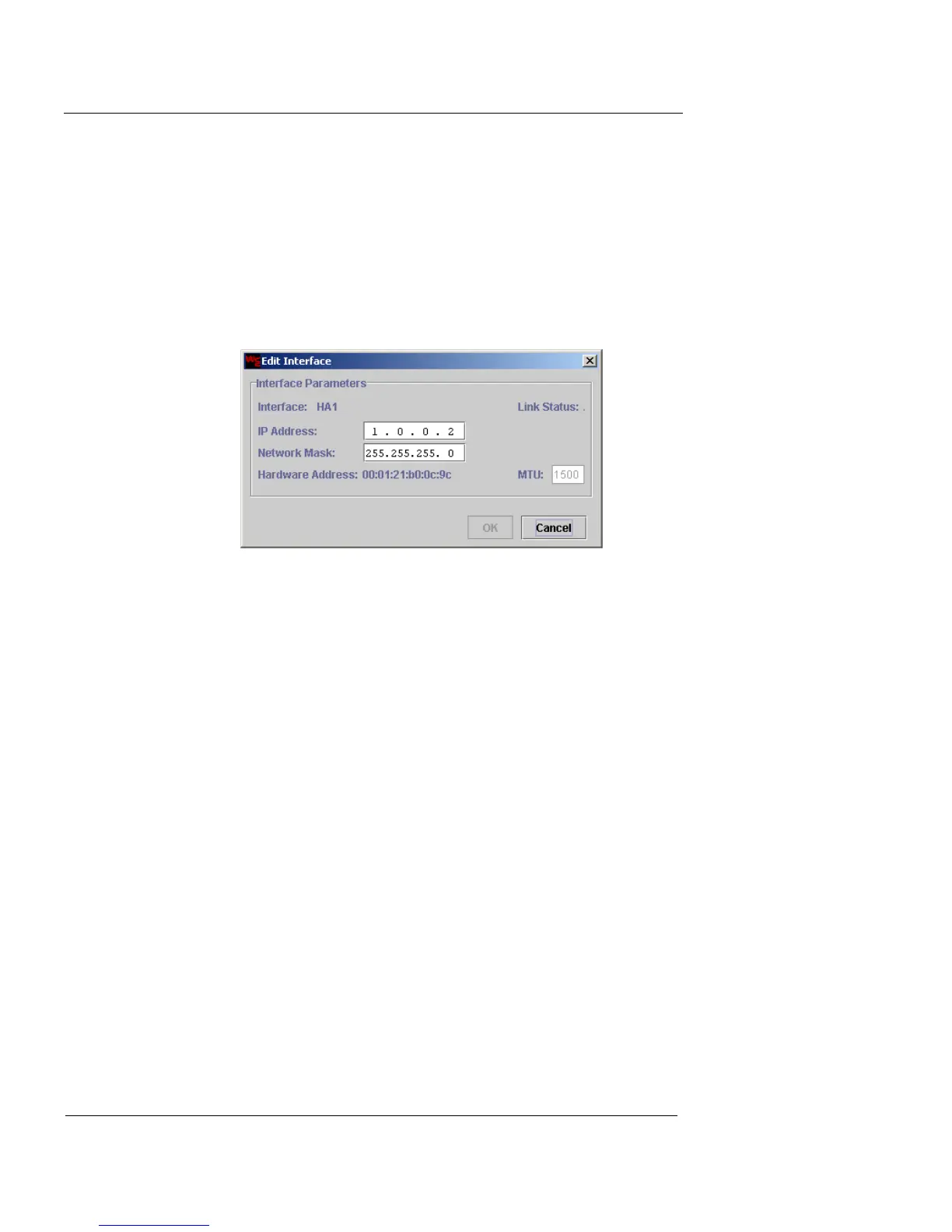
1 Select the interface entry and then double-click.
The Edit Interface dialog box appears.
2 There is usually no reason to change the IP addresses
and Network Masks for the HA ports, though you can
change them for internal reasons. In the IP address and
Network Mask fields, type the IP address and network
mask.
The interface Hardware Address (MAC address) is displayed
beneath these fields.
3 Click OK to close the Edit Interface dialog box and
return to the Interface tab.
When you have finished configuring the interfaces, click
one of the following options:
Reset
To return the settings to the previous configuration
Save Only
To save the settings to the Management Station and
apply them to the Firebox Vclass appliance when it
is restarted. When you are finished, click Close.




 To Next Page