Setting a Vclass Appliance to Transparent Mode
Firebox Vclass User Guide 83
parent Mode from the Interfaces window in System Con-
figuration, though this window allows you to restore to
factory default in order to set the appliance to Transparent
Mode. Vclass appliance must be in Factory Default config-
uration to be set to Transparent Mode. To set the appliance
to the Factory Default configuration, see “Restoring to Fac-
tory Default” on page 407.
Setting an Appliance to Transparent Mode
using Device Discovery
To use Device Discovery successfully, the appliance you
are configuring must be connected to the same LAN seg-
ment or subnet as the Management Station through inter-
face 0 (Private).
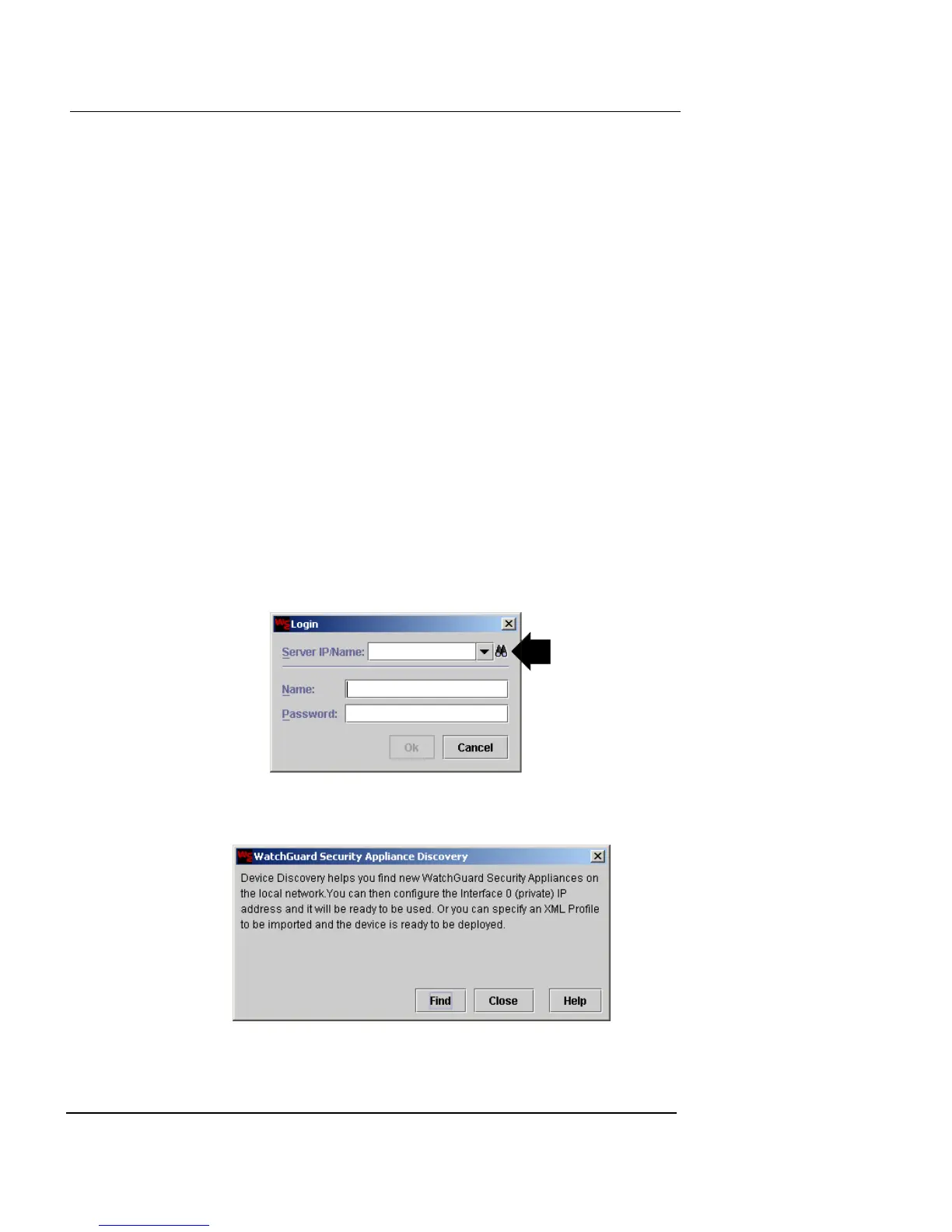
1 Launch Vcontroller.
The Vcontroller Login dialog box appears.
2 Click the binoculars icon to the right of the Server/IP
Name drop-down list.
The WatchGuard Security Appliance Discovery dialog box
appears.
3 Click Find to start the process.













 To Next Page