Using Tenants
Firebox Vclass User Guide 191
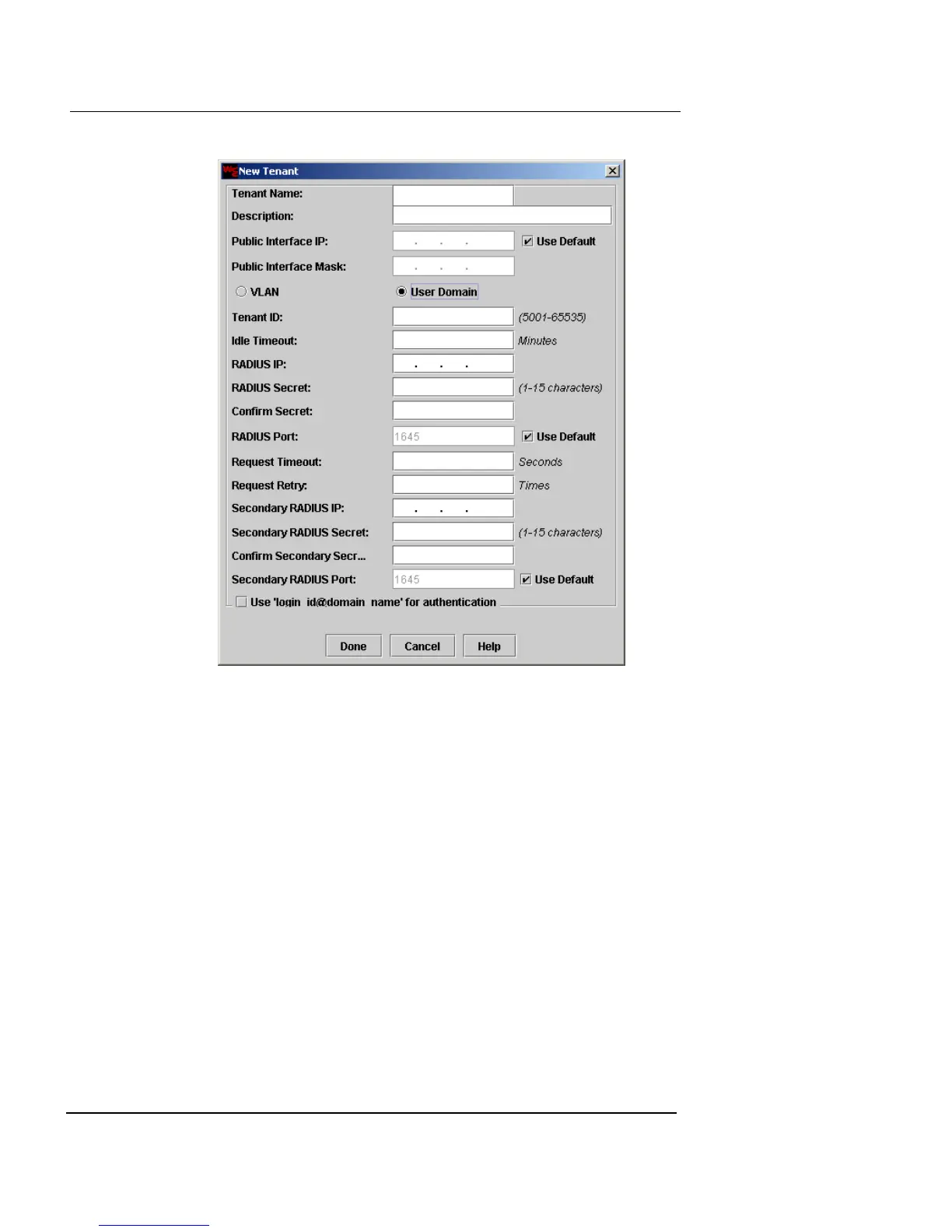
1 In the Tenant ID field, type a number (5001 or higher)
to identify this particular tenant’s traffic.
2 In the Idle Time Out field, type the number of minutes
a tenant user’s connection can remain idle before it is
automatically terminated.
3 In the RADIUS IP field, type the IP address of the
RADIUS server.
4 In the RADIUS Secret field, type the password used
by this Firebox to gain access to the RADIUS system. In
the Confirm Secret field, retype the same RADIUS
password.
5 If the RADIUS server is not using the default UDP port
(shown in the RADIUS Port field), clear the Use
Default checkbox. In the RADIUS Port field, type the
correct port number.













 To Next Page