Defining a NAT Action
Firebox Vclass User Guide 201
address of interface 1 (Public) of the Firebox Vclass
appliance as the translation address.
To create a Dynamic NAT action using a user-defined IP
address:
1 Select either 0 (Private), 2 (DMZ), or 3 (DMZ2) from the
Incoming Interface drop-down list.
You cannot apply dynamic NAT to interface 1 (Private).
2 If a VLAN or user domain tenant is affected by this
action, select the appropriate entry from the Tenant
drop-down list.
3 Select Dynamic NAT from the NAT/Load Balancing
drop-down list.
4 Click New from the right of the NAT/Load Balancing
drop-down list.
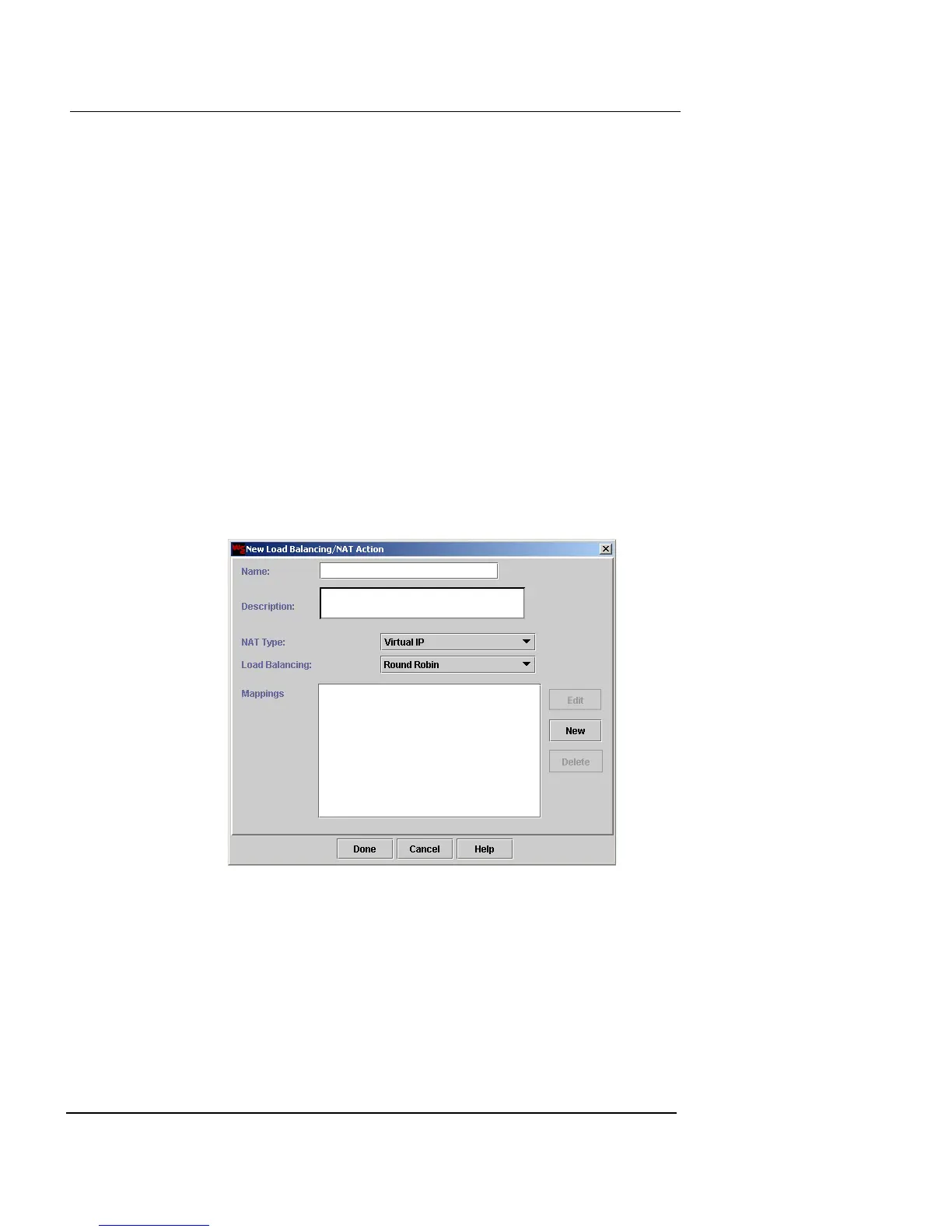
The New Load Balancing/NAT Action dialog box appears.
5 In the Name and Description fields, type a name and
brief description for the dynamic NAT action. The
Description field is optional.
6 Select Dynamic NAT from the NAT Type drop-down
list.
7 Click New.
The New Mapping dialog box appears.













 To Next Page