CHAPTER 3: Getting Started
46 Vcontroller
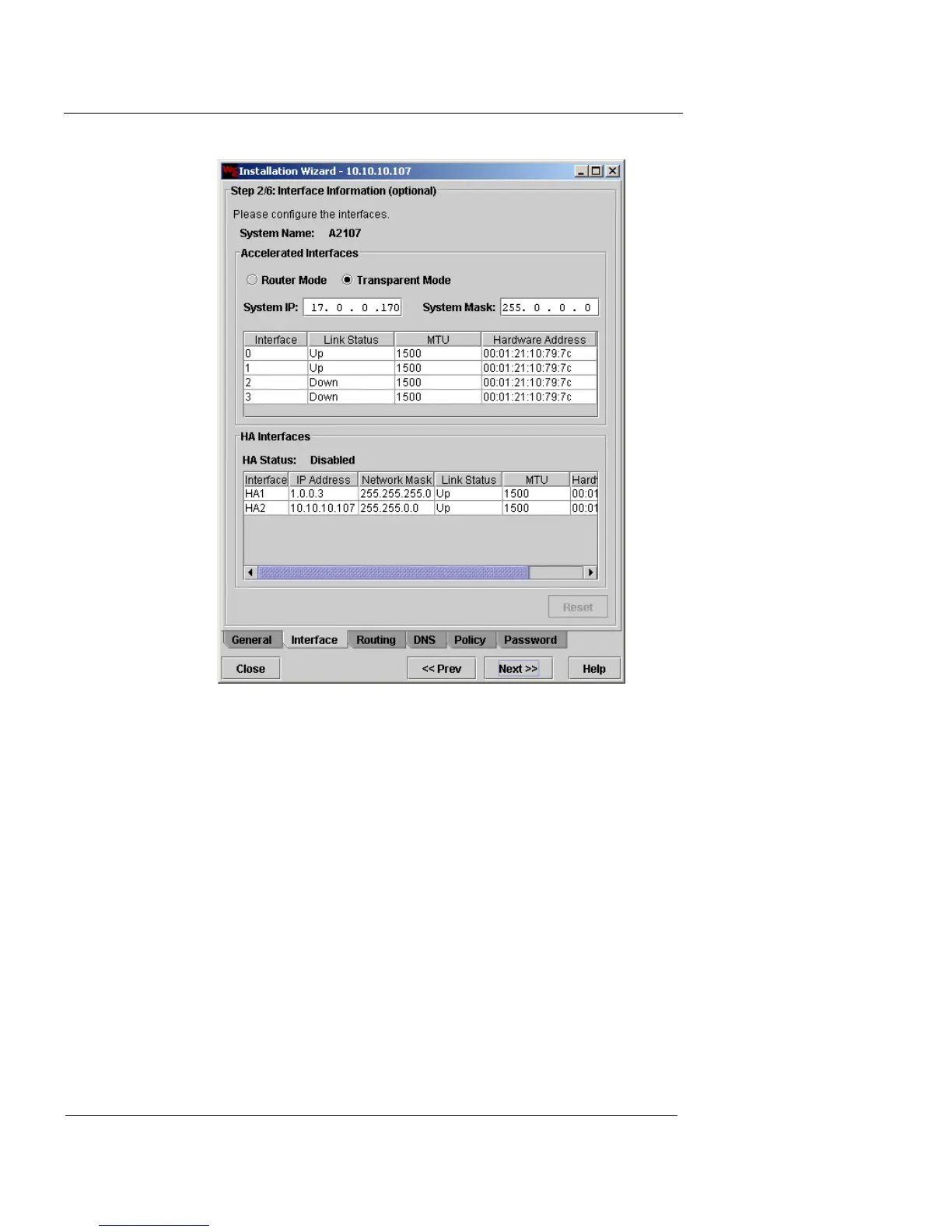
2 Click Transparent Mode.
The appliance must be in factory default configuration to switch
to Transparent Mode. If the device has already been configured,
you must restore it to factory default before taking this step. See
“Restoring to Factory Default” on page 407.
3 In the System IP field, type the IP address that will be
used for all interfaces on the appliance.
4 In the System Mask field, type the Subnet Mask
address that will be used for all interfaces on the
appliance.
You can change the link speed and MTU (Maximum Transmission
unit size) for each physical interface, or leave the defaults (Auto
Negotiate/1500 bytes).
5 To change the link speed and MTU values for an
interface, double-click the interface entry in the table
under System IP.













 To Next Page