July, 2007
4-68
WorkCentre 5020
REP 10.3.1
Initial Issue
Repairs and Adjustments
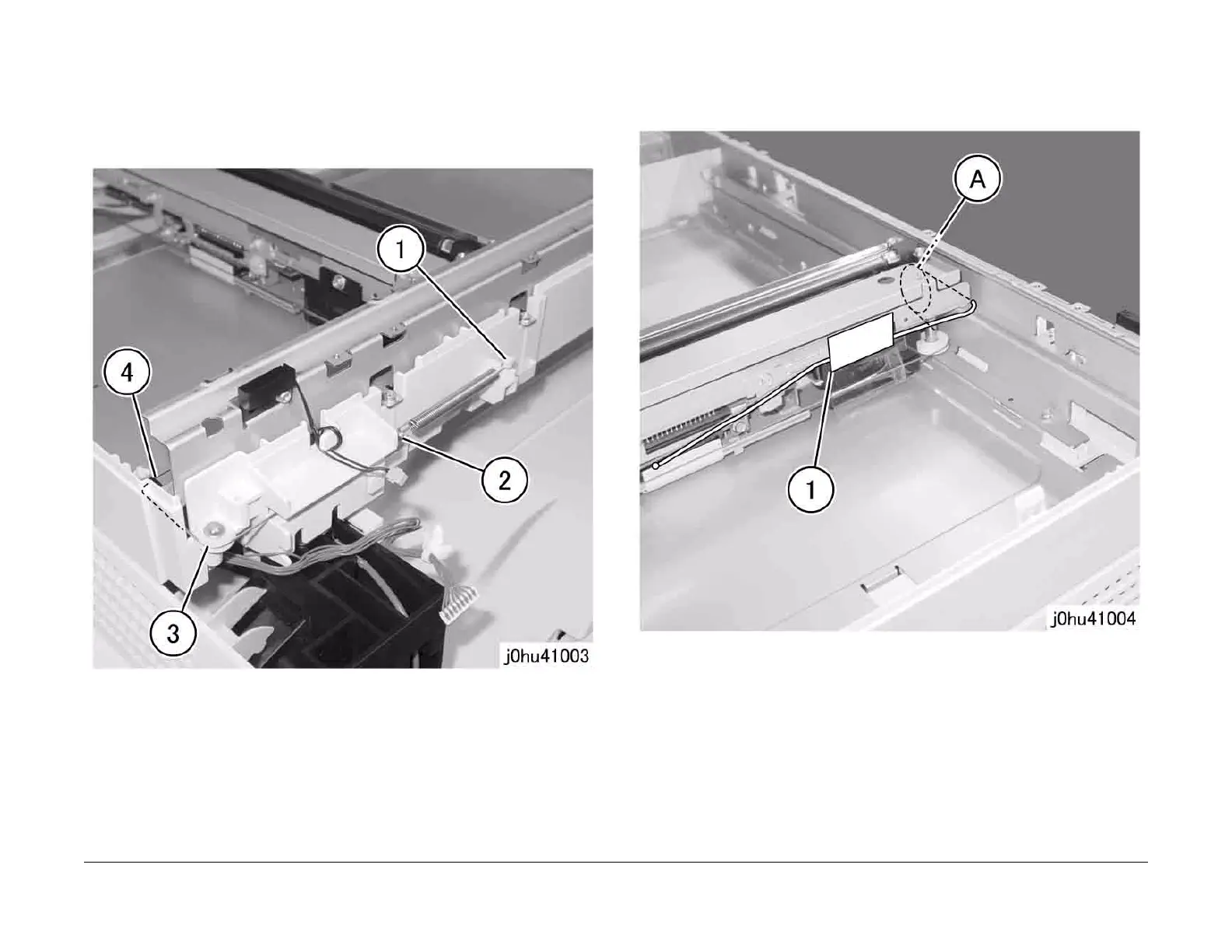
5. While maintaining tension on the Carriage Cable (silver) at the front left side, disconnect it
(Figure 3).
1 Disconnect the Carriage Cable.
2 Remove the Cable Spring.
3 Remove the Carriage Cable from the pulley.
4 Remove the Carriage Cable from the guide.
Figure 3
6. Use pieces of tape to secure the Carriage Cable (silver) that was disconnected in step 5
so that it does not get separated from the pulley of the IIT Carriage (Figure 4).
A Secure the Carriage Cable with tape
1 Pulley
Figure 4



 To Next Page
 Loading...







