July, 2007
4-56
WorkCentre 5020
REP 8.3.1
Initial Issue
Repairs and Adjustments
REP 8.3.1 Control Panel (SCC)
Parts List on PL 8.3
Removal
WARNING
To avoid personal injury or electrical shock, ensure that the machine is completely off
before disassembling or adjusting. Turn OFF the power and unplug the machine.
1. Remove the Front Left Cover (REP 9.1.2).
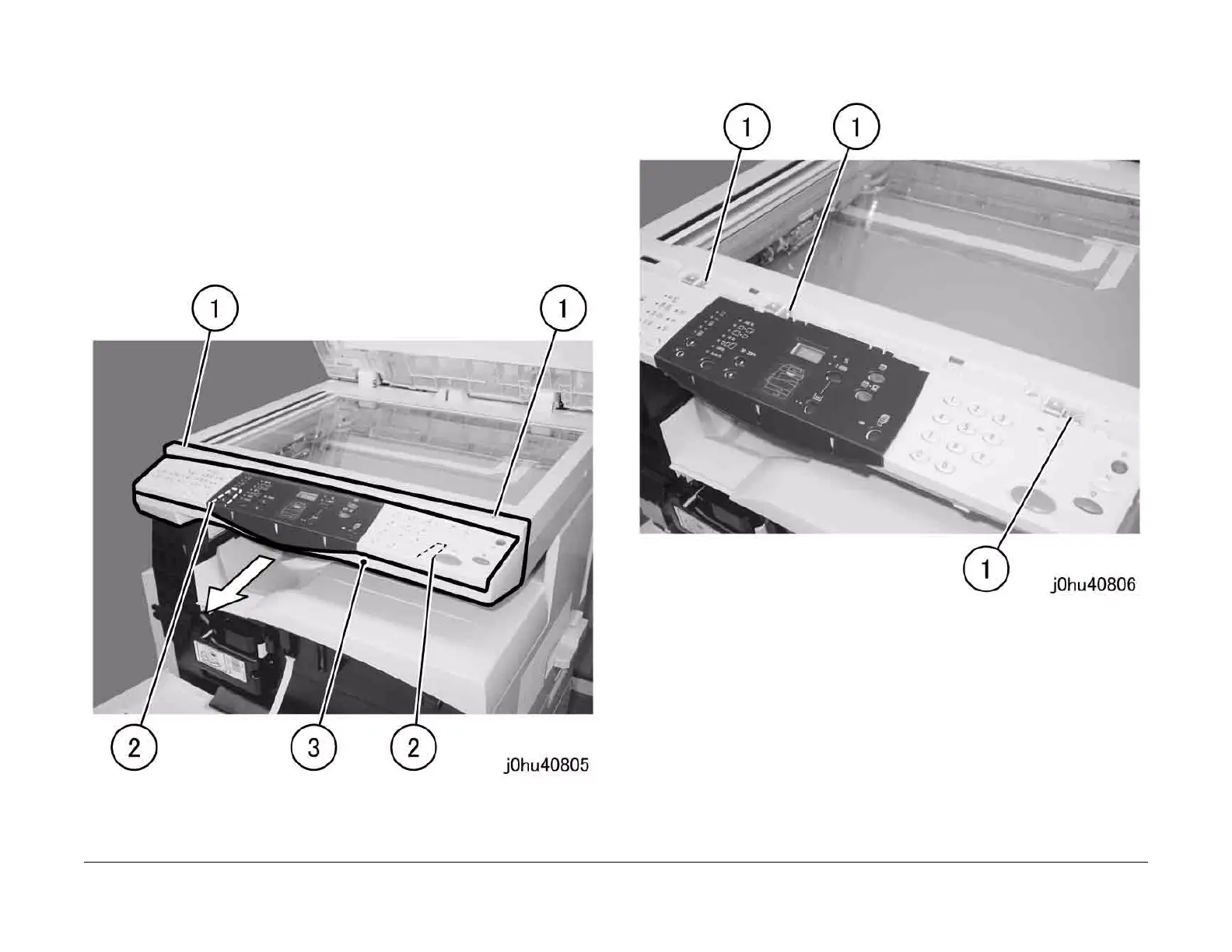
2. Remove the Control Panel Cover (Figure 1).
1 Remove the Tapping Screws (2).
2 Press the tabs (2) to release them.
3 Remove the Control Panel Cover towards the front.
Figure 1
3. Remove the screws that secure the Control Panel (Figure 2).
1 Remove the screws (3).
Figure 2



 To Next Page
 Loading...







