July, 2007
4-83
WorkCentre 5020
REP 11.1.1, REP 11.1.2
Repairs and Adjustments
Initial Issue
REP 11.1.1 Tray 2
Parts List on PL 11.1
Removal
WARNING
To avoid personal injury or electrical shock, ensure that the machine is completely off
before disassembling or adjusting. Turn OFF the power and unplug the machine.
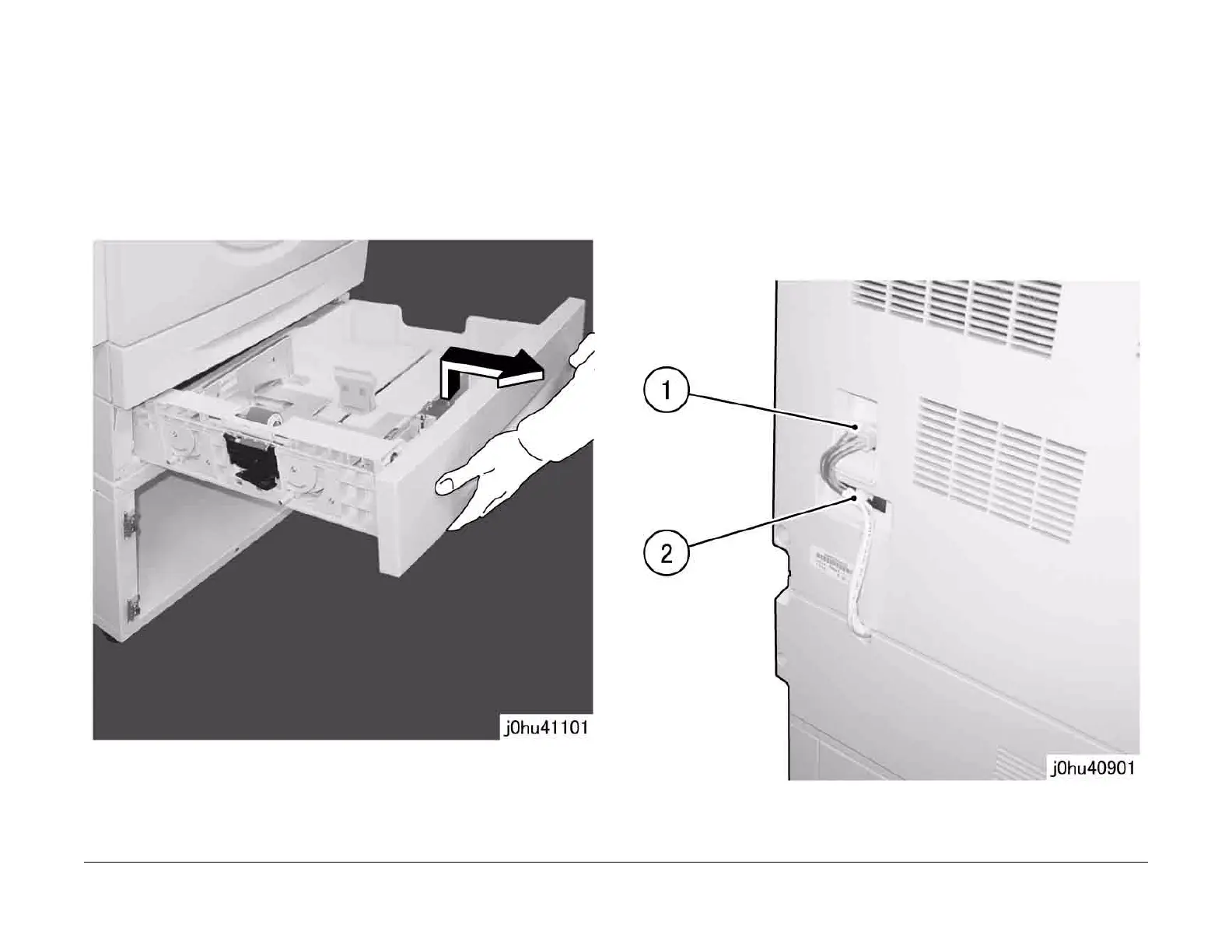
1. Remove all paper from Tray 2.
2. Pull out Tray 2.
3. Lift the front side of Tray 2 and remove the tray (Figure 1).
Figure 1
Replacement
• To install, do the removal steps in reverse order.
REP 11.1.2 Single Tray Module (Separation from IOT)
Parts List on PL 11.1
Removal
WARNING
To avoid personal injury or electrical shock, ensure that the machine is completely off
before disassembling or adjusting. Turn OFF the power and unplug the machine.
WARNING
The IOT is heavy. Do this procedure with 2 persons.
1. Disconnect the connector. (Figure 1).
1 Disconnect the connector.
2 Pull out the cable clamp.
Figure 1



 To Next Page
 Loading...







