July, 2007
4-74
WorkCentre 5020
REP 10.3.2
Initial Issue
Repairs and Adjustments
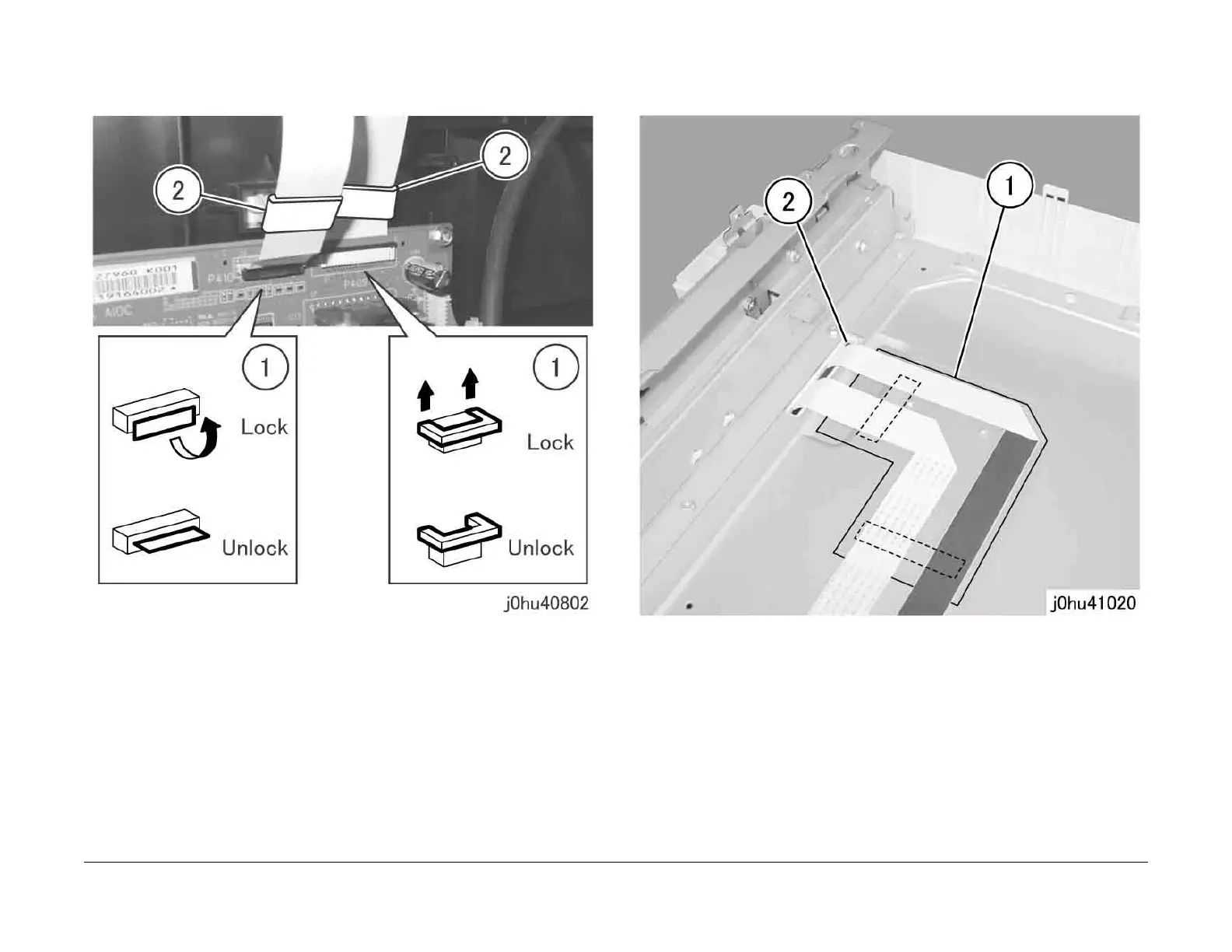
5. Disconnect the Flexible Print Cables (2) from the AIOC PWB (Figure 2).
1 Disconnect the Flexible Print Cables (2).
2 Remove the Cores (2).
Figure 2
6. Remove the Flexible Print Cable (Figure 3).
1 Peel off the pieces of tape to remove the Flexible Print Cable.
2 Slide the Flexible Print Cable through the hole in the IIT Frame.
Figure 3
Replacement
1. To install, do the removal steps in reverse order.



 To Next Page
 Loading...







