July, 2007
4-8
WorkCentre 5020
REP 2.2.1
Initial Issue
Repairs and Adjustments
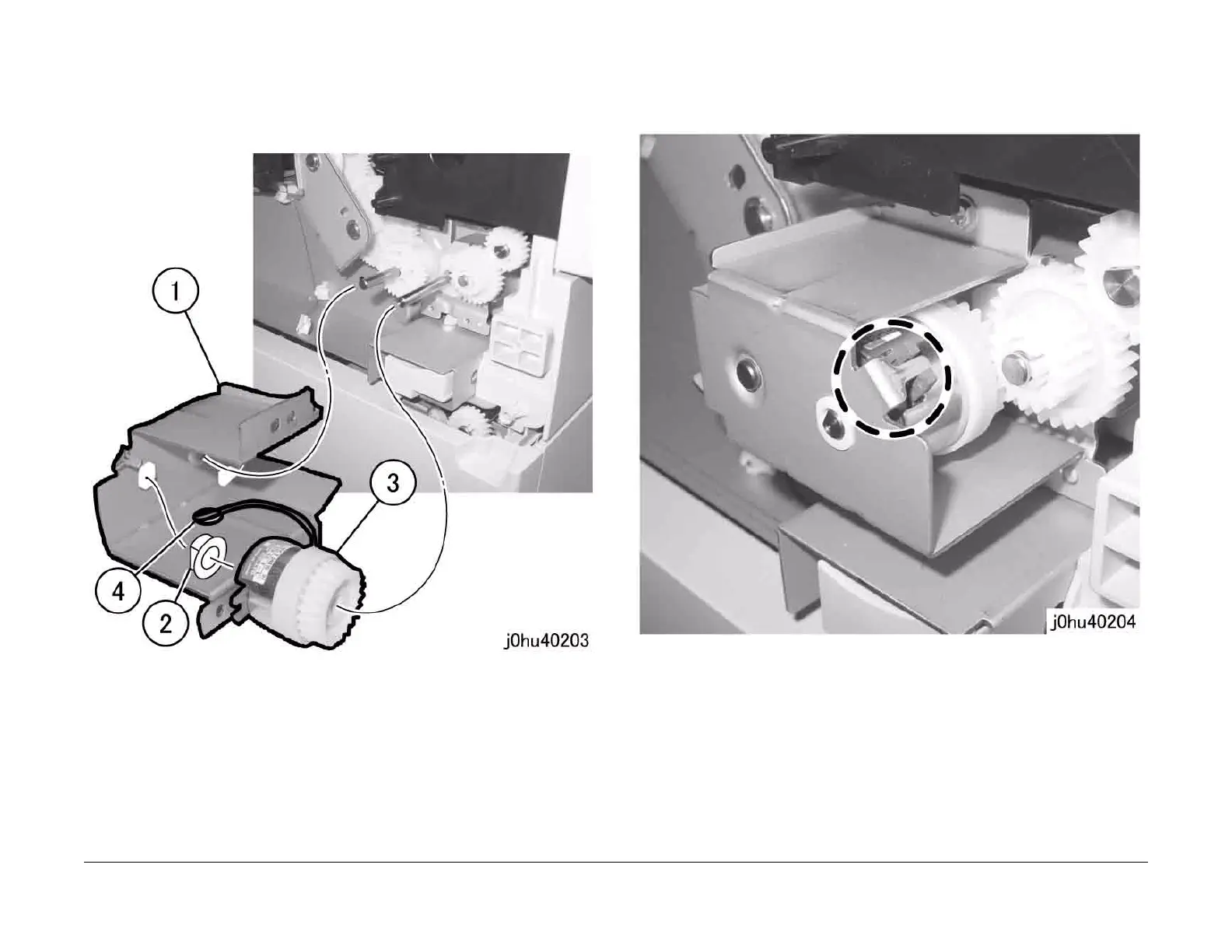
4. Remove the Tray 1 Feed Clutch (Figure 3).
1 Remove the Clutch Bracket.
2 Remove the bearing.
3 Remove the Tray 1 Feed Clutch.
4 Pull out the wire harness through the hole.
Figure 3
Replacement
1. To install, do the removal steps in reverse order.
2. When installing the Tray 1 Feed Clutch, place the tab of Clutch Bracket in the notch of
Tray 1 Feed Clutch (Figure 4).
Figure 4



 To Next Page
 Loading...







