July, 2007
4-18
WorkCentre 5020
REP 3.1.1
Initial Issue
Repairs and Adjustments
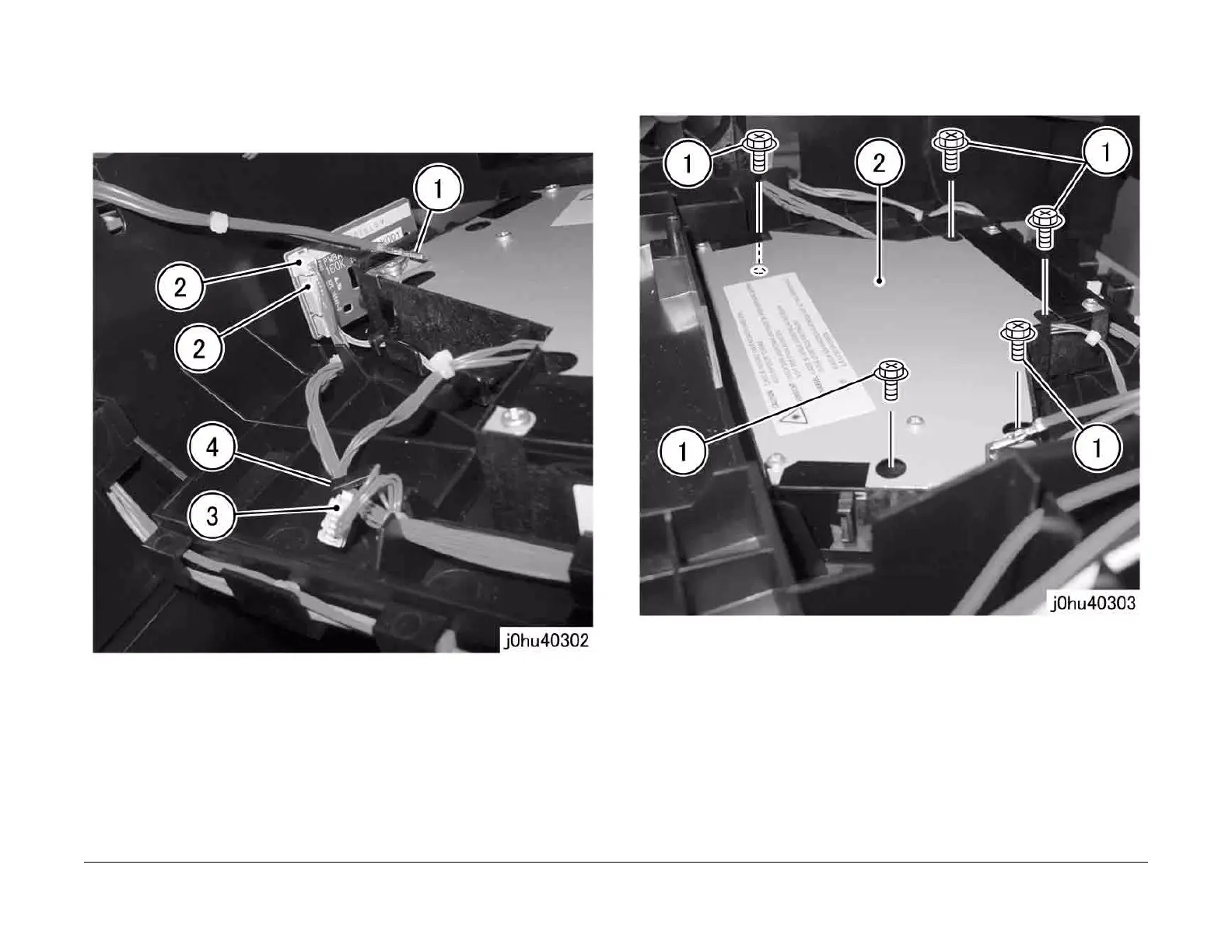
6. Disconnect the ROS connectors (Figure 3).
1 Disconnect the Ground connectors (2).
2 Disconnect the connectors (2).
3 Disconnect the connector.
4 Remove the wire harness from the hook.
Figure 3
7. Remove the ROS (Figure 4).
1 Remove the Tapping Screws (5).
2 Remove the ROS.
Figure 4
Replacement
1. To install, do the removal steps in reverse order.
NOTE: When powering up to perform operations with the ROS installed, read the warning
label pasted on the ROS before proceeding with the operation.



 To Next Page
 Loading...







