3.3 Measuring Multichannel Optical Module Bit Error Rate
3-13
3
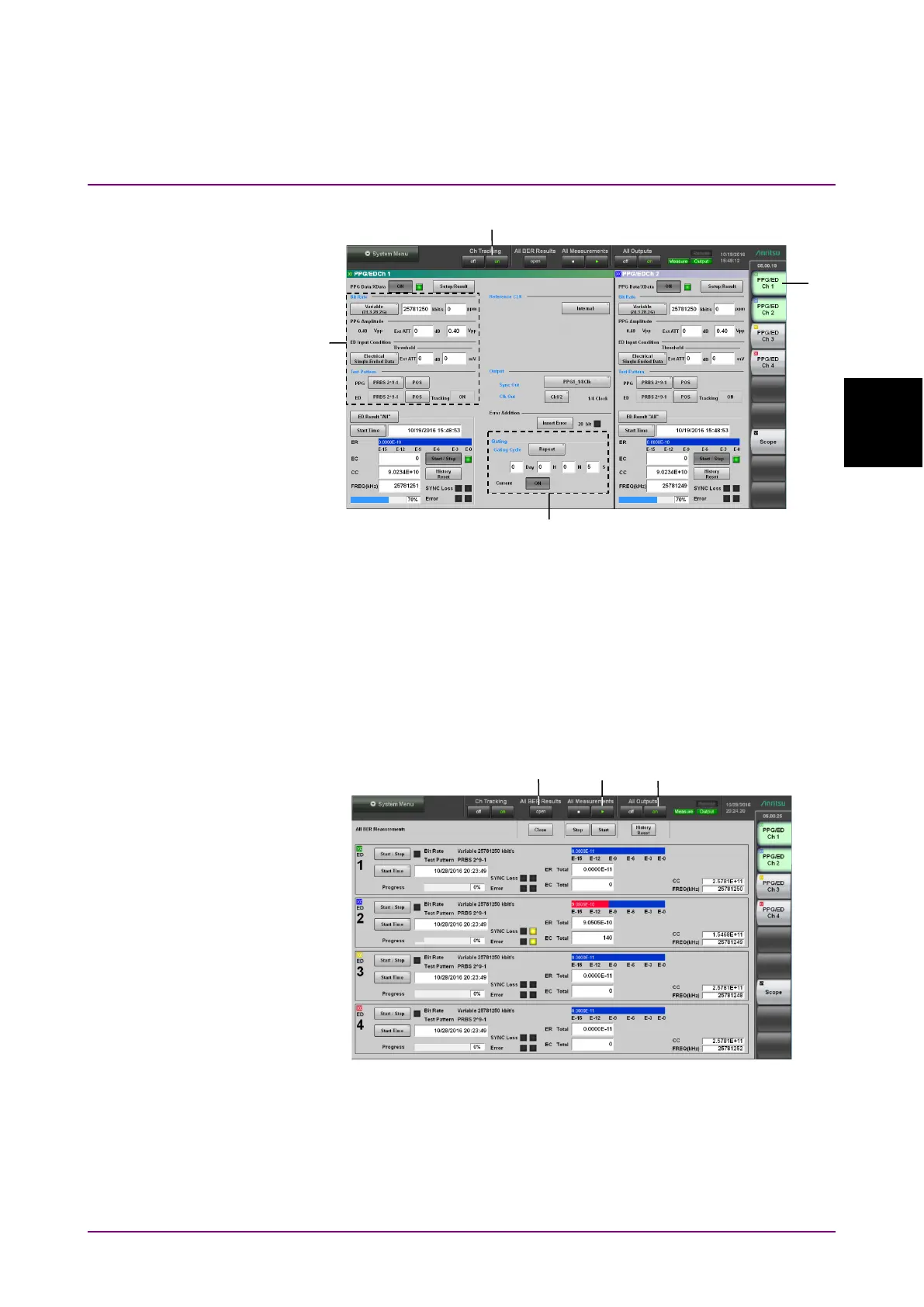
Figure 3.3-2 PPG/ED Settings
10. In the application window, click
PPG/ED Ch1.
11. Set Bit Rate, PPG Amplitude, ED Input Condition and Test Pattern.
Refer to Chapter 5, “How to Operate BERT” for details of the
operation method.
12. Set Gating.
13. Change the color of the characters on the button to green by clicking
on at Ch Tracking.
Figure 3.3-3 Measurement of Bit Error Rate
14. Click
open at All BER Results.














 To Next Page