6.2 Explanation of Windows
6-37
6
How to Operate Sampling Scope
Table 6.2.4-3 Items of Setup (PAM4 Amplitude/Time) Dialog Box
Item Description
Configuration
Sampling Timing
Set the reference position of the upper eye and the lower eye.
Track to Middle Eye Timing:
Adjust to the center eye position. Refer to Figure 1.5-11.
Independent Timing:
The reference positions of the three eyes can be set separately. Refer to
Figure 1.5-10.
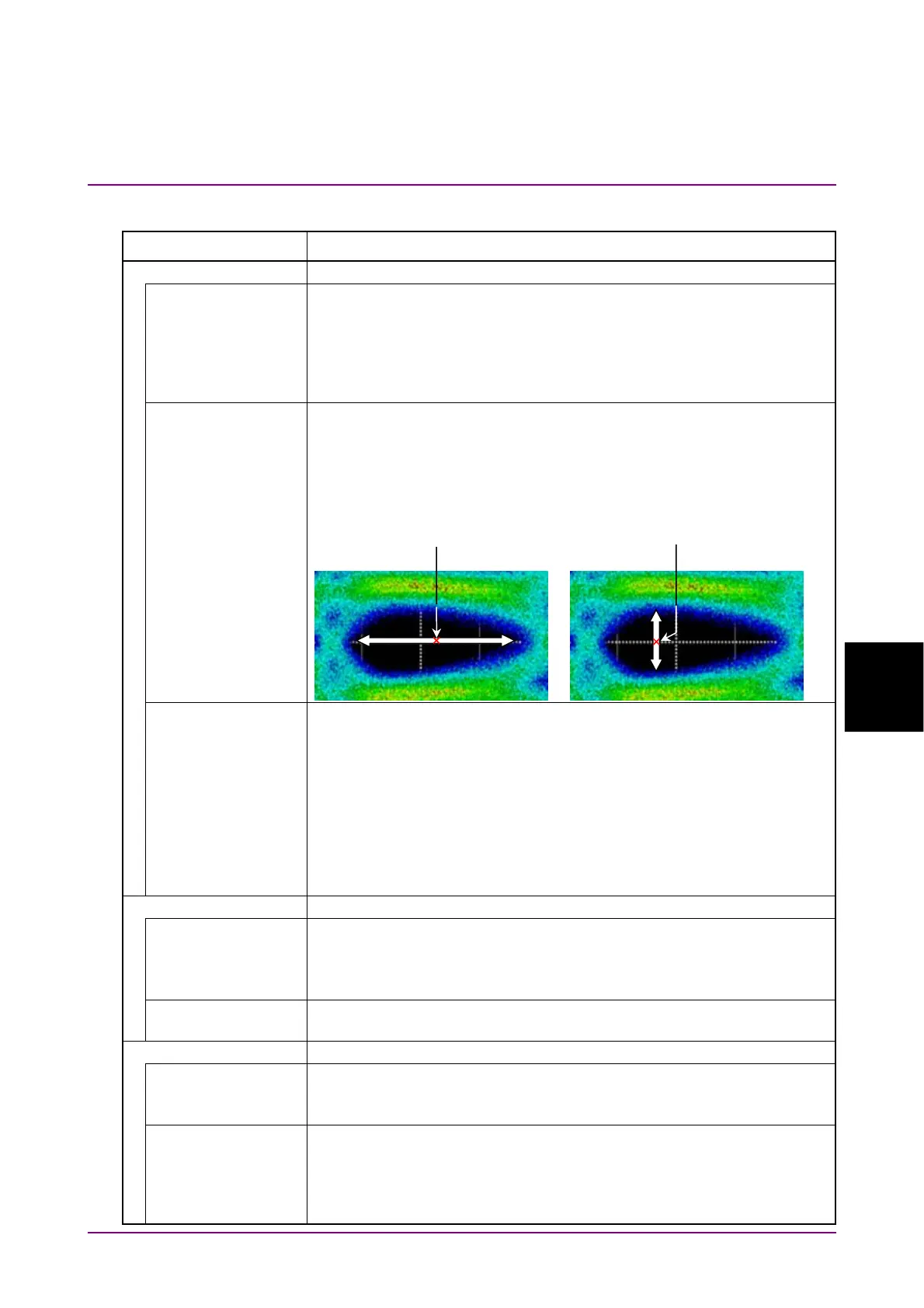
Eye Center Type Select the method to set the center position of the eye.
Maximum Eye Width:
Center of the amplitude at which Eye Width is the maximum.
Maximum Eye Height:
Center of the phase at which Eye Height is the maximum.
Peak Power
Hit Ratio*
1
Sets the threshold for determining the Peak Power by the ratio to the
number of samples in 1 UI.
If set to 1%, the position of 1% of the number of samples from the
maximum value of the waveform is considered the maximum power
(Pmax). Also, the position of 1% of the number of samples from the
minimum value of the waveform is considered the minimum power
(Pmin). The difference between Pmax and Pmin is considered Peak
Power.
If 0 is specified, the difference between maximum and minimum values
of the waveform is considered Peak Power.
Eye Heights/Widths
Eye Opening
Definition
Defines the eye opening.
Zero Hits: The area where sampling does not occur.
1E–01 to 1E–06: The area that bit error is equal to or less than the
specified value. 1E–01 means 10
–1
.
Linearity Definition Select a definition of the Linearity measurement method from IEEE
Clause 94 or IEEE Annex 120D.
TDECQ*
1,
*
2
Target SER Select the standard for SER that determines the factor Qt used for
TDECQ, among Variable, IEEE and FC.
When Variable is selected, the value can be set at Target SER.
Optimize Threshold When set to On, the measurement threshold is finely adjusted so that
TDECQ can be optimized as specified in the IEEE 802.3cd.
The amount of alignment is ±1% (fixed) with respect to the Threshold
value specified in the IEEE 802.3cd. The threshold is optimized for Left
Histogram and Right Histogram separately.
Eye Center for
Maximum Eye Height
Eye Center for
Maximum Eye Width














 To Next Page