Chapter 6 How to Operate Sampling Scope
6-86
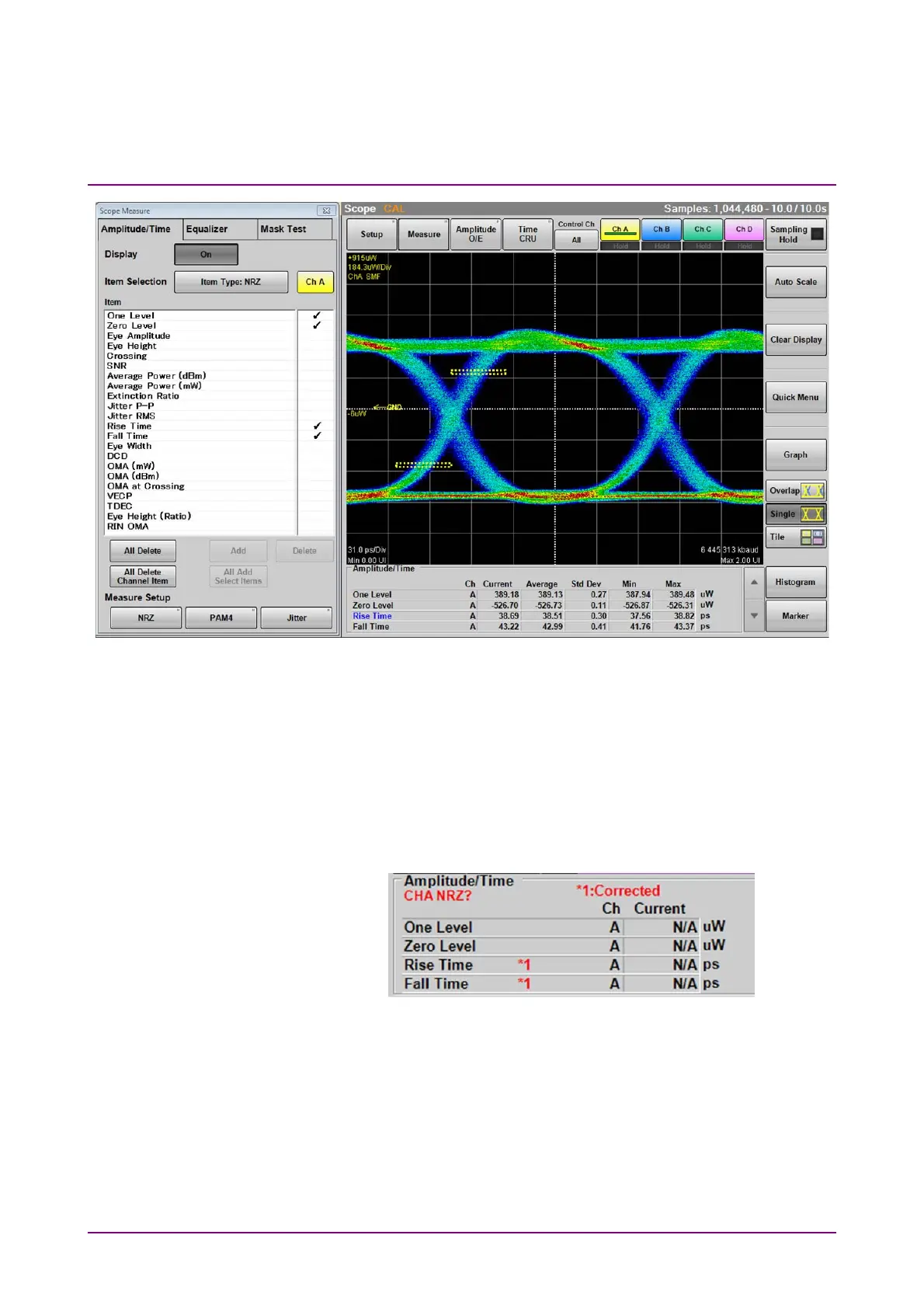
Figure 6.9.1-2 Display Example of Measurement Area
If the item is measured properly in PAM4 waveform, PAM4 in black is
displayed. When there is a possibility the waveform may not have been
measured correctly due to too small amplitude or too large jitter, channel
name and “NRZ?” in red is indicated as shown below.
When the PAM4 waveform is measured, PAM4? is displayed.
In this case, check the settings for the amplitude and trigger of the
measured signal and make sure the connectors are secure.
Figure 6.9.1-3 Appearance of Amplitude/Time Area
(When Measurement Results May Be Incorrect)
When Extinction Ratio Correction is set to On on the Amplitude, O/E
Dialog Box in Section 6.2.5, “*1” is displayed in red beside the corrected
measurement item.
When PAM4 waveform is measured in Coherent Eye, the lock marks are
displayed beside the Outer OMA (dBm), Outer OMA (µW), and Outer ExR
results if the Sampling Scope is locked on the pattern (Pattern Lock).














 To Next Page