Chapter 6 How to Operate Sampling Scope
6-94
14. Set Item Selection to Item Type: PAM4.
15. Click and select the measurement item(s), and then click Add.
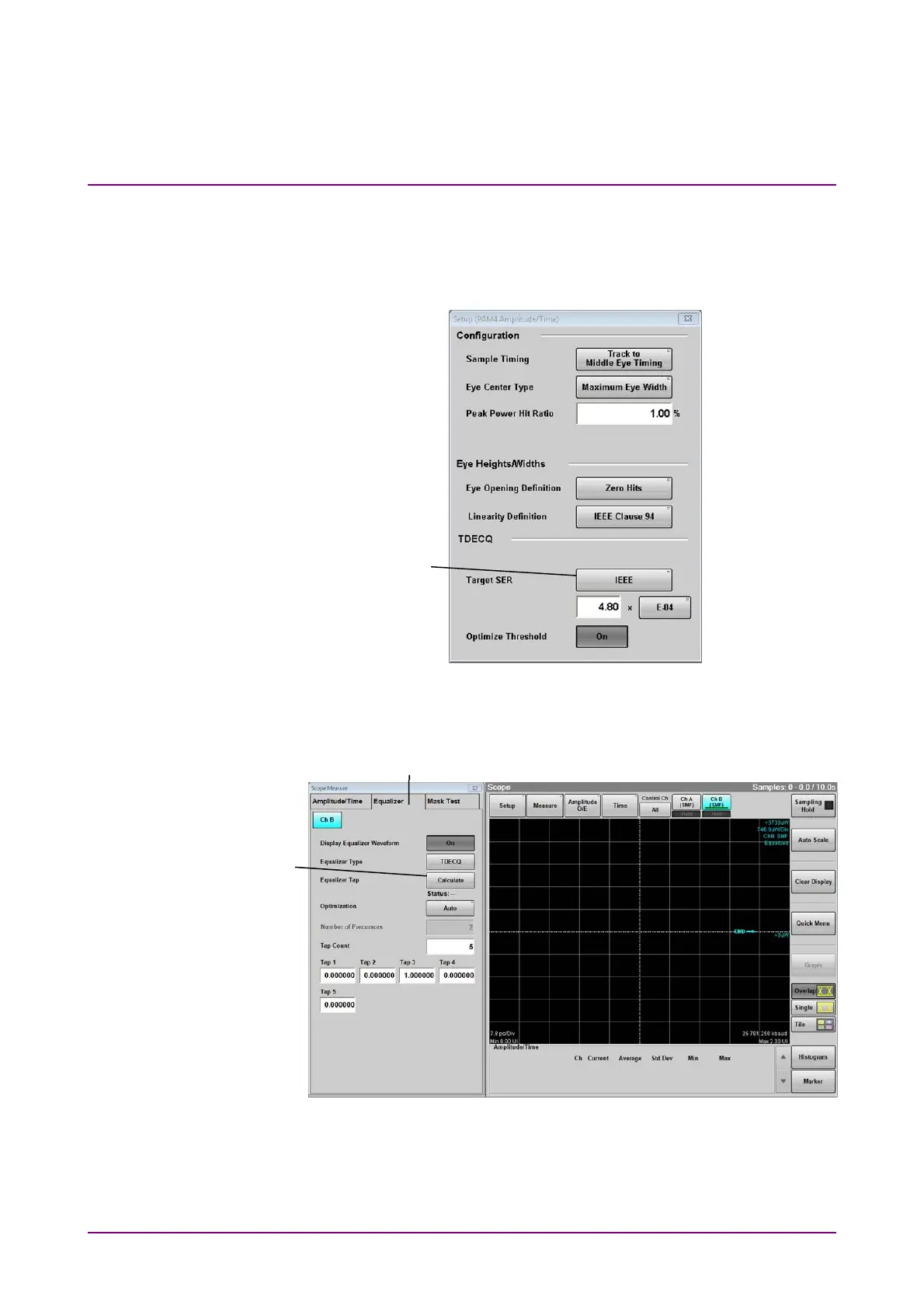
16. Click PAM4 at Measure Setup to display Setup (PAM4
Amplitude/Time) dialog box.
Figure 6.9.1.2-6 Setup (PAM4 Amplitude/Time) Dialog Box
17. Set Target SER.
Figure 6.9.1.2-7 Equalizer Tab Settings
18. Click Equalizer tab.
19. Click Calculate to set Tap values automatically
Set Tap Count and Optimization as needed.
17
18
19














 To Next Page