6.9 Measuring Waveform
6-101
6
How to Operate Sampling Scope
Adjusting mask position
To adjust mask position automatically
When Align Method is Zero/One/Crossing, click the Mask Alignment
Update.
When clicking the Mask Alignment Update calculate Zero/One/Crossing
of the currently described waveform and optimize the mask position
automatically.
The mask position is adjusted automatically if the Scale and Offset on the
screen are changed. However, the mask position cannot be changed.
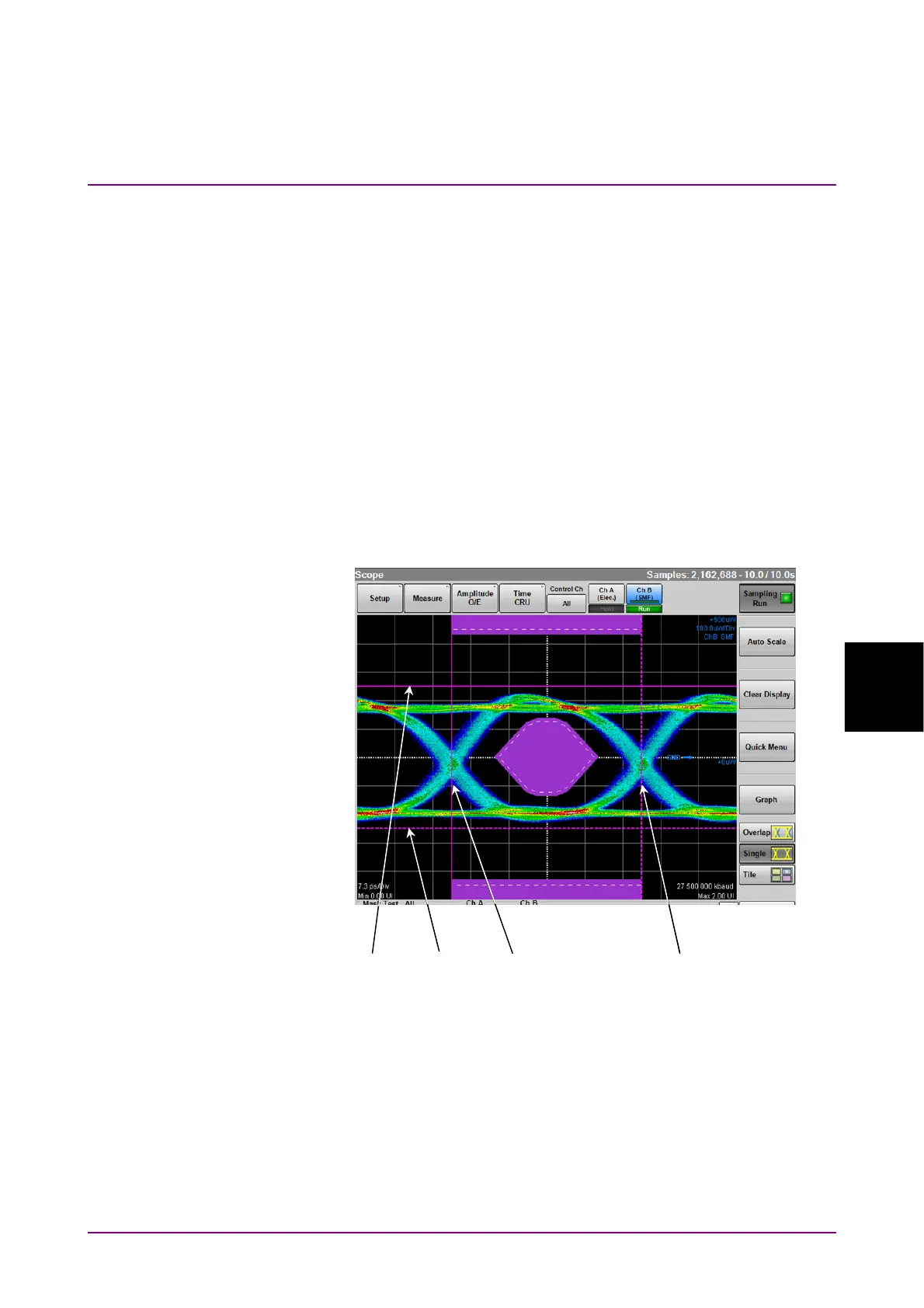
To adjust mask position manually
When Align Method is User Defined, the mask position, width and
amplitude can be adjusted using the marker.
Figure 6.9.2-3 Example of Adjusting Mask Position Manually
1. Click the right side button of Alignment Marker and set Display On
to display the marker.
2. Click the X1 text box to set the mask position.
3. Click the
X text box to set the mask width.
4. Click the Y1 text box to set the level 1.
5. Click the
Y text box to set the level 0.
X1
X
Y1
Y














 To Next Page