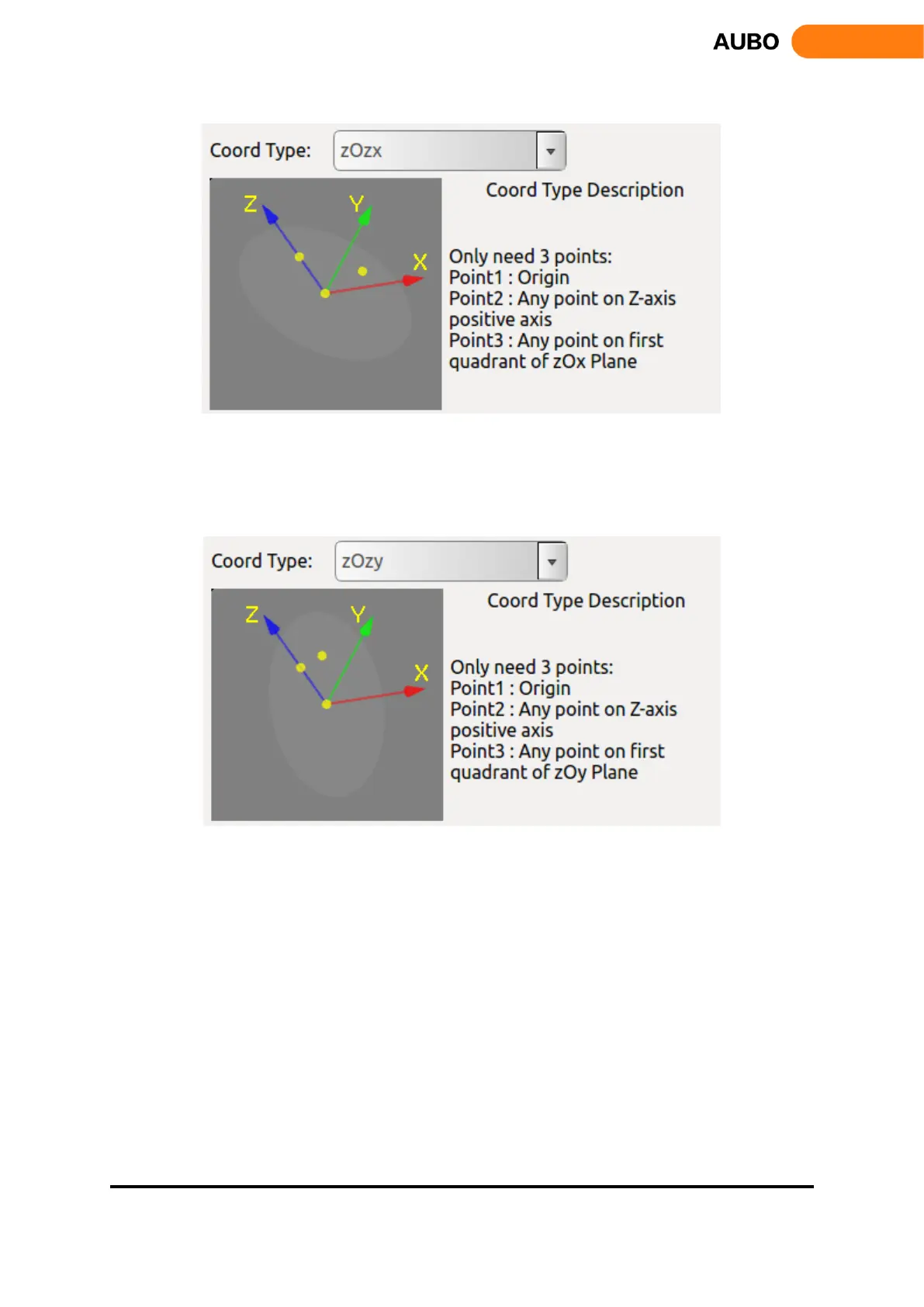
Figure 10.35 ZOZX
The figure is zOzx type. The first point requires for the calibration is the origin of the coordinate system.
The second point is any point on the positive of the Z-axis, and the third point is formed at any point within
the first quadrant of the zOx plane. The angle formed by the three points is an acute angle.
Figure 10.36 ZOZY
The figure is zOzy type. The first point requires for the calibration is the origin of the coordinate system.
The second point is any point on the positive of the Z-axis, and the third point is formed at any point within
the first quadrant of the zOy plane. The angle formed by the three points is an acute angle.
During the calibration process, select the type of the coordinate system to be calibrated via Coord Type firstly.
Then, select the Calibration Mode, select Point1, click Set Point, enter teaching interface, and calibrate the
coordinate system origin. Use the same method to calibrate Point2 and Point3. Enter the name of the
coordinate system and click the Add button to save the coordinate system parameters.
When modifying the coordinate system, first select the coordinate system on the list, and click
Calibration Mode, then you can modify Point1 to Point3,
Coordinate system name can also be modified, after setting up, click the Modify button, and save the
modified parameters.
When you delete a coordinate system, select the coordinate system on the list and click the Delete
button. The coordinate system is removed.



 To Next Page