User's Manual 26. Manipulation
Version 6.8 383 Mediant 500L MSBR
To configure a number manipulation rule:
1. Open the required Number Manipulation page (Configuration tab > VoIP menu > GW
and IP to IP > Manipulations > Dest Number IP->Tel, Dest Number Tel->IP,
Source Number IP->Tel, or Source Number Tel->IP); the relevant Manipulation
table page is displayed.
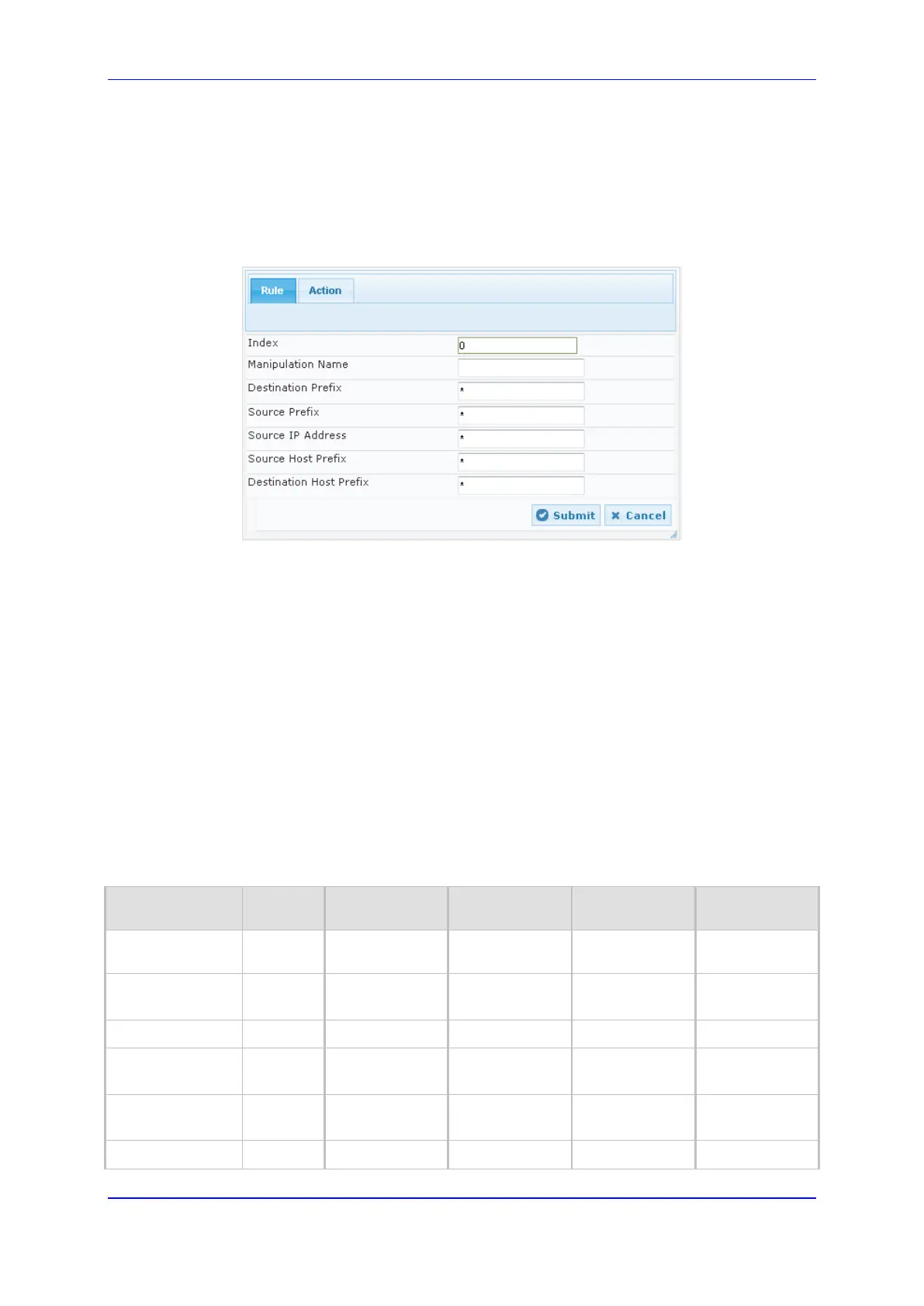
2. Click Add; the following dialog box appears:
Figure 26-2: Number Manipulation Table - Add Dialog Box
3. Configure a number manipulation rule according to the parameters described in the
table below.
4. Click Submit, and then save ("burn") your settings to flash memory.
The table below shows configuration examples of Tel-to-IP source phone number
manipulation rules, where:
Rule 1: When the destination number has the prefix 03 (e.g., 035000), source number
prefix 201 (e.g., 20155), and from source IP Group ID 2, the source number is
changed to, for example, 97120155.
Rule 2: When the source number has prefix 1001 (e.g., 1001876), it is changed to
587623.
Rule 3: When the source number has prefix 123451001 (e.g., 1234510012001), it is
changed to 20018.
Rule 4: When the source number has prefix from 30 to 40 and a digit (e.g., 3122), it is
changed to 2312.
Rule 5: When the destination number has the prefix 6, 7, or 8 (e.g., 85262146),
source number prefix 2001, it is changed to 3146.
Parameter Rule 1 Rule 2 Rule 3 Rule 4 Rule 5
Source IP Group
2 0 - - -
Destination
Prefix
03
* * [6,7,8]
Source Prefix
201 1001 123451001# [30-40]x 2001
Stripped Digits
from Left
- 4 - - 5
Stripped Digits
from Right
- - - 1 -
Prefix to Add
971 5 - 2 3


 To Next Page
 Loading...