->Interfaces->New: IPv6 Mode = 61, Accept Router Advertisement = "1
and DHCP Client = "1.
7.1.1.1 Edit or New
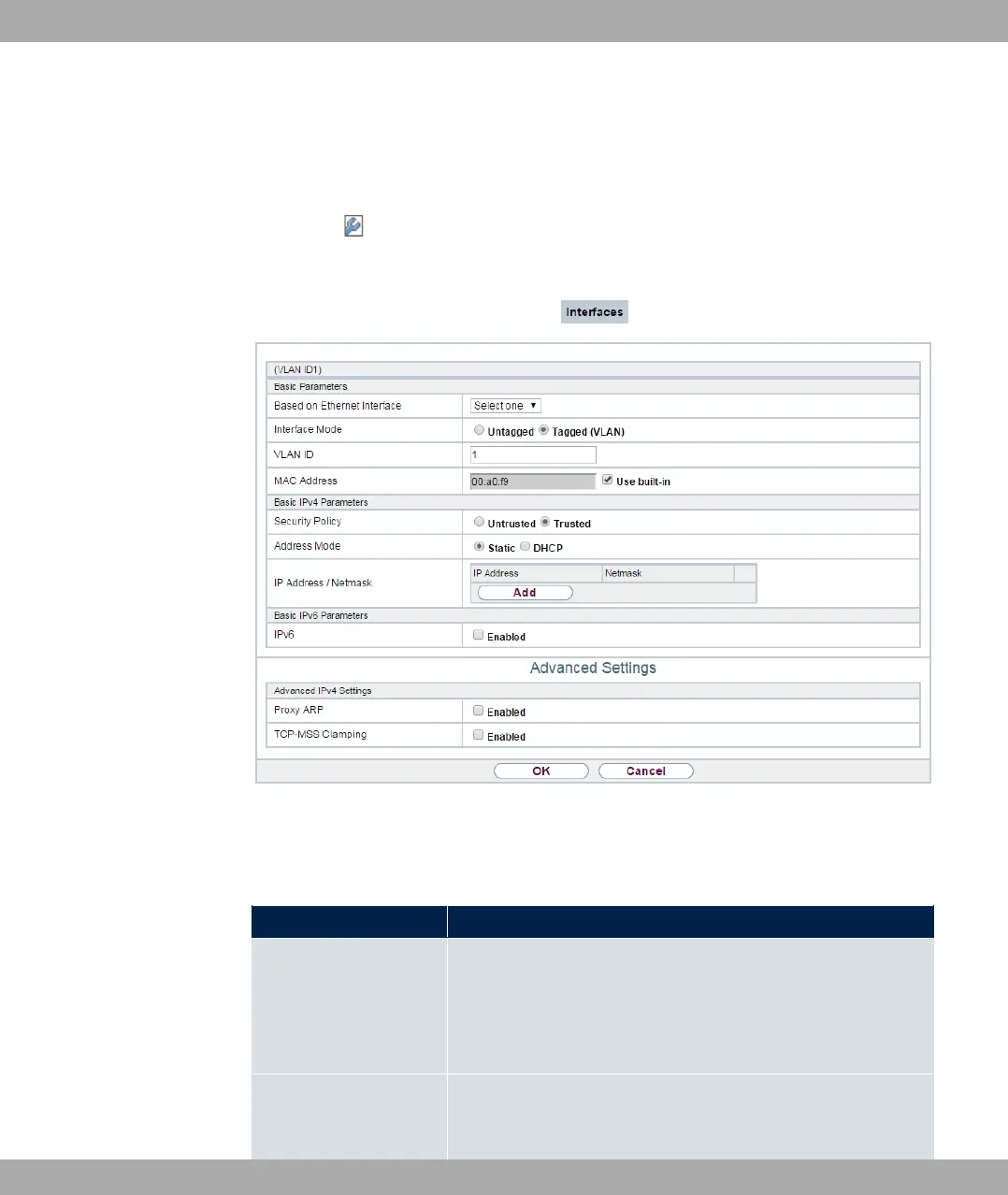
Choose the icon to edit existing entries. Choose the New button to create virtual inter-
faces.
Fig. 56: LAN->IP Configuration->Interfaces->/New
The LAN->IP Configuration->Interfaces->/New menu consists of the following fields:
Fields in the Basic Parameters menu.
Field Description
Based on Ethernet In-
terface
This field is only displayed if you are editing a virtual routing in-
terface.
Select the Ethernet interface for which the virtual interface is to
be configured.
Interface Mode Only for physical interfaces in routing mode and for virtual inter-
faces.
7 LAN bintec elmeg GmbH
136 bintec RS Series



 To Next Page