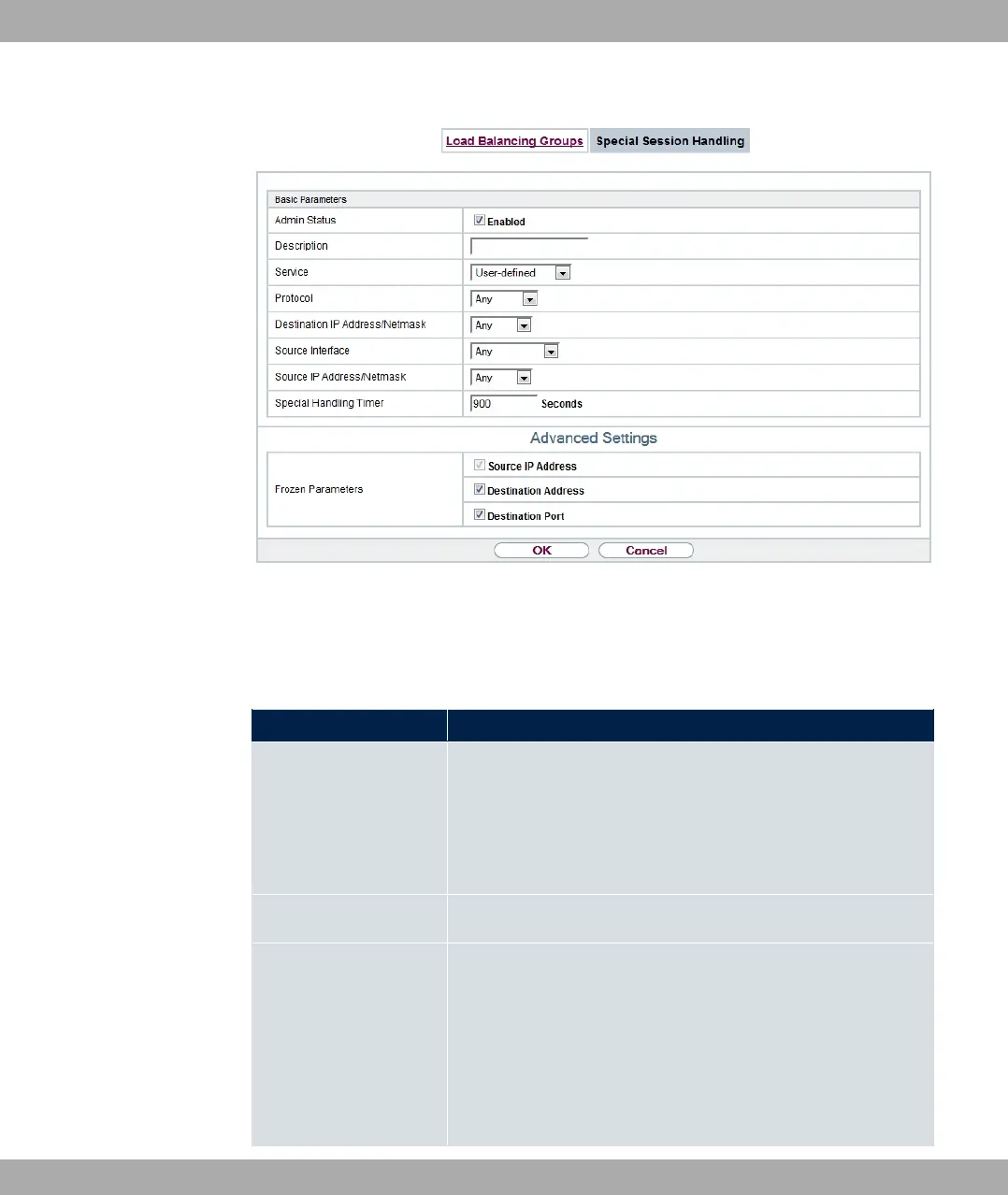
Fig. 103: Networking->Load Balancing->Special Session Handling->New
The Networking->Load Balancing->Special Session Handling->New menu consists of
the following fields:
Fields in the Basic Parameters menu.
Field Description
Admin Status Select whether the Special Session Handling should be activ-
ated.
The function is activated by selecting "1.
The function is enabled by default.
Description Enter a name for the entry.
Service Select one of the preconfigured services, if required. The ex-
tensive range of services configured ex works includes the fol-
lowing:
• %(
• ++1 ;
•
10 Networking bintec elmeg GmbH
254 bintec RS Series



 To Next Page