The security concept is based on the assumption that an infrastructure consists of trusted
and untrusted zones. The security policies * and . describe this as-
sumption. They define the filter rules Trusted Interfaces and Untrusted Interfaces which
are created by default and cannot be deleted.
If you use the Security Policy *, all data packets are accepted. You can create
additional filter rules that discard specific packets. In the same way, you can allow specific
packets when using the . policy.
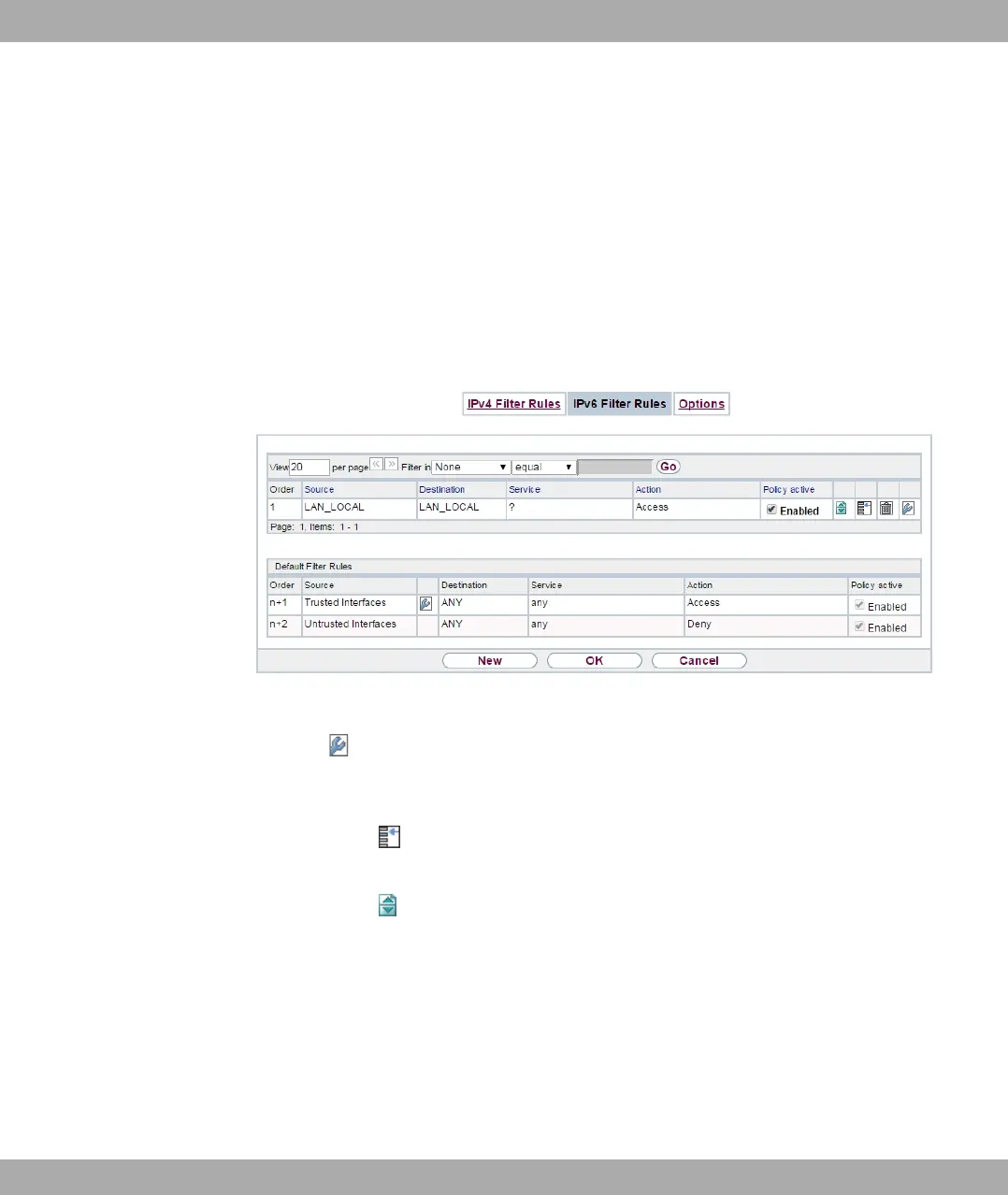
A list of all configured filter rules is displayed in the Firewall->Policies->IPv6 Filter Rules
menu.
Fig. 153: Firewall->Policies->IPv6 Filter Rules
Using the button in the line Trusted Interfaces, you can determine which interfaces are
Trusted. A new window opens with an interface list. You can mark individual interfaces as
trusted.
You can use the button to insert another policy above the list entry. The configuration
menu for creating a new policy opens.
You can use the button to move the list entry. A dialog box opens, in which you can se-
lect the position to which the policy is to be moved.
15.1.2.1 New
Choose the New button to create additional parameters.
15 Firewall bintec elmeg GmbH
420 bintec RS Series



 To Next Page