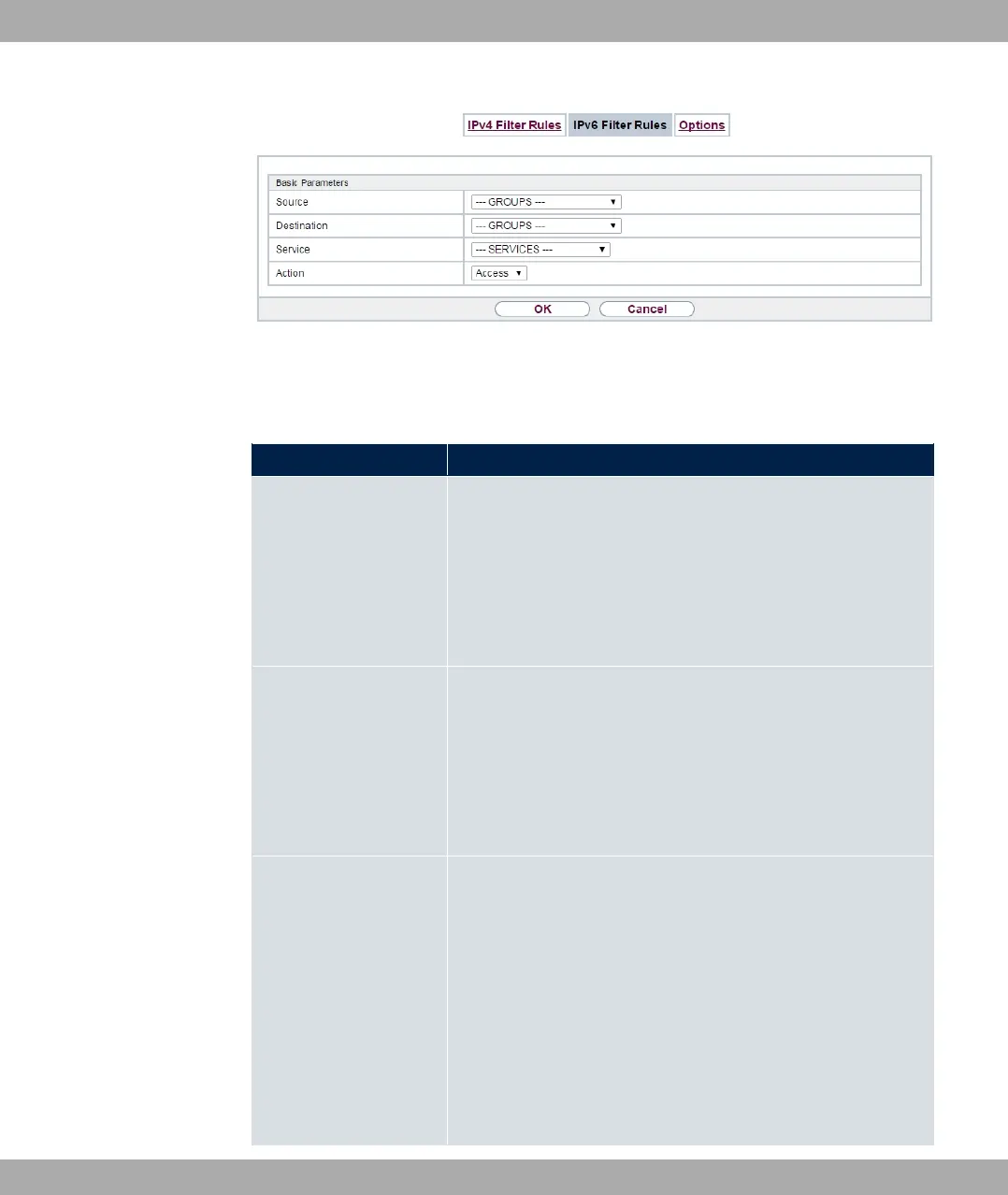
Fig. 154: Firewall->Policies->IPv6 Filter Rules->New
The menu Firewall->Policies->IPv6 Filter Rules->New consists of the following fields:
Fields in the Basic Parameters menu
Field Description
Source
Select one of the preconfigured aliases for the source of the
packet.
In the list, all WAN/LAN interfaces, interface groups (see Fire-
wall->Interfaces->IPv6 Groups), adresses (see Firewall->Ad-
dresses->Address List) and address groups (see
Firewall->Addresses->Groups) are available for selection for
IPv6.
Destination
Select one of the preconfigured aliases for the destination of the
packet.
In the list, all WAN/LAN interfaces, interface groups (see Fire-
wall->Interfaces->IPv6 Groups), addresss (see Firewall->Ad-
dresses->Address List) and address groups (see
Firewall->Addresses->Groups) are available for selection for
IPv6.
Service
Select one of the preconfigured services to which the packet to
be filtered must be assigned.
The extensive range of services configured ex works includes
the following:
• $+
• 1
• +
•
• +
bintec elmeg GmbH
15 Firewall
bintec RS Series 421



 To Next Page