Choose the icon to edit an existing entry. In the popup menu, you configure manufac-
turer-specific settings in the DHCP server for specific telephones, for example.
Fields in the Basic Parameters menu
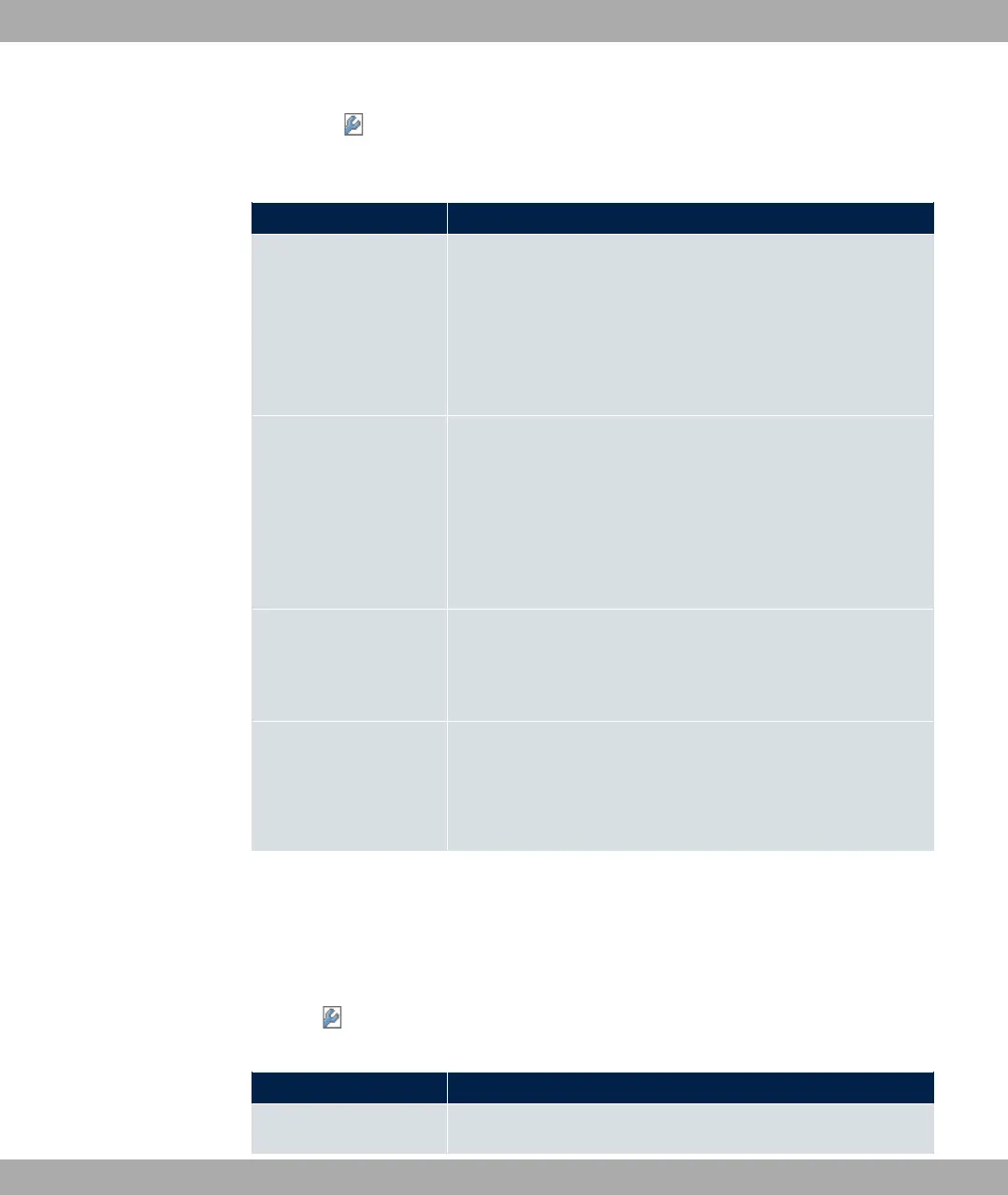
Field Description
Select vendor Here, you can select for which manufacturer specific values
shall be transmitted for the DHCP server.
Possible values:
• (default value)
• -
Provisioning Server Only für Select vendor =
Enter which manufacturer value shall be transmitted.
For the setting Select vendor = , the default value
1+ is displayed.
You can complete the IP address of the desired server.
Vendor Description Only für Select vendor = -
Type in the name of the manufacturer for which you want to
transfer specific DHCP server settings.
Custom DHCP Options Only für Select vendor = -
Use Add to add more entries.
You can add custom DHCP options.
Vendor String
Go to the menu Local Services->DHCP Server->DHCP Configuration->Advanced Set-
tings, proceed as follows in order to specify the respective parameter:
Click the Add button in the DHCP Options field and choose Option = E # .
Click the button to edit the entry.
Fields in the Basic Parameters menu
Field Description
Select vendor Here, you can select for which manufacturer specific values
17 Local Services bintec elmeg GmbH
462 bintec RS Series



 To Next Page