events, which result in a switching of the operating status of the virtual router.
Controlling the operating status of a virtual router implicitly also controls the operating
status of the interface to which the virtual router is linked. If an error occurs, all interfaces
on a device have to be deactivated. Consequently, the operating status of all interfaces
on a device must be synchronised. This synchronisation is required if multiple interfaces
are monitored on a single device. This configuration is performed in the Local Services-
>BRRP->VR Synchronisation->New menu.
• Switching on the redundancy procedure. This configuration is performed in the Local
Services->BRRP->Options menu.
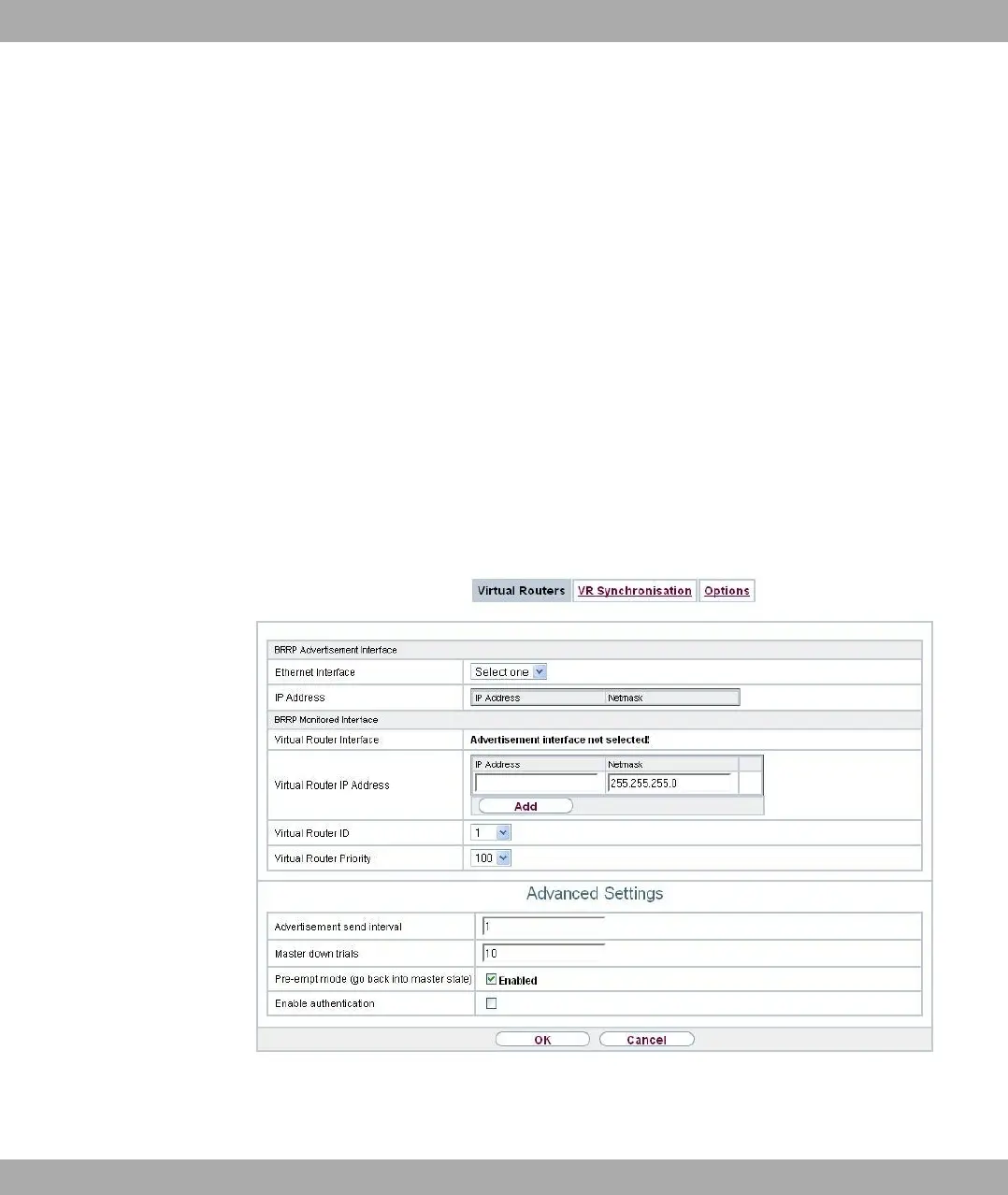
You configure the advertisement interface and the virtual interface(s) in the Local
Services->BRRP->Virtual Router->New menu. You must configure the same virtual
routers with the same interfaces on all physical routers involved in the redundancy proced-
ure. (However, the virtual routers have different priorities on the various physical routers.)
17.14.1.1 New
Choose the New button to configure other virtual routers.
Fig. 203: Local Services->BRRP->Virtual Routers->New
The Local Services->BRRP->Virtual Routers->New menu consists of the following fields:
17 Local Services bintec elmeg GmbH
534 bintec RS Series



 To Next Page