Configuration file format
The file format of the configuration file allows encryption and ensures compatibility when
restoring the configuration on the gateway in various system software versions. This is a
CSV format, which can be read and modified easily. In addition, you can view the corres-
ponding file clearly using Microsoft Excel for example. The administrator can store encryp-
ted backup files for the configuration. When the configuration is sent by e-mail (e.g for sup-
port purposes) confidential configuration data can be protected fully if required. You can
save or import files with the actions "Export configuration", "Export configuration with status
information" and "Load configuration". If you want to save a configuration file with the action
"Export configuration" or "Export configuration with status information", you can choose
whether the configuration file is saved encrypted or without encryption.
Caution
If you have saved a configuration file in an old format via the SNMP shell with the
command, there is no guarantee that it can be reloaded to the device. As a result, the
old format is no longer recommended.
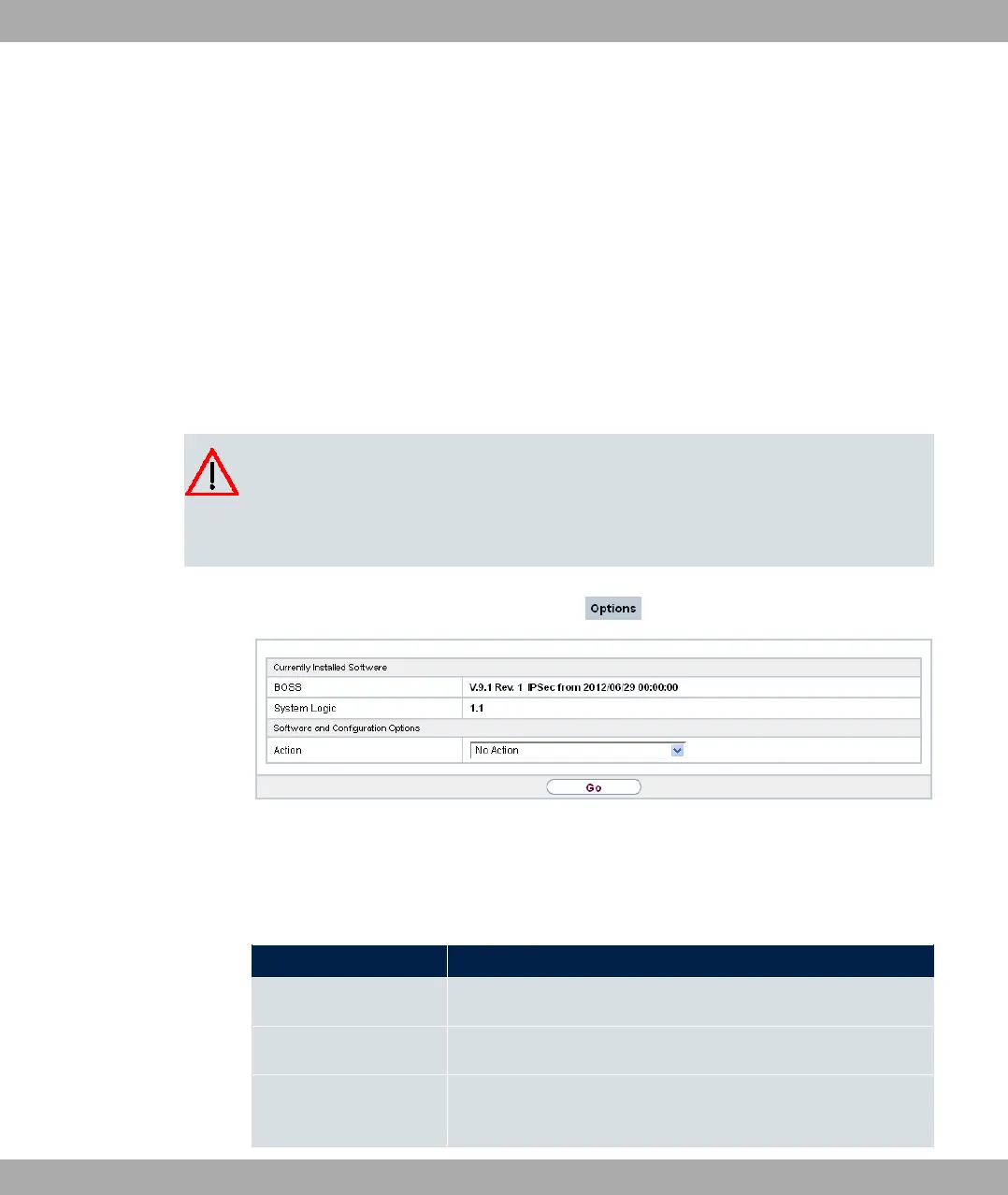
Fig. 211: Maintenance->Software &Configuration->Options
The Maintenance->Software &Configuration->Options menu consists of the following
fields:
Fields in the Currently Installed Software menu.
Field Description
BOSS Shows the current software version loaded on your device.
System Logic
Shows the current system logic loaded on your device.
ADSL Logic
Shows the current version of the ADSL logic loaded on your
device.
18 Maintenance bintec elmeg GmbH
546 bintec RS Series



 To Next Page