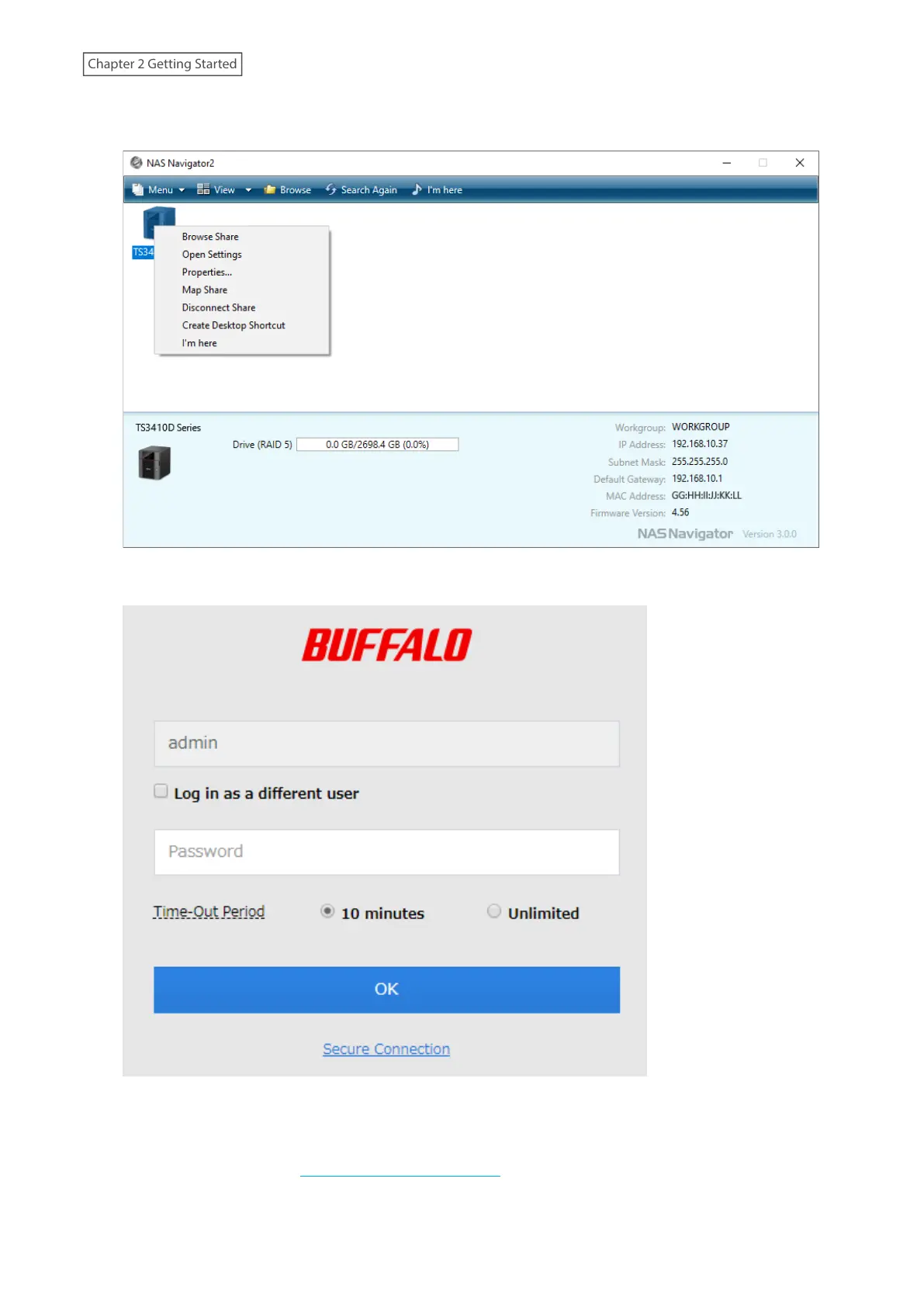
2 Right-click your TeraStation’s icon and select Open Settings. For macOS, select the TeraStation’s icon while
holding down the control key, then select Open Settings.
3 Enter the username and password, then click OK.
Notes:
• If the time-out period is set to “10 minutes”, you will be logged out of Settings after 10 minutes of inactivity.
• Click Secure Connection to log in using an encrypted connection. For detailed information about encrypted
connections, refer to the “Encrypting Data Transmission” section in chapter 7.
20
Chapter 2 Getting Started















 To Next Page