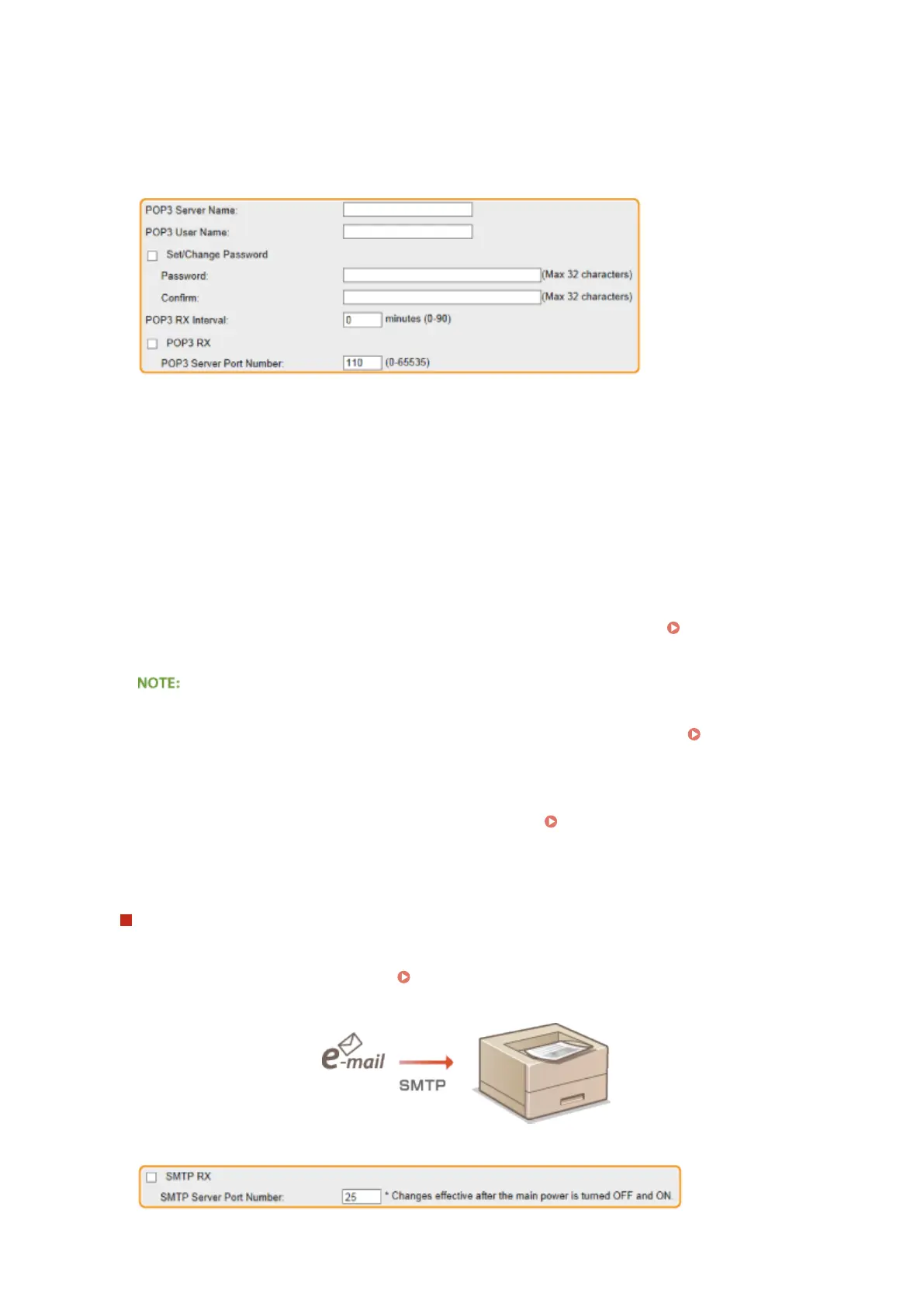
Conditions of use for POP3 protocol
● The POP3 mail server must support the UIDL command. For details, contact your network administrator or
server administrator.
[POP3 Server Name]
Enter the mail server name or IP address for receiving e-mails.
[POP3 User Name]
Enter up to 32 alphanumeric characters for the user name used to connect to the mail server.
[Set/Change Password]
To set the password for connecting to the mail server, select the check box and enter up to 32 alphanumeric
characters for the password in the [Password] text box. For conrmation, enter the same password in the
[Conrm] text box.
[POP3 RX Interval]
Specify the interval for automatically connecting to the mail server in minutes. New e-mails in the mailbox of
the mail server are automatically received and printed at the specied time intervals. You can also specify this
setting by using <POP3 RX Interval> in the setting menu of the operation panel (
POP3 RX
Interval(P. 393) ).
Preventing E-mails from Being Automatically Received
● Set [POP3 RX Interval] to [0]. If you set [0], you must manually receive e-mails.
Manually Receiving E-
Mails(P. 162)
[POP3 RX]
Select the check box to enable E-Mail Print from the POP3 mail server. You can also specify this setting by
using <POP3 RX> in the setting menu of the operation panel ( POP3 RX(P. 393) ).
[POP3 Server Port Number]
Specify the port number of the mail server that receives e-mails.
When performing E-Mail Print by using SMTP protocol
If e-mails are sent to the machine via SMTP, the machine prints the e-mails immediately after receiving them.
Enable this function when you want to forward fax documents from Canon multifunction printers to this
machine and print them on the machine ( To forward fax documents from Canon multifunction
printers(P. 162) ).
Printing a Document
160



 To Next Page