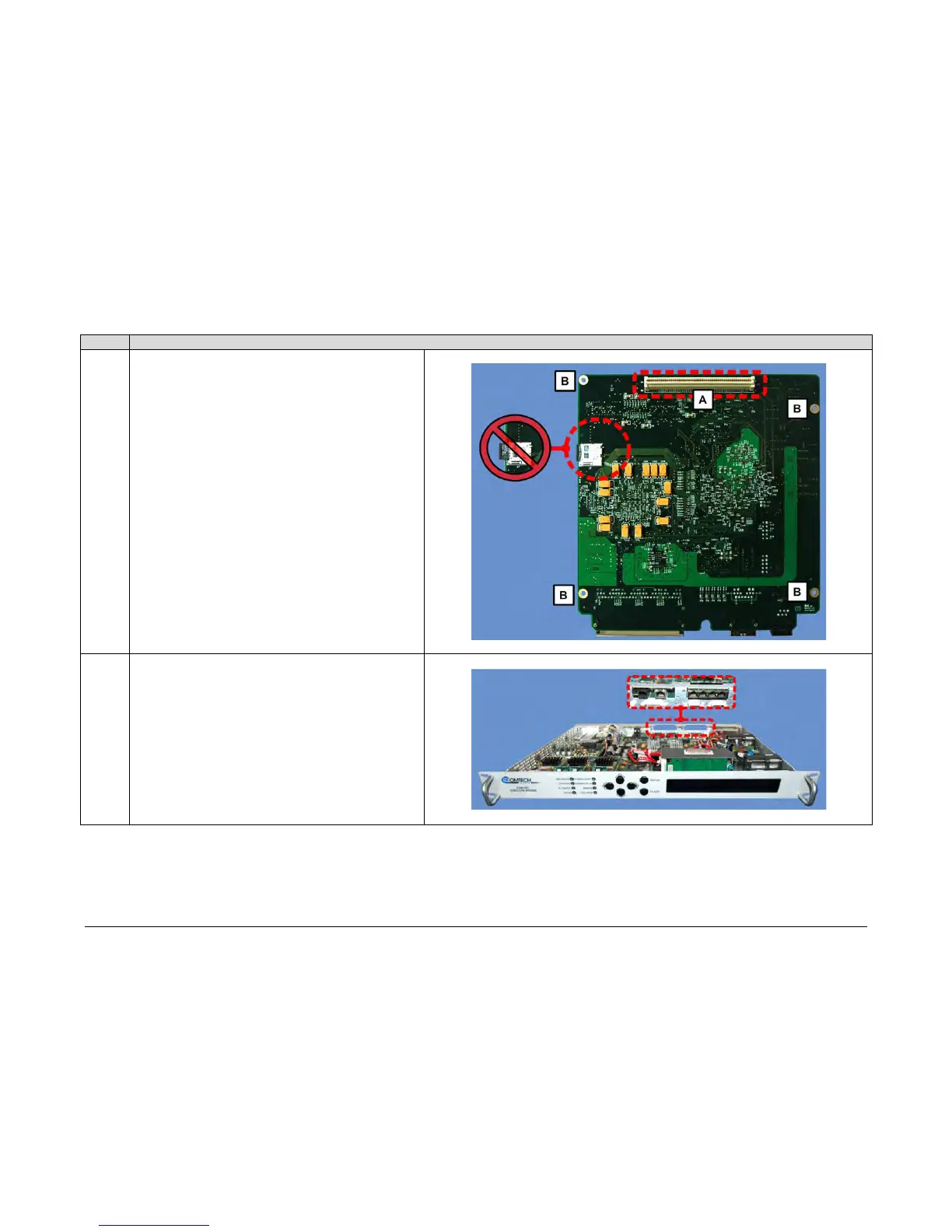
card is shown here. This card incorporates an SDD memory
card socket. Take care not to disengage the SDD card from its
socket at any time during the upgrade process. Accidental
disengagement of the SDD during the upgrade process will
result in failure of High-Speed Packet Processor operation
upon bootup of the modem.
The Packet Processor card’s bottom-mounted connector [A]
and all four mounting holes [B] can also be seen here.
A. Tilt the Packet Processor card in a slight downward angle,
to pass the RJ-45 and RJ-11 ports through the chassis
rear panel PIIC cutouts.



 To Next Page