146 • SMP Gateway User Manual
Under Page, select which readings page should be displayed when the operator will press the
cell. All configured pages should be available for selection, plus the following options:
<First>.
Display the first page of the readings pages list.
<Previous>.
Display the page that appears just above in the readings pages list.
<Next>.
Display the page that appears just below in the readings pages list.
<Last>.
Display the last page of the readings pages list.
When you have made your selection, click OK.
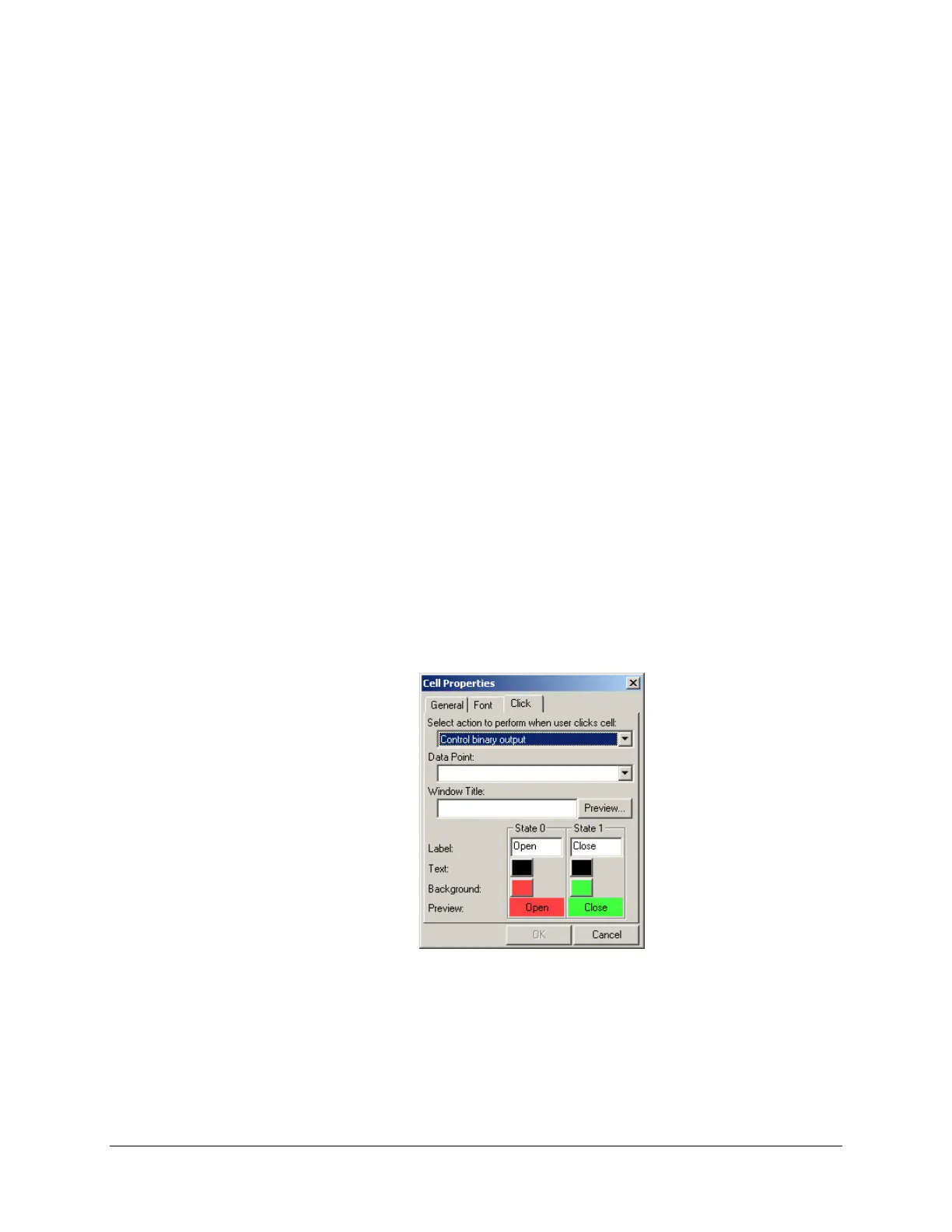
Binary output control requires a bit more configuration work, because you must set up a separate
window that will appear when you press the cell. This window contain customizable buttons that
allow you to set the output to state 0 and 1, and a Cancel button.
To add a Control Binary Output handler function to a cell:
Select the cell.
Double-click it, and then click the Click tab or click the On Click Properties button on the
grid’s toolbar.
Under Select action to perform when user clicks cell, select Control Binary Output.
Under Data Point, select the output point you want to control. You can type the name of the
point directly, if you prefer.
Under Window Title, type a title for the window that will appear when the cell will be
pressed.
Under State 0, customize the button that will set the output point to the state of 0:



 To Next Page