166 • SMP Gateway User Manual
The Best Of function makes a logical input or output point an exact replica of the best source
point available of the same type. The logical point is referred to as the “result point”.
In the right pane, type a name for the function.
Define the result point:
In the left pane, click the type of data point you want for the result point. For the benefit
of the example, click Analog Inputs, and then on Logical Inputs. Thus, the result point
will be a logical analog input point.
In the right pane, type a name of your choice for the result point. Let us call it “Best Of
Result Point”, and enter its settings: scale, offset, units, etc.
In the left pane, click again on Best Of.
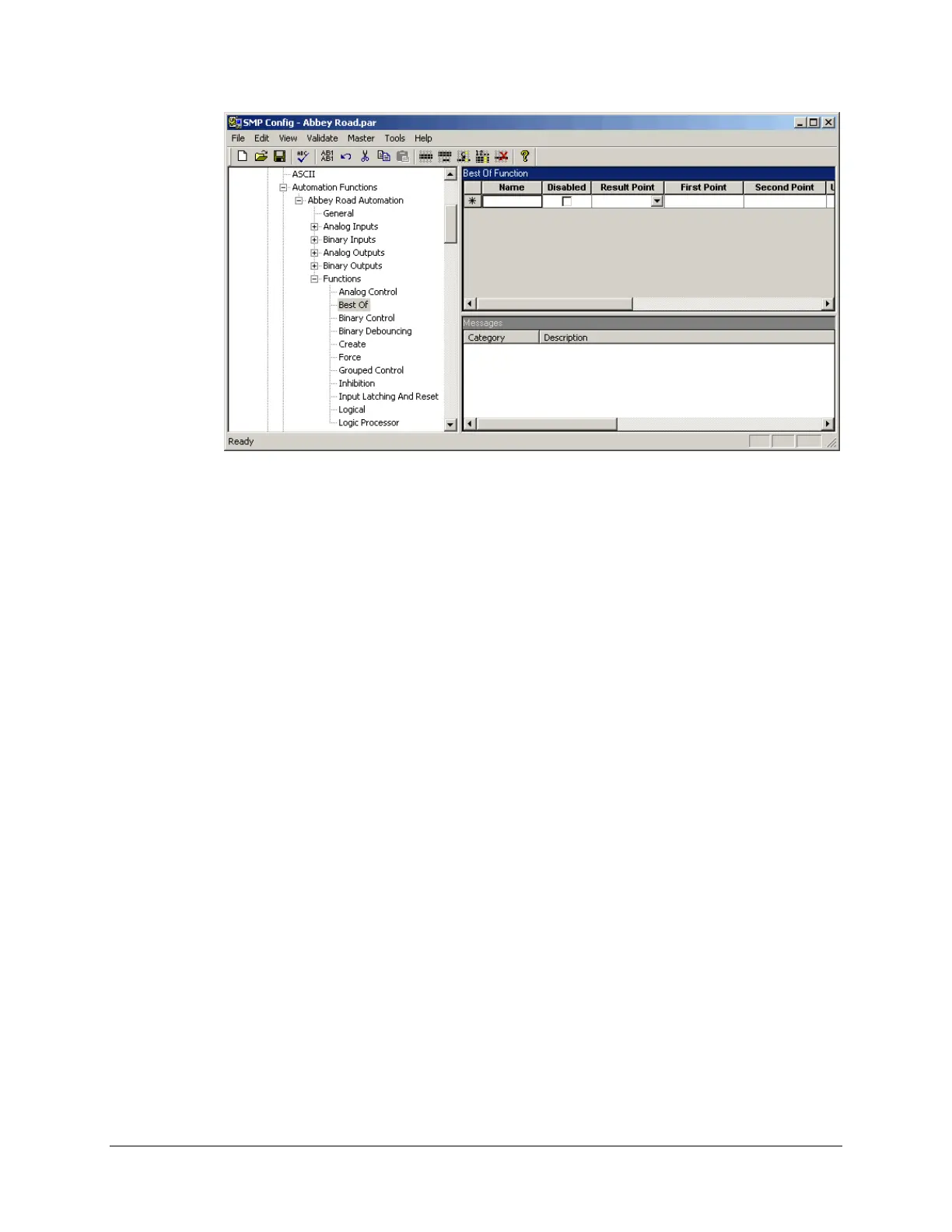
In the right pane (see previous screenshot), choose “Best Of Result Point” in the Result
Point drop-down list.
Define the first source point:
Type the name of the point in the First Point box.
Or,
Put the cursor in the First Point box.
In the Tools menu, click Select Points.
In the Select Points dialog box, choose the first source point to which you want to
subscribe. This point has to be an analog input point, to match the data point type of the
result point. In our example, we selected an analog input point on a DNP3 device. This
point represents the phase A current.
Click Paste to have the point appear in the First Point box.



 To Next Page