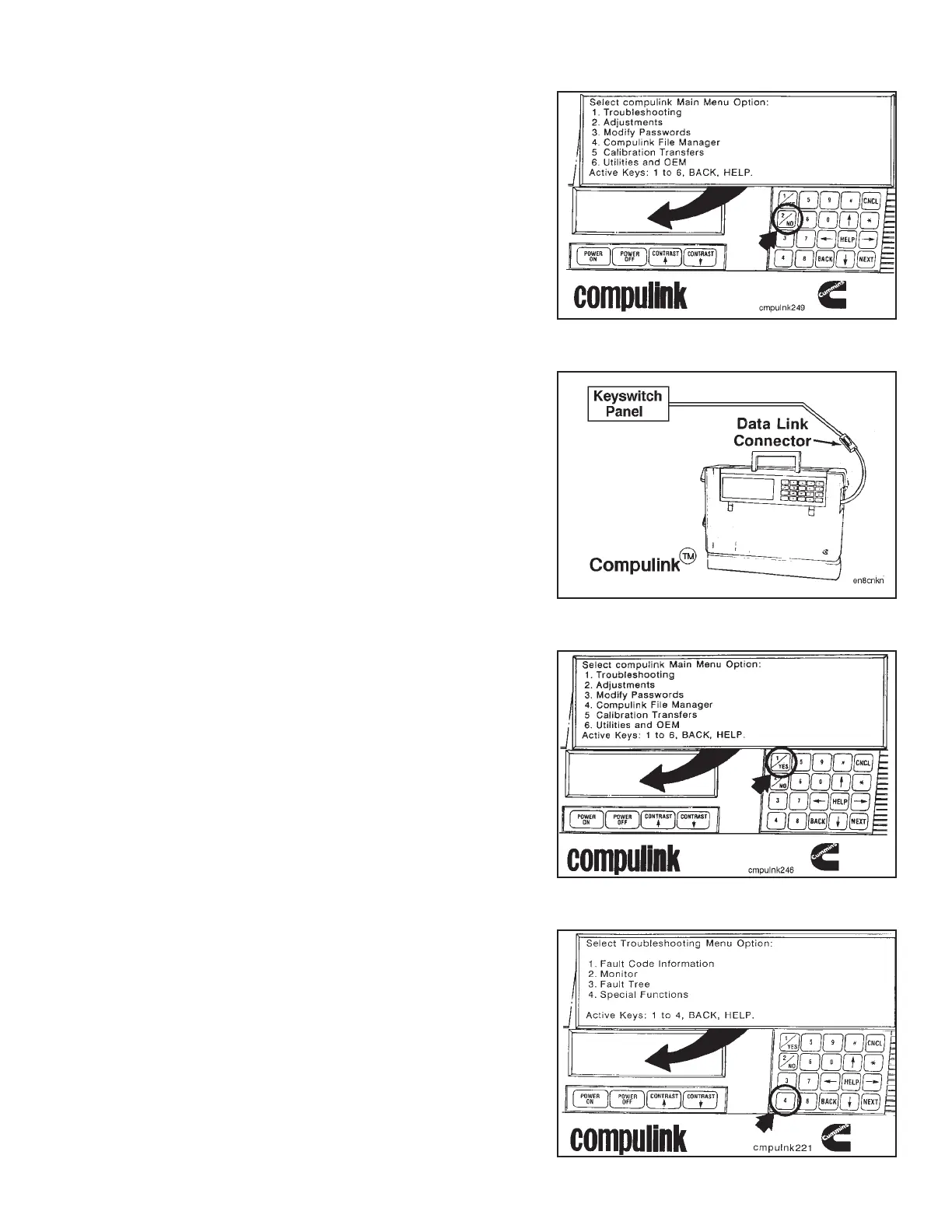
Depress the active key to cancel or back up to the screen
showing the ‘‘Main Menu Option’’.
The ECM is equipped with a tamperproof system that
limits engine speed when the vehicle speed signal is lost.
This parameter must either be bypassed with the
Compulink™ in the CompuchekT mode, or if the
Compulink™ is needed to monitor engine data, the ad-
justable parameter(s) must be adjusted outside the en-
gine operating range.
To save, adjust and write parameter(s) to and from the
ECM, refer to the CELECT™ Compulink™ Cartridge Man-
ual, Bulletin No. 3810472.
NOTE: Parameter(s) must be returned to their original value
when the test or run-in is completed.
If the parameter is to be bypassed with the Compulink™,
refer to the following instructions.
Select ‘‘Troubleshooting’’, key (1), from the ‘‘Main Menu
Option’’ screen.
Select ‘‘Special Functions’’, key (4), from the ‘‘Trouble-
shooting Menu’’.
Engine Testing Engine Dynamometer - Install Engine (8-01)
N14 Page 8-19



 To Next Page