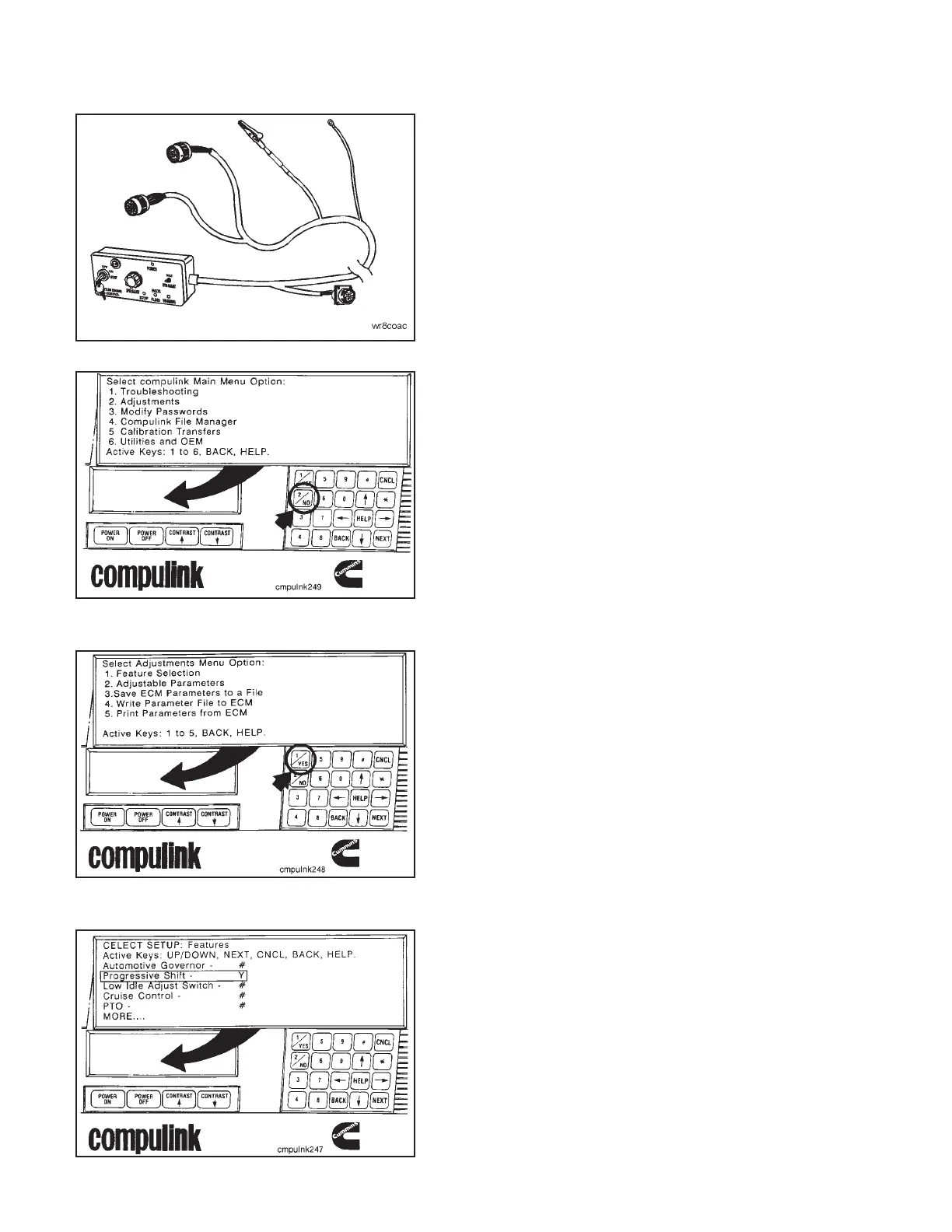
Connect the keyswitch panel datalink cable to the
Compulink™.
Depress the ‘‘POWER ON’’ button on the Compulink™.
If the ‘‘Progressive Shift Feature’’ is turned ‘‘ON’’, it must
be turned ‘‘OFF’’ during the engine test to allow the
engine to accelerate through its RPM range.
Select the ‘‘Adjustments’’ option from the main menu
screen by depressing the number ‘‘2’’ on the Compulink™
keypad.
Select the ‘‘Feature Selection’’ from the menu options by
depressing the number ‘‘1’’ on the keypad.
NOTE: If the password procedure has not been disabled, a
password must be entered before any features can be
changed. Enter the master password, user password or
ECM password depending on which password is enabled.
Refer to the CELECT™ Compulink™ Cartridge Manual, Bul-
letin No. 3810472, for instructions to enter a password.
The next screen will show if the ‘‘Progressive Shift Fea-
ture’’ is turned ‘‘ON’’ or ‘‘OFF’’.
Check the ‘‘Progressive Shift Feature’’. If ‘‘Y’’ is dis-
played, depress the number ‘‘2’’ key on the keypad to
display ‘‘N’’ and turn off the ‘‘Progressive Shift’’.
NOTE: Turn the ‘‘Progressive Shift Feature’’ back to ‘‘ON’’
when the test is completed.
Engine Dynamometer - Install Engine (8-01) Engine Testing
N14Page 8-18



 To Next Page