C
HAPTER
4
| Configuring the Switch
Configuring the Spanning Tree Algorithm
– 143 –
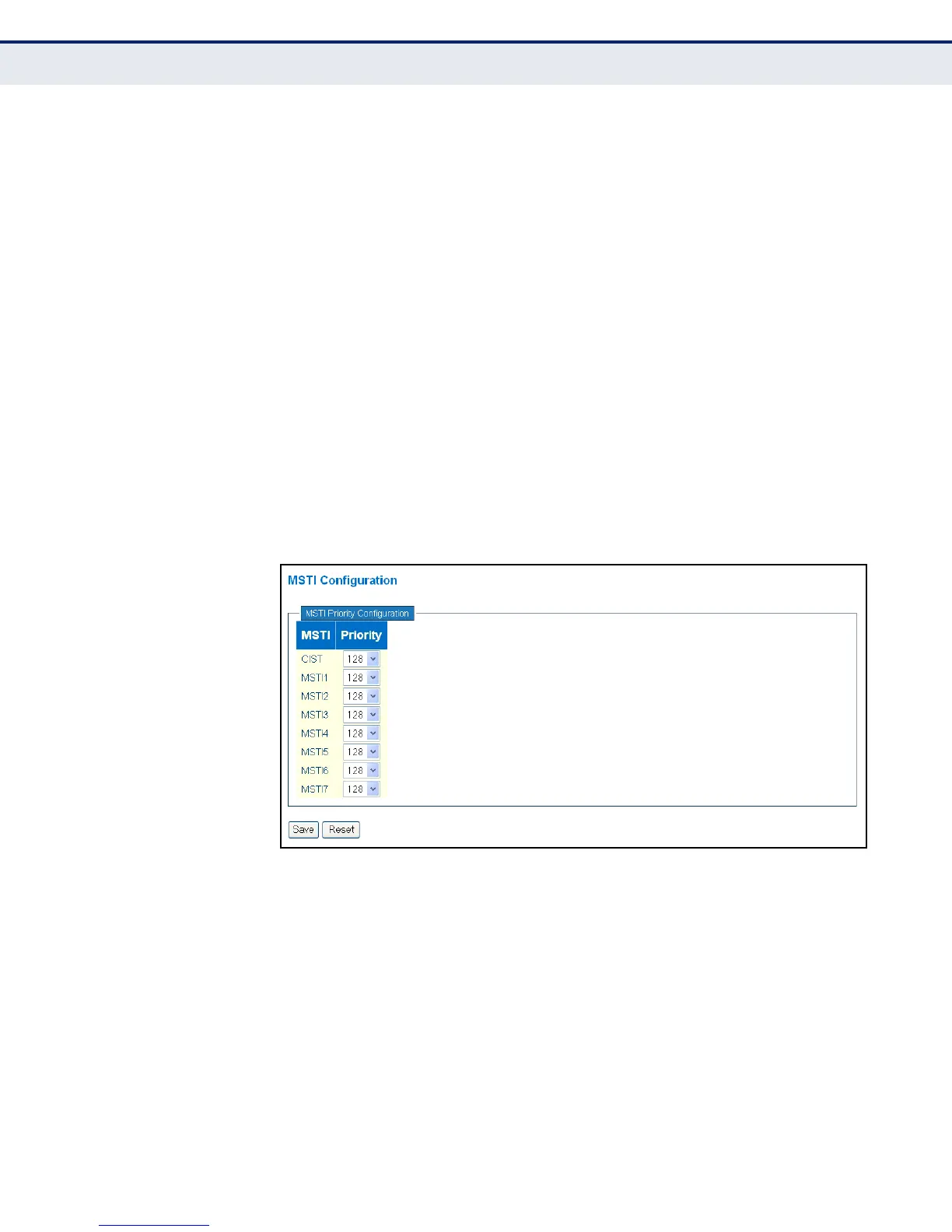
◆ Priority – The priority of a spanning tree instance. (Range: 0-240 in
steps of 16; Options: 0, 16, 32, 48, 64, 80, 96, 112, 128, 144, 160,
176, 192, 208, 224, 240; Default: 128)
Bridge priority is used in selecting the root device, root port, and
designated port. The device with the highest priority becomes the STA
root device. However, if all devices have the same priority, the device
with the lowest MAC address will then become the root device. Note
that lower numeric values indicate higher priority.
The bridge priority plus the MSTI instance number, concatenated with
the 6-byte MAC address of the switch forms a Bridge Identifier.
WEB INTERFACE
To add VLAN groups to an MSTP instance:
1. Click Configuration, Spanning Tree, MSTI Priorities.
2. Set the bridge priority for the CIST or any configured MSTI.
3. Click Save
Figure 42: Configuring STA Bridge Priorities
CONFIGURING
STP/RSTP/CIST
INTERFACES
Use the CIST Ports Configuration page to configure STA attributes for
interfaces when the spanning tree mode is set to STP or RSTP, or for
interfaces in the CIST. STA interface attributes include path cost, port
priority, edge port (for fast forwarding), automatic detection of an edge
port, and point-to-point link type.
You may use a different priority or path cost for ports of the same media
type to indicate the preferred path, edge port to indicate if the attached
device can support fast forwarding, or link type to indicate a point-to-point
connection or shared-media connection. (References to “ports” in this
section means “interfaces,” which includes both ports and trunks.)



 To Next Page