C
HAPTER
4
| Configuring the Switch
Configuring Security
– 88 –
◆ Authentication Password - A plain text string identifying the
authentication pass phrase. (Range: 1-32 characters for MD5, 8-40
characters for SHA)
◆ Privacy Protocol - The encryption algorithm use for data privacy; only
56-bit DES is currently available. (Options: None, DES; Default: DES)
◆ Privacy Password - A string identifying the privacy pass phrase.
(Range: 8-40 characters, ASCII characters 33-126 only)
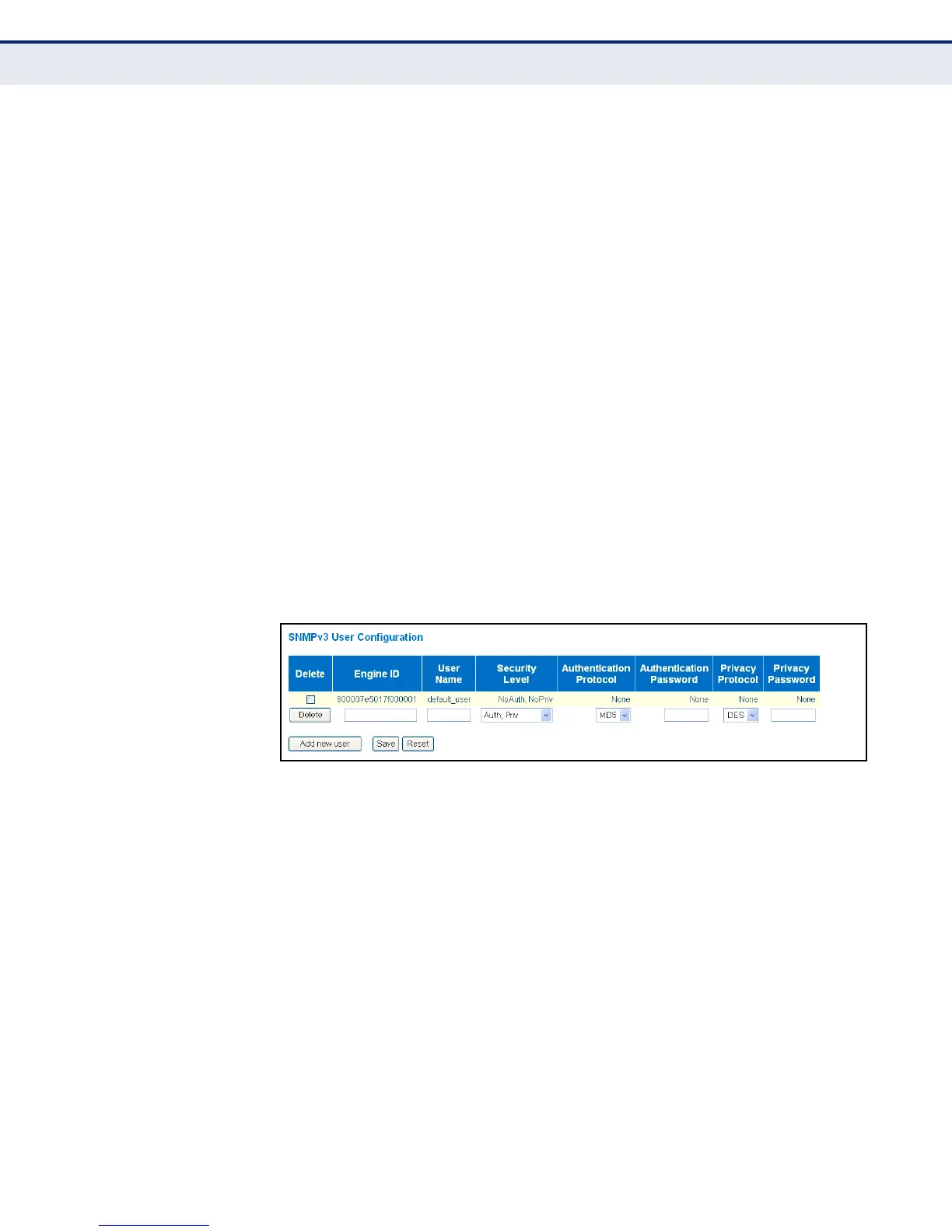
WEB INTERFACE
To configure SNMPv3 users:
1. Click Configuration, Security, Switch, SNMP, Users.
2. Click “Add new user” to configure a user name.
3. Enter a remote Engine ID of up to 64 hexadecimal characters
4. Define the user name, security level, authentication and privacy
settings.
5. Click Save.
Figure 18: SNMPv3 User Configuration
CONFIGURING SNMPV3 GROUPS
Use the SNMPv3 Group Configuration page to configure SNMPv3 groups.
An SNMPv3 group defines the access policy for assigned users, restricting
them to specific read and write views as defined on the SNMPv3 Access
Configuration page (page 91). You can use the pre-defined default groups,
or create a new group and the views authorized for that group.
CLI REFERENCES
◆ "SNMP Commands" on page 326
PARAMETERS
The following parameters are displayed on the SNMPv3 Groups
Configuration page:
◆ Security Model - The user security model. (Options: SNMP v1, v2c, or
the User-based Security Model – usm).



 To Next Page