C
HAPTER
4
| Configuring the Switch
Configuring Security
– 89 –
◆ Security Name - The name of user connecting to the SNMP agent.
(Range: 1-32 characters, ASCII characters 33-126 only)
The options displayed for this parameter depend on the selected
Security Model. For SNMP v1 and v2c, the switch displays the names
configured on the SNMPv3 Communities Configuration menu (see
page 86). For USM (or SNMPv3), the switch displays the names
configured with the local engine ID in the SNMPv3 Users Configuration
menu (see page 87). To modify an entry for USM, the current entry
must first be deleted.
◆ Group Name - The name of the SNMP group. (Range: 1-32 characters,
ASCII characters 33-126 only)
WEB INTERFACE
To configure SNMPv3 groups:
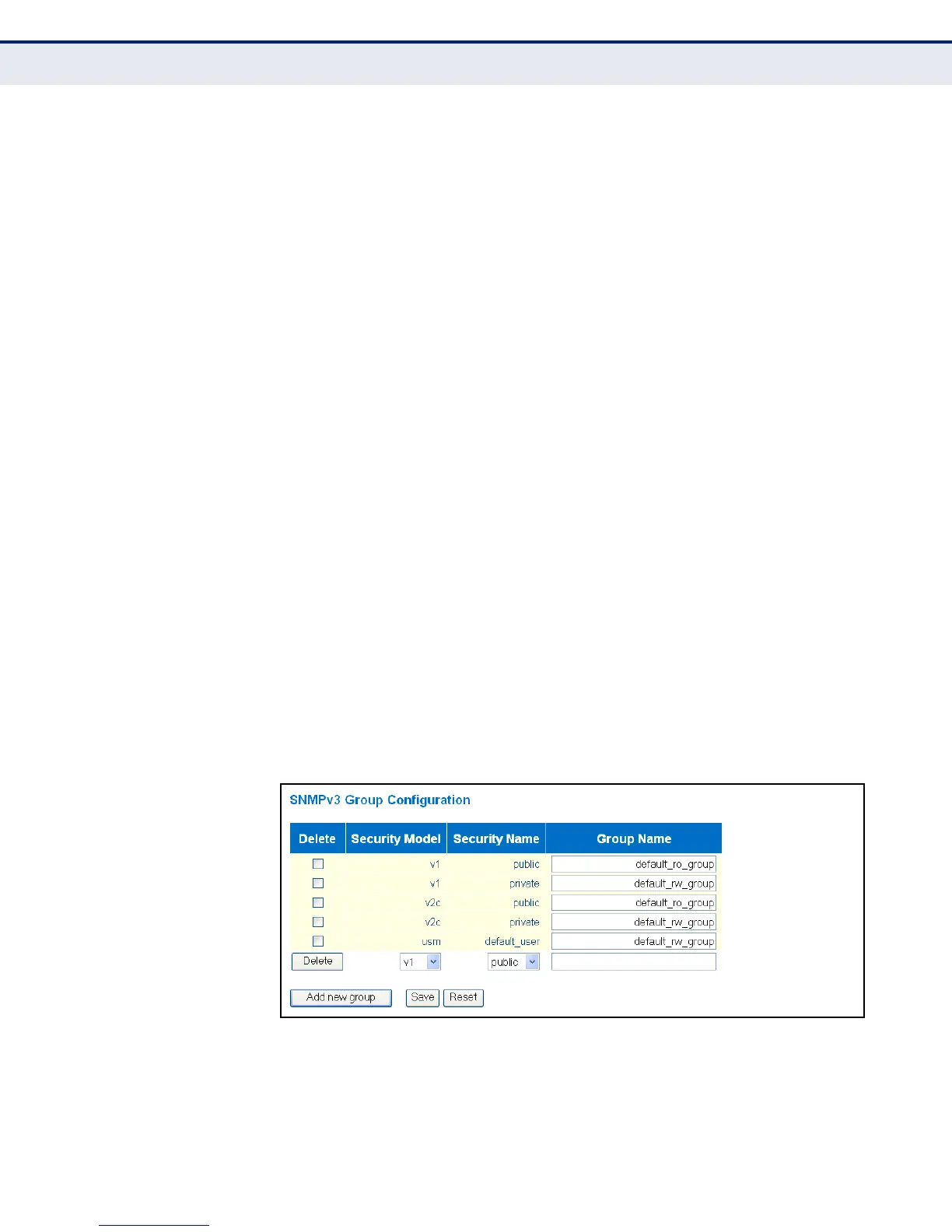
1. Click Configuration, Security, Switch, SNMP, Groups.
2. Click “Add new group” to set up a new group.
3. Select a security model.
4. Select the security name. For SNMP v1 and v2c, the security names
displayed are based on the those configured in the SNMPv3
Communities menu. For USM, the security names displayed are based
on the those configured in the SNMPv3 Users Configuration menu.
5. Enter a group name. Note that the views assigned to a group must be
specified on the SNMP Accesses Configuration menu (see page 91).
6. Click Save.
Figure 19: SNMPv3 Group Configuration



 To Next Page