C
HAPTER
5
| Monitoring the Switch
Displaying Information About Security Settings
– 208 –
WEB INTERFACE
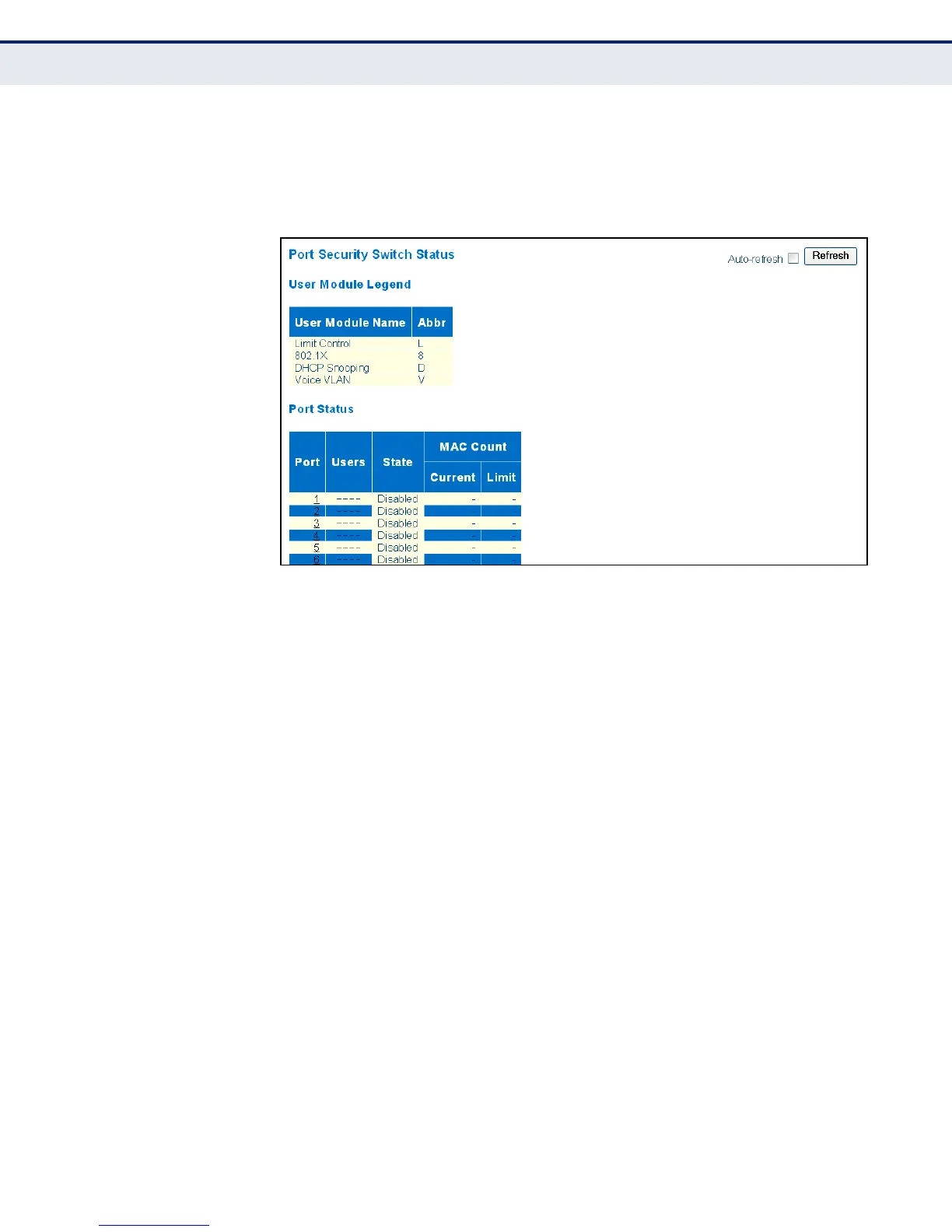
To display information about switch-level settings for the Port Security
module, click Monitor, Security, Network, Port Security, Switch.
Figure 78: Port Security Switch Status
DISPLAYING
INFORMATION ABOUT
LEARNED MAC
ADDRESSES
Use the Port Security Port Status page to show the entries authorized by
port security services, including MAC address, VLAN ID, time added to
table, age, and hold state.
CLI REFERENCES
◆ "security network psec port" on page 348
PARAMETERS
These parameters are displayed in the web interface:
◆ MAC Address – The MAC address seen on this port. If no MAC
addresses are learned, a single row stating “No MAC addresses
attached” is displayed.
◆ VLAN ID – The VLAN ID seen on this port.
◆ State – Indicates whether the corresponding MAC address is blocked
or forwarding. In the blocked state, it will not be allowed to transmit or
receive traffic.
◆ Time Added – Shows the date and time when this MAC address was
first seen on the port.
◆ Age/Hold – If at least one user module has decided to block this MAC
address, it will stay in the blocked state until the hold time (measured
in seconds) expires. If all user modules have decided to allow this MAC
address to forward, and aging is enabled, the Port Security module will



 To Next Page