C
HAPTER
4
| Configuring the Switch
Configuring UPnP
– 196 –
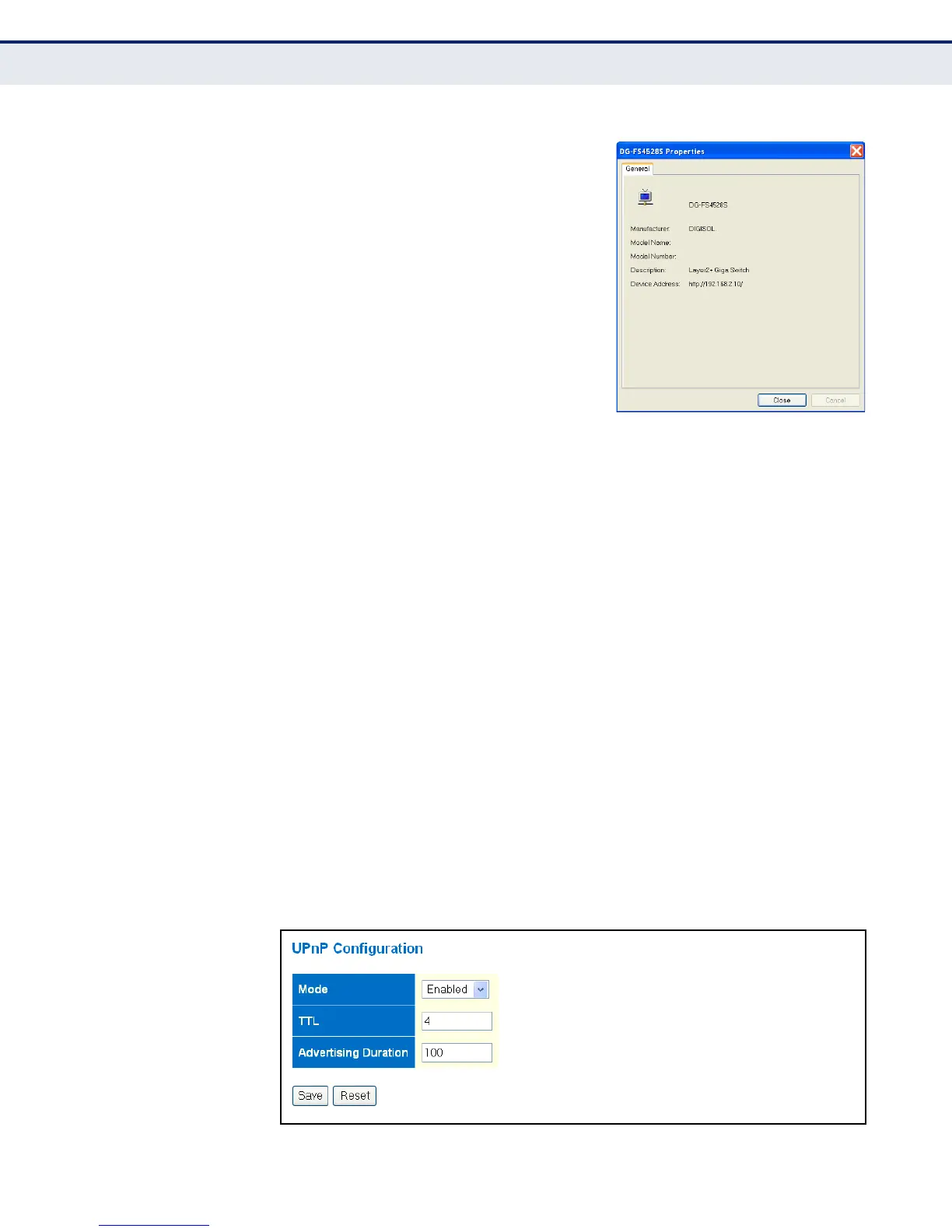
Using UPnP under Windows XP - To
access or manage the switch with the aid
of UPnP under Windows XP, open My
Network Places in the Explore file
manager. An entry for “DG-GS4528S” will
appear in the list of discovered devices.
Double-click on this entry to access the
switch's web management interface. Or
right-click on the entry and select
“Properties” to display a list of device
attributes advertised through UPnP.
CLI REFERENCES
◆ "UPnP Commands" on page 479
PARAMETERS
The following parameters are displayed on the UPnP Configuration page:
◆ Mode - Enables/disables UPnP on the device. (Default: Disabled)
◆ TTL - Sets the time-to-live (TTL) value for UPnP messages transmitted
by the switch. (Range: 4-255; Default: 4)
◆ Advertising Duration - The duration, carried in Simple Service
Discover Protocol (SSDP) packets, which informs a control point or
control points how often it or they should receive a SSDP advertisement
message from this switch. Due to the unreliable nature of UDP, the
switch sends SSDP messages periodically at the interval one-half of the
advertising duration minus 30 seconds. (Range: 100-86400 seconds;
Default: 100 seconds)
WEB INTERFACE
To configure UPnP:
1. Click Configuration, UPnP.
2. Enable or disable UPnP, then set the TTL and advertisement values.
3. Click Save.
Figure 68: UPnP Configuration



 To Next Page