C
HAPTER
4
| Configuring the Switch
Configuring Security
– 90 –
CONFIGURING SNMPV3 VIEWS
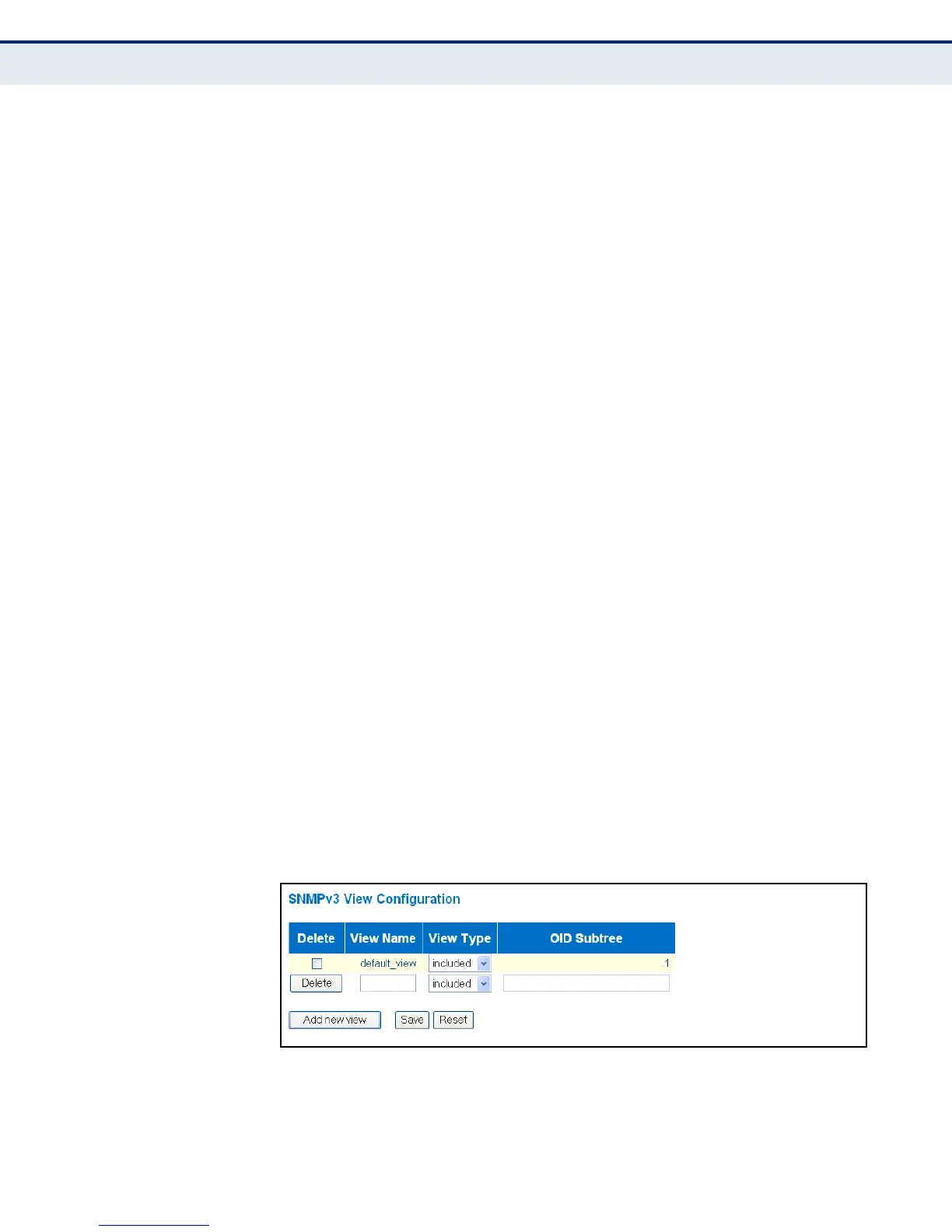
Use the SNMPv3 View Configuration page to define views which restrict
user access to specified portions of the MIB tree. The predefined view
“default_view” includes access to the entire MIB tree.
CLI REFERENCES
◆ "SNMP Commands" on page 326
PARAMETERS
The following parameters are displayed on the SNMPv3 Views
Configuration page:
◆ View Name - The name of the SNMP view. (Range: 1-32 characters,
ASCII characters 33-126 only)
◆ View Type - Indicates if the object identifier of a branch within the MIB
tree is included or excluded from the SNMP view. Generally, if the view
type of an entry is “excluded,” another entry of view type “included”
should exist and its OID subtree should overlap the “excluded” view
entry.
◆ OID Subtree - Object identifiers of branches within the MIB tree. Note
that the first character must be a period (.). Wild cards can be used to
mask a specific portion of the OID string using an asterisk.
(Length: 1-128)
WEB INTERFACE
To configure SNMPv3 views:
1. Click Configuration, Security, Switch, SNMP, Views.
2. Click “Add new view” to set up a new view.
3. Enter the view name, view type, and OID subtree.
4. Click Save.
Figure 20: SNMPv3 View Configuration



 To Next Page