C
HAPTER
4
| Configuring the Switch
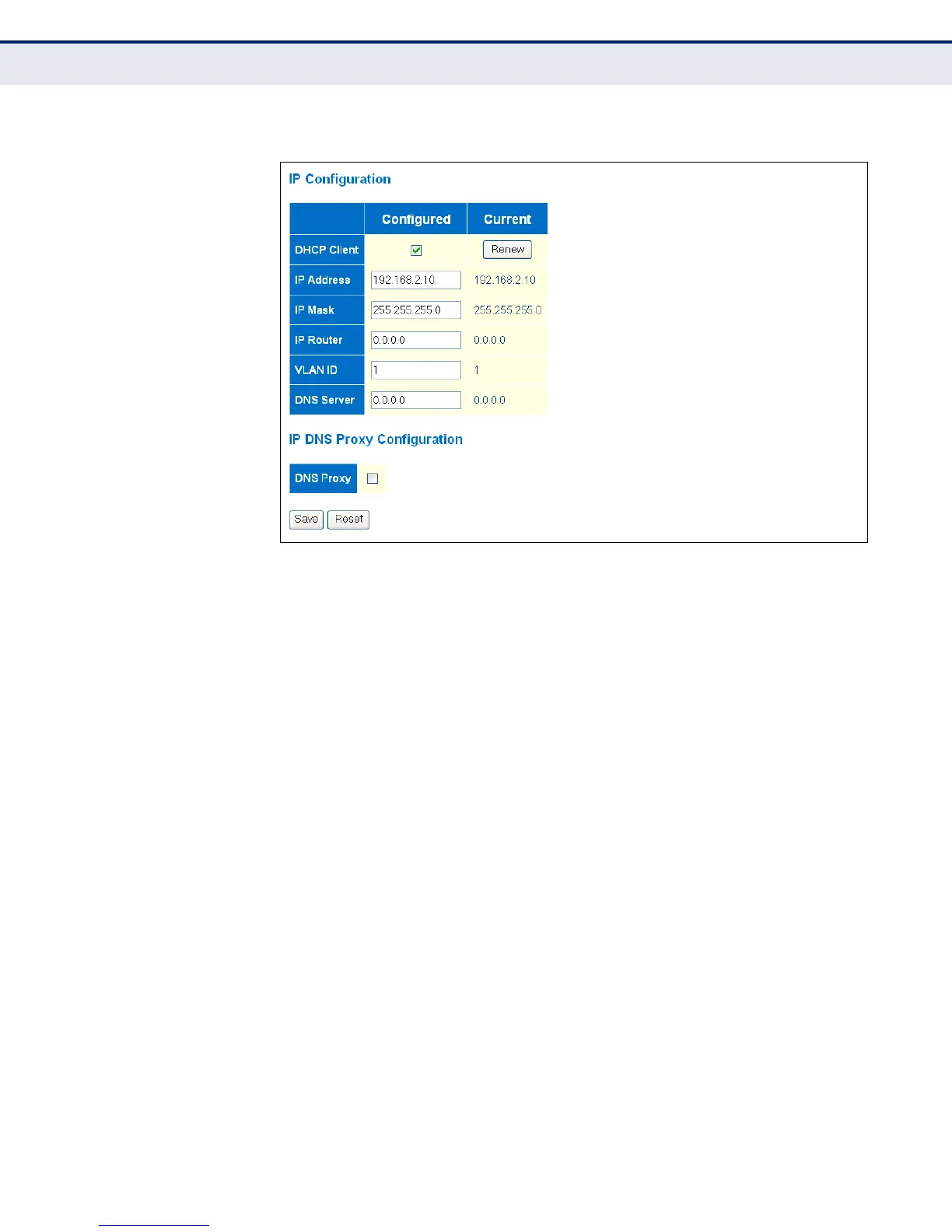
Setting an IP Address
– 64 –
Figure 4: IP Configuration
SETTING AN IPV6
ADDRESS
Use the IPv6 Configuration page to configure an IPv6 address for
management access to the switch.
IPv6 includes two distinct address types - link-local unicast and global
unicast. A link-local address makes the switch accessible over IPv6 for all
devices attached to the same local subnet. Management traffic using this
kind of address cannot be passed by any router outside of the subnet. A
link-local address is easy to set up, and may be useful for simple networks
or basic troubleshooting tasks. However, to connect to a larger network
with multiple segments, the switch must be configured with a global
unicast address. A link-local address must be manually configured, but a
global unicast address can either be manually configured or dynamically
assigned.
CLI REFERENCES
◆ "IP Commands" on page 271
USAGE GUIDELINES
◆ All IPv6 addresses must be formatted according to RFC 2373 “IPv6
Addressing Architecture,” using 8 colon-separated 16-bit hexadecimal
values. One double colon may be used in the address to indicate the
appropriate number of zeros required to fill the undefined fields.
◆ When configuring a link-local address, note that the prefix length is
fixed at 64 bits, and the host portion of the default address is based on
the modified EUI-64 (Extended Universal Identifier) form of the
interface identifier (i.e., the physical MAC address). You can manually



 To Next Page