C
HAPTER
4
| Configuring the Switch
Configuring Security
– 85 –
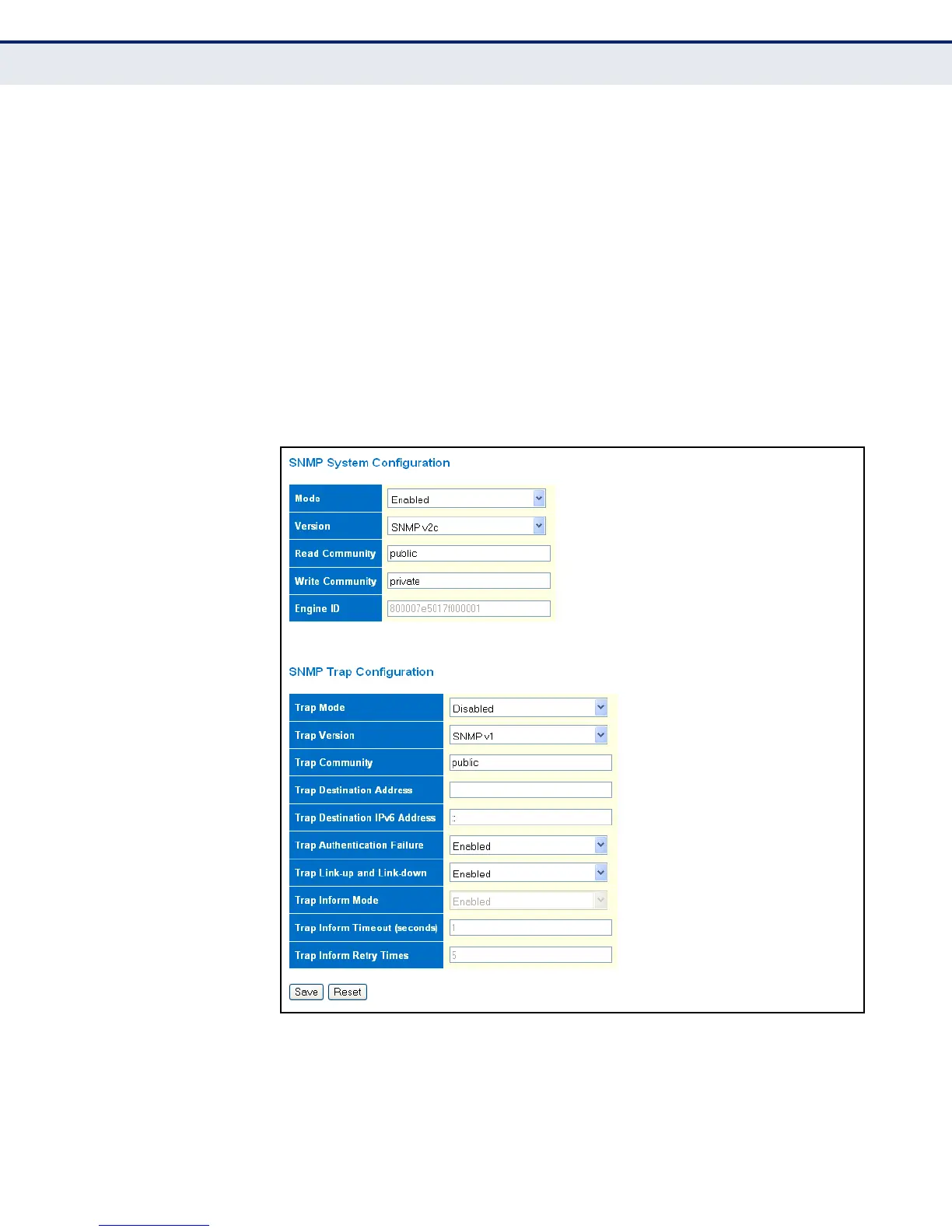
2. In the SNMP System Configuration table, set the Mode to Enabled to
enable SNMP service on the switch, specify the SNMP version to use,
change the community access strings if required, and set the engine ID
if SNMP version 3 is used.
3. In the SNMP Trap Configuration table, enable the Trap Mode to allow
the switch to send SNMP traps. Specify the trap version, trap
community, and IP address of the management station that will receive
trap messages either as an IPv4 or IPv6 address. Select the trap types
to issue, and set the trap inform settings for SNMP v2c or v3 clients.
For SNMP v3 clients, configure the security engine ID and security
name used in v3 trap and inform messages.
4. Click Save.
Figure 16: SNMP System Configuration



 To Next Page