C
HAPTER
4
| Configuring the Switch
Configuring Security
– 79 –
PARAMETERS
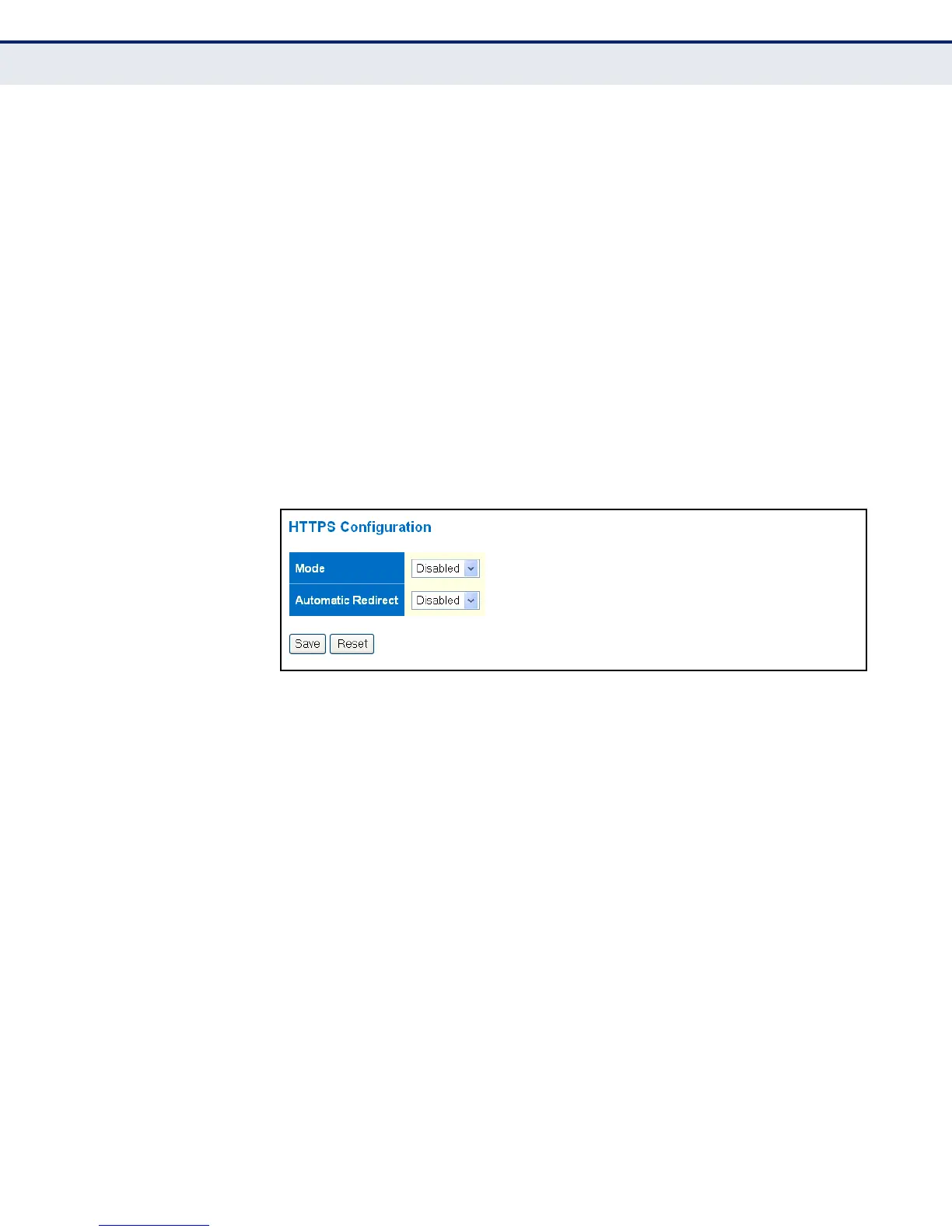
The following parameters are displayed on the HTTPS Configuration page:
◆ Mode - Enables HTTPS service on the switch. (Default: Disabled)
◆ Automatic Redirect - Sets the HTTPS redirect mode operation. When
enabled, management access to the HTTP web interface for the switch
are automatically redirected to HTTPS. (Default: Disabled)
WEB INTERFACE
To configure HTTPS:
1. Click Configuration, HTTPS.
2. Enable HTTPS if required and set the Automatic Redirect mode.
3. Click Save.
Figure 14: HTTPS Configuration
FILTERING IP
ADDRESSES FOR
MANAGEMENT ACCESS
Use the Access Management Configuration page to create a list of up to 16
IP addresses or IP address groups that are allowed management access to
the switch through the web interface, SNMP, or Telnet.
The management interfaces are open to all IP addresses by default. Once
you add an entry to a filter list, access to that interface is restricted to the
specified addresses. If anyone tries to access a management interface on
the switch from an invalid address, the switch will reject the connection.
CLI REFERENCES
◆ "Management Access Commands" on page 322
PARAMETERS
The following parameters are displayed on the Access Management page:
◆ Mode – Enables or disables filtering of management access based on
configured IP addresses. (Default: Disabled)
◆ Start IP Address – The starting address of a range.
◆ End IP Address – The ending address of a range.



 To Next Page