C
HAPTER
4
| Configuring the Switch
Configuring NTP Service
– 66 –
WEB INTERFACE
To configure an IPv6 address:
1. Click Configuration, System, IPv6.
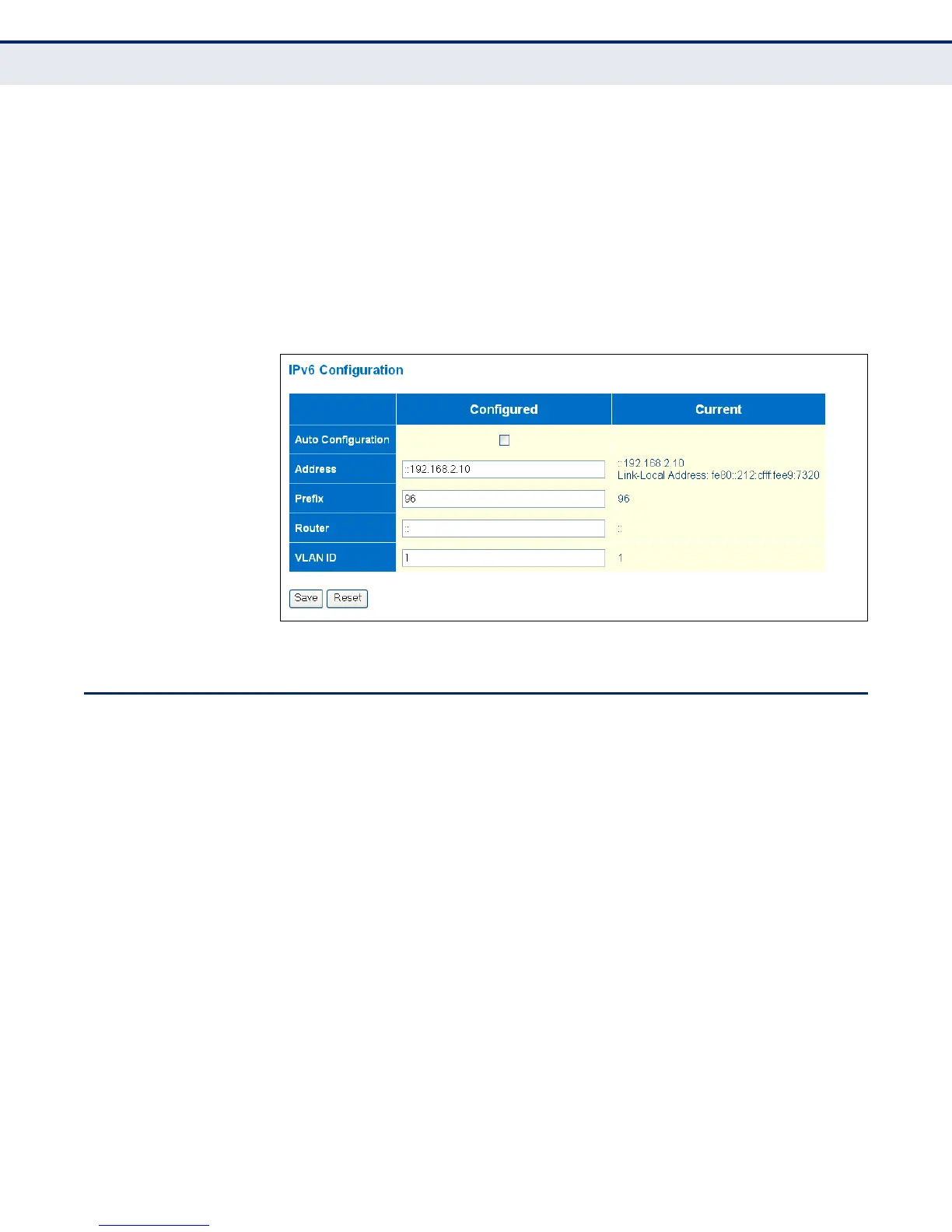
2. Specify the IPv6 settings. The information shown below provides a
example of how to manually configure an IPv6 address.
3. Click Save.
Figure 5: IPv6 Configuration
CONFIGURING NTP SERVICE
Use the NTP Configuration page to specify the Network Time Protocol (NTP)
servers to query for the current time. NTP allows the switch to set its
internal clock based on periodic updates from an NTP time server.
Maintaining an accurate time on the switch enables the system log to
record meaningful dates and times for event entries. If the clock is not set,
the switch will only record the time from the factory default set at the last
bootup.
When the NTP client is enabled, the switch periodically sends a request for
a time update to a configured time server. You can configure up to five time
server IP addresses. The switch will attempt to poll each server in the
configured sequence.
CLI REFERENCES
◆ "IP Commands" on page 271
PARAMETERS
The following parameters are displayed in the web interface:
◆ Mode – Enables or disables NTP client requests.



 To Next Page