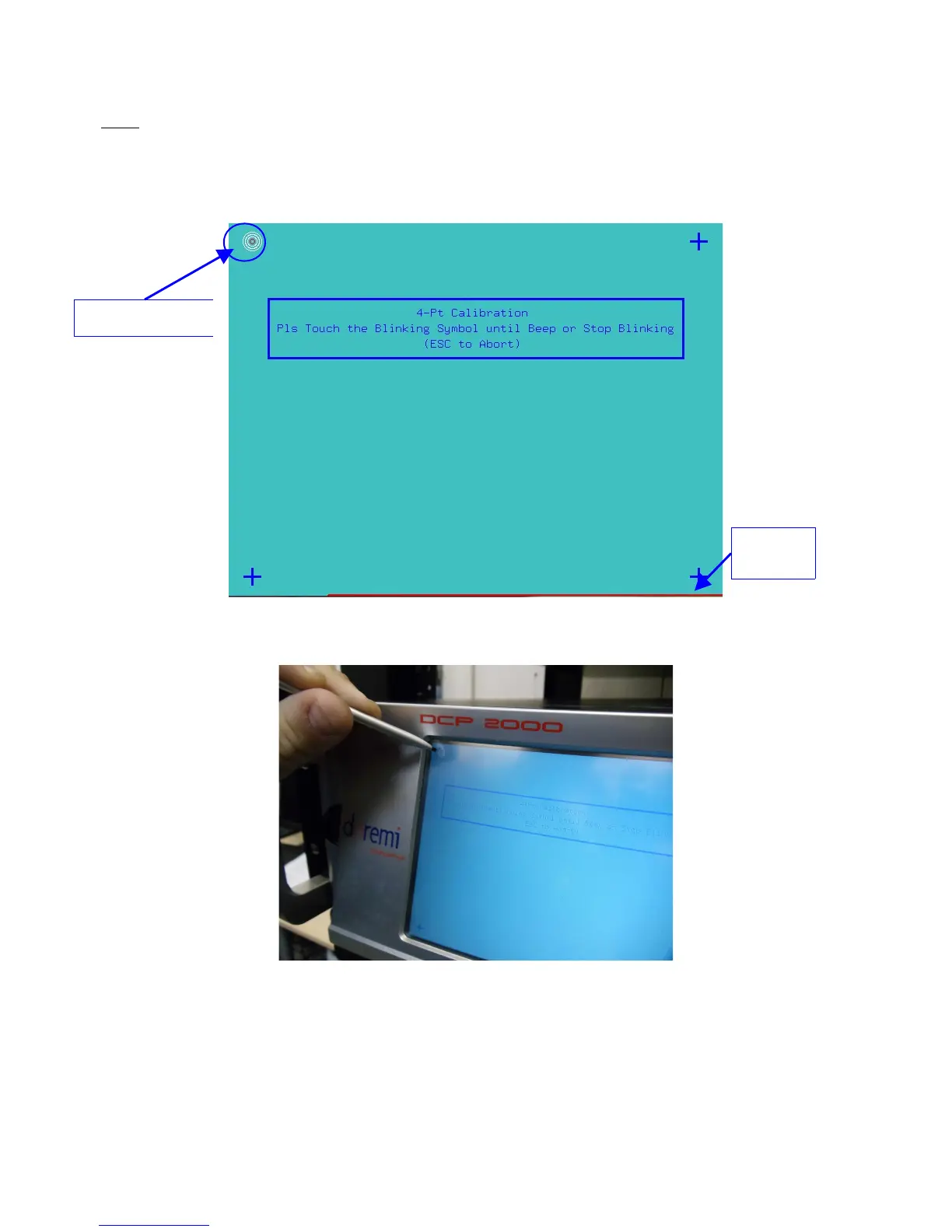
Note: The red line on the bottom of the Touchscreen Calibration window indicates how much time
you have left to complete the calibration process. If the calibration process is not complete by the
time the red line runs out, the process will stop and the program will exit out of the calibration
process (Figure 130).
• Once the blinking dot turns into a cross, move onto the next blinking dot.
Figure 130: Touchscreen Calibration Window
Figure 131: Server LCD Screen Calibration
• Anytime you want to abort without completing the calibration process press “Esc.”
• Once the calibration process is complete, the Touchscreen Calibration window will
automatically close. This will indicate that the calibration process was successfully
completed.
______________________________________________________________________________________
D2K.OM.001822.DRM Page 105 of 177 Version 1.5
Doremi Labs
First Blinking Dot
Red
Line



 To Next Page