154 Eos Apex, Eos Ti, Gio, Gio @5, Ion Xe, Ion Xe 20, and Element 2 User Manual
Using Save As
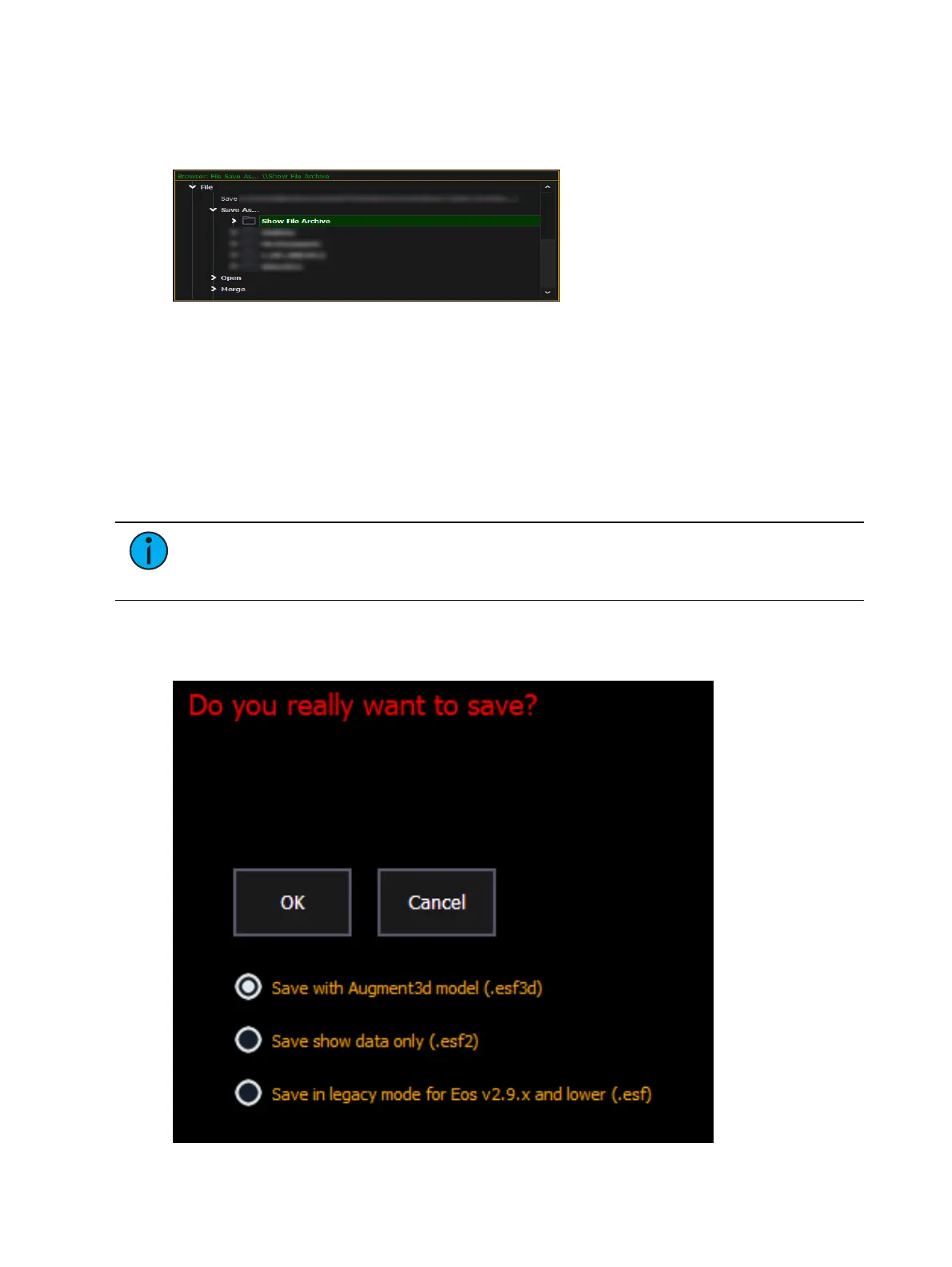
To save an existing Eos Family show file to a different location or with a different name,
navigate within the Browser to: File > Save As > and press [Select].
Eos provides you with three locations to save an Eos Family show file (.esf) including the Show
File Archive, the File Server (if connected) or a USB device (if connected).
Navigate to the desired storage location and press [Select]. When using “Save As” to save the
show file to a specific location, the alphanumeric keypad will display on the CIA. Name the
show file and press [Enter]. The show file will be saved in the specified location with the show
file name you entered with a time stamp suffix.
By default, the current show file name will be used. Pressing [Label] or [Delete] on the
console, or DELETE on an alphanumeric keyboard will remove the default show label when
doing a Save As.
Note:
When using Save As to save to a location outside of the Show File Archive, the
unsaved show indicators and old show file name will still appear. Save into the Show
File Archive to remove these indicators and update the file name displayed.
Show File Formats
The Save and Save As dialogs include a variety of options for saving show files.



 To Next Page