System Basics 135
Slider Format - choose between the following options:
Buttons - configurable buttons
Faders - sliders and configurable buttons
Apex Faders - Apex endless fader wheels, sliders, and configurable buttons
Display Master Fader Pair - check this box to display the virtual master fader pair.
Unchecked by default.
For information about configuring your faders, see
Fader Configuration (on page128)
Copying Faders Using Attributes Only
When copying faders, you can use {Attrs Only} to copy over all of the fader properties except
levels, effects, and labels.
[Fader] [1] [Copy To] [Fader] [4] {Attrs Only} [Enter] [Enter] - copies all of the fader
properties from fader 1 and places it in fader 4. Levels, effects, and labels are not copied
when using the {Attrs Only} softkey.
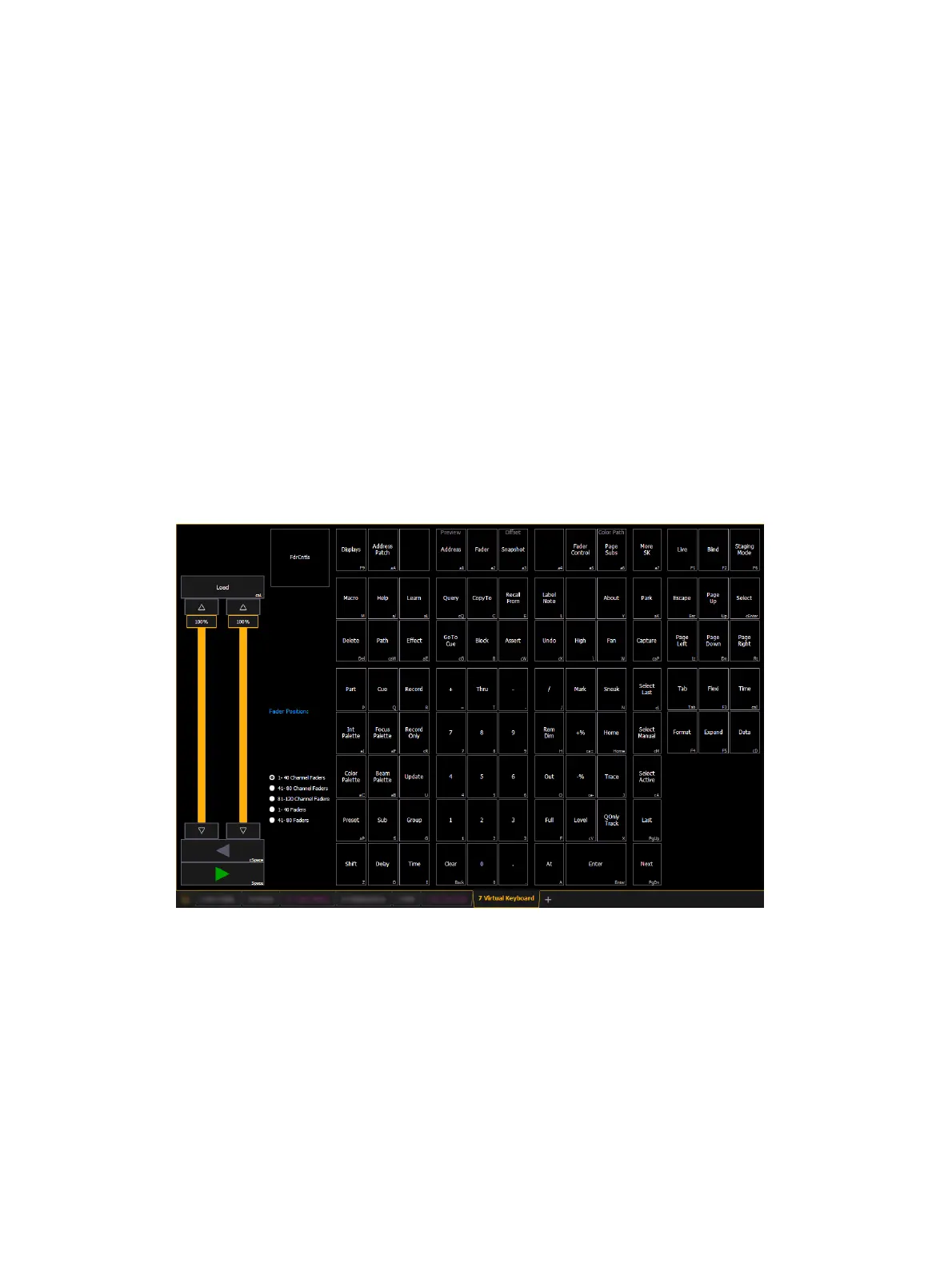
Virtual Keyboard
It is possible to open a keyboard which mimics the hard keys found on the physical keypad.
To open, you can select the virtual keyboard from the
Workspace Layout Menu (on page90)
or
use [Tab] [7].
The virtual keyboard displays the alphanumeric keyboard shortcut for that hardkey in the
lower right hard corner.



 To Next Page