Patch 181
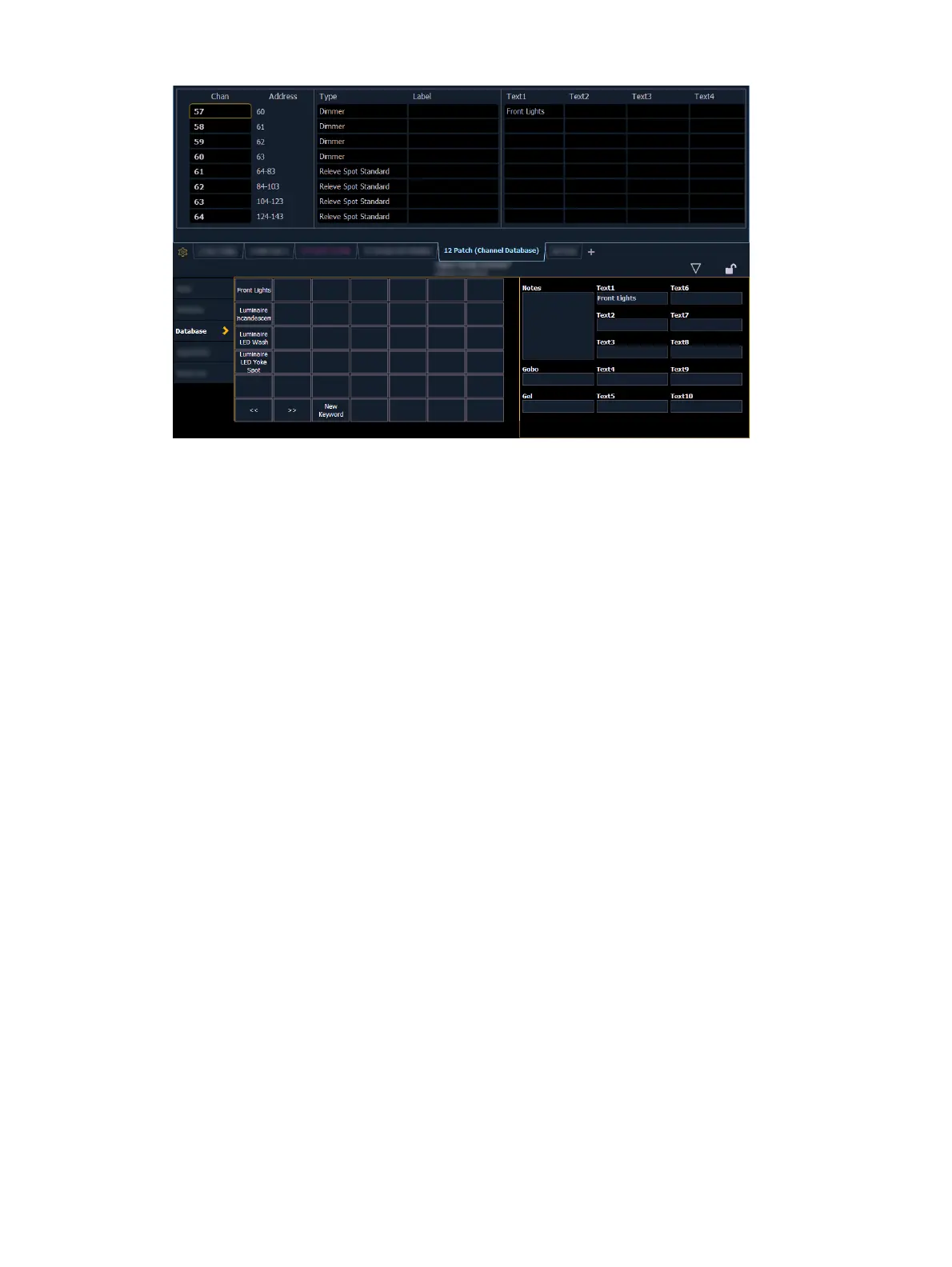
{Text} - Text fields are used to provide up to ten keywords about any channel or group of
channels. These fields can be anything that you think is important about a channel, such
as its location (FOH), an attribute of it (wash, spot) or other characteristics of the channel
(such as gel R80). Select {New Keyword} and use the virtual keyboard in the CIA, or an
external keyboard, to provide up to 30 characters of key words about the device.
[5] {Database} {Text 1} < FOH right> [Enter] - adds text to channel 5.
[5] {Database} {Text 2} [Label]downstage right [Enter] - adds text to channel 5.
{Notes} - Provides you the ability to attach a text note to a channel or group of channels.
Select the {Notes} button on the CIA to display the virtual keyboard. You may type a
label or any length of note regarding your channel in this space.
[5] {Database} {Notes} <this fixture is a backup to channel 15 for front of house right /
new lamp installed on 10/4/17> [Enter] - adds a note to channel 5.
{Gel} - The Gel field is a dedicated location for notes about gels.
Adding Keywords in Patch
If you plan on being able to query channels based on a keyword association, the keyword must
be defined in patch.
Keywords entered are automatically used by Augment3d as tags on the associated channel /
fixture. Spaces are replaced with an underscore (_). For more information on tags, see
Hierarchy (on page490)
.
To enter a keyword for a channel:
1. In Patch >Database, select a channel or range of channels in the command line.
2. Touch one of the {Text (1-10)} touchbuttons in the CIA to specify which keyword you are
entering. A list of previously defined keywords will be posted. Select from these or press
{New Keyword}. A virtual alphanumeric keyboard will appear.
3. Type the keyword or words you wish to use.
4. When finished, press [Enter].
Once keywords have been created, they will appear in the keyword section of the CIA when a
query is performed. For more information on keyword queries see
Using Query (on page352)
.



 To Next Page